

Baseball
Loading game…
Baseball
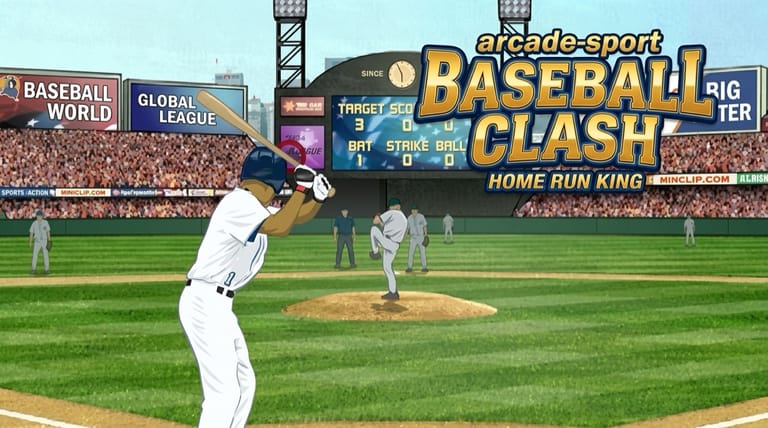
Luke Whittaker's Baseball throws out nine-tenths of what a baseball game usually contains. You never pitch, you never field, you never manage a roster. You stand at the plate, and the only decision you make is where and when to click. Stripping the sport down to the single moment that matters turns out to be a smart trade — every session is nothing but the part people actually want to play.
Two Modes, One Swing
The game splits into two distinct challenges that use the same batting mechanic in completely different ways.
Bottom of the Ninth is a scripted comeback. Your team is down by four runs in the final inning with three outs left, and you need five runs to win it outright. That maths is deliberately unforgiving: three outs is very little room, and singles alone will not get you there. It is a walk-off scenario, and it either happens or it doesn't.
Arcade mode is a pure accuracy drill. You get ten pitches and a target sitting out in the outfield, and your job is to land the ball as close to the middle of that target as you can. Hits nearer the centre score more. You also choose a difficulty before you start, and that choice feeds into your final score, so a modest total on a harder setting can beat a big one on an easy setting.
Reading the Pitch
Timing decides whether you make contact. Cursor position decides what kind of contact you make, and that second part is where the depth is.
The game treats the vertical position of your click as the point on the ball you strike. Click low and you get under the ball: it leaves the bat on a steeper angle, climbs higher, and travels less far forward. Click higher on the ball and you flatten the trajectory, trading height for distance. Neither is universally correct — it depends on what you are trying to do.
That single relationship covers both modes. In Bottom of the Ninth you generally want distance, so you are hunting for flatter, harder contact that carries past the fielders. In Arcade mode you are aiming at a fixed spot on the ground, so you want the ball to land in a particular place, and a higher, shorter ball is often exactly right for a near target while a flat drive suits a distant one.
Controls
| Action | Control |
|---|---|
| Select / interact | Left mouse button |
Click to swing. Where your cursor sits at the moment of the click sets the contact point — a lower click sends the ball higher on a shorter arc, a higher click drives it flatter and further.
Getting More Out of Bottom of the Ninth
Five runs from three outs means you cannot afford wasted swings. A few things help:
- Do not swing at everything. Contact for its own sake produces easy outs, and an out is a third of your entire budget.
- Commit to power. Small, safe hits do not close a four-run gap in the time you have. This mode wants big contact.
- Treat each out as a checkpoint. After the first out, ask yourself whether your current approach is on pace. If not, change the contact point rather than repeating the same swing.
Getting More Out of Arcade Mode
Ten pitches is enough to establish a rhythm, which is the opposite of the ninth-inning pressure cooker.
- Spend the first two pitches calibrating. Learn where your contact point sends the ball before you start chasing the bullseye.
- Pick your difficulty honestly. The multiplier rewards playing above your level, but only if you can still put the ball near the target. A clean run on medium usually outscores a scattered one on hard.
- Adjust in small increments. If a ball lands just past the target, the fix is a slightly lower contact point, not a completely different swing.
Why a One-Button Sports Game Holds Up
The reason this design still works is that it has no dead time. There is no fielding animation to sit through, no inning break, no menu between attempts. Pitch, swing, result, next pitch. The feedback loop is tight enough that you can feel yourself improving inside a single ten-pitch run.
Frequently Asked Questions
What are the two game modes? Bottom of the Ninth, a scripted comeback where you need five runs with three outs available, and Arcade, a ten-pitch accuracy challenge against an outfield target.
How do I hit the ball further? Click higher on the ball. A lower contact point lifts the ball but costs you forward distance, so flatter contact is what carries.
Does the difficulty setting change my score in Arcade mode? Yes. The difficulty you pick before starting feeds into your final total, so harder settings are worth more per accurate hit.
Why do I keep making outs in Bottom of the Ninth? Usually from swinging at everything. With only three outs and a four-run deficit, selective swings aimed at real distance are the only approach that works.
Do I ever play defense? No. The game is entirely from the batter's perspective, which is why it plays so quickly.