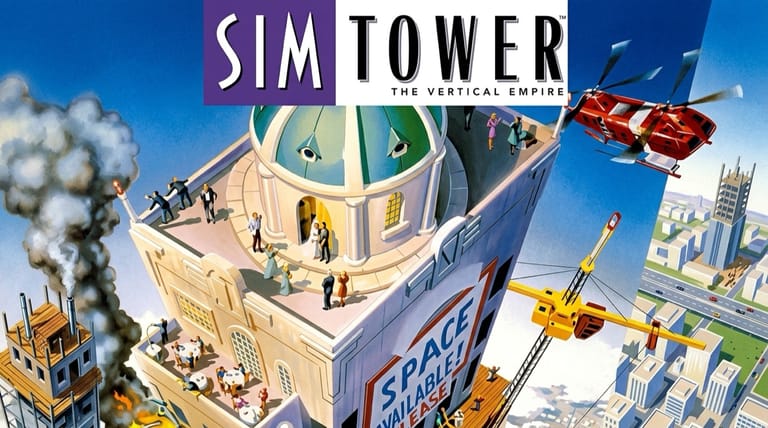

SimTower: The Vertical Empire
Preparing game…
SimTower: The Vertical Empire
Build a towering skyscraper floor by floor and manage the lives inside it — SimTower online is free on this page, and the empty lot is waiting the moment it loads. Nothing gets installed and nobody asks you to register. Maxis's absorbing 1994 building-management simulation loads in seconds and challenges you to grow a single elevator and lobby into a bustling, star-rated tower. It is a poor fit for a phone: floors are thin horizontal strips a few pixels tall, and putting an office on the right one takes a pointer.
How to Play SimTower Online
The lot is yours in under a minute:
- Press Play to bring up SimTower and its empty lot.
- Wait a moment for it to start — you begin with a lobby and a single elevator shaft to plan around.
- Click inside the game frame so you can select floors and place facilities precisely.
- From the menu, start a new tower with a lobby and your first elevators.
- Add offices, shops, and apartments, manage elevators, and grow toward a five-star rating.
SimTower is all about flow — watch how tenants move and tweak your elevators to keep them happy.
Controls
SimTower is played with the mouse, using the on-screen toolbar:
| Action | Control |
|---|---|
| Select build tool | Click a facility type in the toolbar |
| Place a facility | Click the spot on your tower |
| Build / route elevators | Select elevator tool, then place and set stops |
| Bulldoze / remove | Use the delete tool, then click |
| Inspect a tenant or facility | Click it for info |
| Change game speed | Use the speed controls |
| Scroll the view | Move cursor to screen edge or use scroll |
| Fullscreen toggle | Right Alt + Enter |
Plan your elevators carefully — long waits are the number-one reason tenants get unhappy and leave.
What Is SimTower?
SimTower is a construction and management simulation developed by OPeNBooK and published by Maxis in 1994 for MS-DOS, Windows, and Mac. It puts you in charge of building a single skyscraper, starting from a lobby and a few elevators and growing it into a sprawling vertical city of offices, apartments, hotels, shops, restaurants, and more. Your goal is to keep tenants and visitors happy enough to earn a higher star rating, eventually unlocking the prestigious TOWER status.
SimTower is celebrated for its unique vertical twist on the simulation genre and its surprisingly deep elevator logistics — moving people efficiently up and down your tower is the central puzzle. Balancing construction costs, tenant satisfaction, and the constant flow of foot traffic gives it a compelling, almost meditative pull. Part of the SimCity-era Maxis lineup, it became a cult favorite that fans still enjoy decades later.
How the Game Works / Gameplay Basics
You build your tower one facility at a time, placing offices, condos, hotel rooms, shops, restaurants, and services on different floors. Each facility type has its own needs and income, and tenants will only stay if they're satisfied — which depends heavily on how easily they can get around. That makes elevators and stairs the heart of the game: you must design transit that moves crowds quickly, especially during morning and evening rush hours.
Your tower earns a star rating that rises as you grow and keep tenants happy, unlocking new facility types like cinemas, parking, and eventually a cathedral at the top. You'll manage rent income, construction costs, and problems like overcrowded elevators, while keeping an eye on tenant happiness (shown by the color of their tiles). The challenge is balancing ambitious expansion against the logistics of keeping thousands of simulated people moving smoothly — all the way to the coveted TOWER rating.
Beginner Tips
- Prioritize elevators. Efficient transit is the key to happy tenants — avoid long waits.
- Watch tenant colors. Red tiles mean unhappy tenants; investigate and fix the cause.
- Stagger your facilities. Mix offices, homes, and shops to spread out foot traffic.
- Add express elevators. As your tower grows tall, express lifts cut down travel time.
- Grow steadily. Expand as income allows rather than overbuilding and going broke.
- Place services smartly. Restaurants and shops near offices and hotels boost satisfaction.
Why Play SimTower Online?
SimTower is one long optimisation problem dressed up as architecture, and the problem never changes: people are waiting for lifts. That is a strange, quiet, oddly compelling way to spend an evening, and it does not benefit from an install wizard and a reboot standing in front of it. The page loads, the lot is bare, and the first lobby goes in.
It also means you can walk away from a tower and come back without ceremony. A lot of SimTower sessions end the moment you realise that the express elevator you built at fifteen floors was the wrong call at forty — and starting the better version costs nothing but the click.
Troubleshooting
- Game won't start? Give it time to finish loading. SimTower will not answer a click until the lobby view has drawn, and a reload is the remedy if it never does.
- Mouse or keyboard not responding? Click once inside the frame; until you do, clicking a facility in the toolbar only moves the browser's focus around.
- Tenants leaving? Check for long elevator waits and add capacity where it's needed.
- Running slowly? Close other tabs and heavy applications — a tall tower at rush hour, with thousands of tenants all trying to move at once, is the heaviest thing the game does.
- No sound? SimTower's audio is a thin layer of lift chimes and tenant grumbles rather than a continuous soundtrack, so a quiet tower at a quiet hour is expected.
- Screen too small? Use fullscreen mode for a clearer view of your tower.
Frequently Asked Questions
Is SimTower free to play online? Yes. Maxis published it commercially in 1994. Nothing is charged for it here, at any point.
Do I need to download or install SimTower? No. The game is run by the page itself, so no software reaches your computer and no account is created.
Can I play SimTower on mobile? A phone can open it, but setting an elevator's stops means clicking exact floors in a narrow column, and that is difficult with a fingertip.
Is this the original 1994 SimTower? Yes — the OPeNBooK-developed original that Maxis published, not a later remake.
What's the goal of SimTower? Build and manage a skyscraper, keep tenants happy, and raise your star rating all the way to the coveted TOWER status.
Can I save my progress? Yes. Towers are saved from the game menu, which is the sensible thing to do before you knock through a floor to add a new shaft.
An empty lot and a sky's-the-limit ambition await. Load it up and start building your tower.