

Play Retro Games online, in your browser
Play your favorite retro games all in one place. Play the best old DOS or classic games, right here in your web browser.
New Games

Action Games
View More
Puzzle Games
View More
Educational Games
View More



Platform Games
View More
Strategy Games
View More
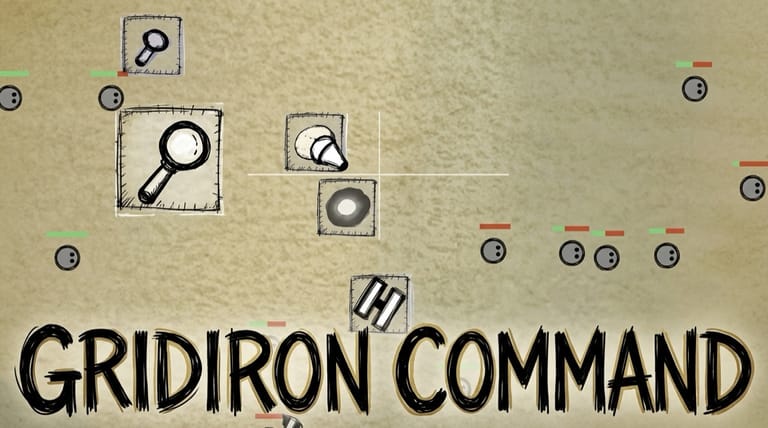
Welcome to the easiest way to play retro games online. This library is built around two golden ages: the DOS era that defined PC gaming, and the Flash era that turned the web into a playground. Rediscover the classics you grew up with — and find the ones you missed — all playable instantly in your browser. There's nothing to download, nothing to install, and no account to create. Just pick a game and press Play.
What Are Retro Games?
Retro games are the classic titles from the early decades of home computing that shaped gaming as we know it. It was an era of pure creativity, and the limits were the point: a DOS strategy epic had to fit on a handful of floppy disks, and a Flash game had to load over a slow connection and hook you within seconds. Developers turned those constraints into some of the most memorable, addictive and influential games ever made.
For many players these are pure nostalgia — a direct line back to afternoons in front of a beige PC or a school computer lab. For others they're a chance to experience gaming history firsthand and find out why these titles are still talked about decades later.
Explore the Collection
- DOS classics — nearly 200 of them: sprawling strategy, deep simulations, landmark shooters and story-rich adventures from the golden age of PC gaming, back when a major release shipped as a stack of floppy disks.
- Retro Flash games — over 150 of the best: quick puzzles, tower defence, physics toys, stick-figure action and the addictive one-more-go games that defined the browser era.
You'll also find a small selection of other console-era classics alongside them.
Play Instantly — No Downloads, No Hassle
Everything here runs directly in your web browser. The moment you press Play, the game loads and you're in — no software to install, no files to manage, and no sign-up required. It's completely free and works across modern browsers on your computer, tablet or phone.
The two halves of the collection suit different setups. DOS classics are best on a desktop or laptop, where a full keyboard and mouse make them shine — that's what they were designed around, and many lean on keyboard shortcuts a touchscreen can't reproduce. Flash games are lighter on their feet: most need nothing more than a mouse or a few keys, so they play well on a phone or tablet as readily as on a computer.
Something for Every Kind of Player
Beyond the two eras, you can browse by genre to find exactly what you're in the mood for. Whether you love fast-paced action and shooters, brain-teasing puzzle games, deep strategy and simulation, story-rich adventure and RPG epics, family-friendly educational classics, or sports and racing thrills, there's a whole library to explore. New games are added regularly, so there's always another classic to rediscover.
Why Play Retro Games Online?
Both of these eras became surprisingly hard to revisit. Playing a DOS game used to mean sourcing the original disks and configuring an emulator, choosing a sound card and freeing up memory before you saw a title screen. Flash games had a different problem: the browser plugin they depended on was retired at the end of 2020, and thousands of games that had been one click away simply stopped working overnight.
Playing here removes both obstacles. DOS titles run in an emulator that's already configured, and Flash games run through a modern replacement for the old plugin, so they play the way they always did without anything to install. It's the simplest, fastest way to revisit a favourite, share these classics with someone who missed them, or finally try a game you always heard about.
So take a trip back to the good old days. Browse the collection, pick a title, and press Play — your next retro game is one click away.
Frequently Asked Questions
Are these retro games free to play? Yes. Every game loads and runs right in your browser at no cost — no account and no download required.
Do I need to download or install anything? No. Everything runs directly in your web browser. Just open a game and press Play.
Do I need Flash Player to play the Flash games? No, and you couldn't install it if you wanted to — Adobe retired it at the end of 2020. The Flash games here run through a modern open-source replacement built into the page, so they work in any current browser.
What kinds of retro games can I play here? Mostly two things: classic DOS games from the golden age of PC gaming, and the best Flash games from the browser era — spanning action, adventure, puzzle, strategy, RPG, sports, educational and more.
Can I play retro games on my phone? Many of them, yes. Flash games generally work well on a touchscreen, since most only ask for a mouse or a couple of keys. Keyboard-driven DOS classics are best enjoyed on a desktop or laptop.
Do I need a controller? Not at all. A keyboard and mouse cover everything here. You can connect a USB or Bluetooth controller if you prefer one, and games that were built for a gamepad will pick it up automatically.
Ready to play? Browse the collection and press Play on any game to jump straight in.