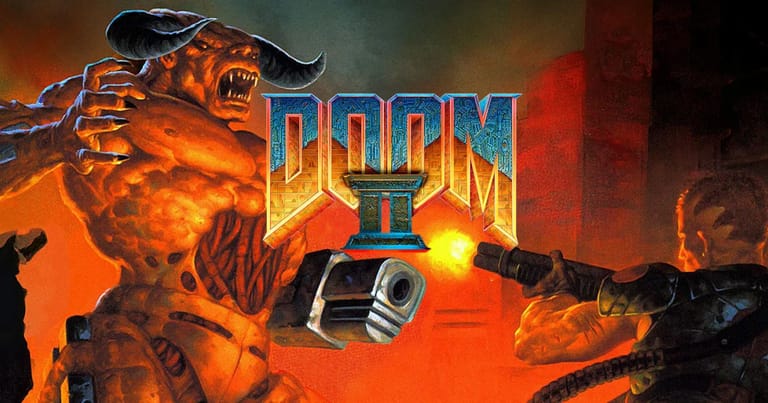

DOOM II
Preparing game…
DOOM II
The demons followed you home, and now they've overrun Earth itself — DOOM II runs on this page as an ordinary browser tab, with no copy to buy and no account attached to it. id Software's bigger, meaner 1994 sequel picks up where the original left off, with new monsters, the legendary Super Shotgun, and a fight to save the last of humanity. A phone will run it, but DOOM II expects you to back-pedal, turn and fire in the same second, and three fingers on glass cannot cover what one hand on the keys and one on the mouse manage without thinking.
How to Play DOOM II Online
Getting into the action takes seconds:
- Click the Play button; the game data comes down first, before the title screen appears.
- Wait through the demo loop that plays on the title screen — that's DOOM II idling, not the game failing to start.
- Click once on the playfield; until you do, Ctrl and the arrow keys still belong to the browser rather than to the marine.
- Pick New Game from the menu. DOOM II runs as one continuous 32-map campaign, so there's no episode to choose — just a skill level, and "Hurt Me Plenty" is the one the maps are balanced around.
- Start the campaign and fight your way through Earth's ruined cities and the gates of Hell.
If you've played the original DOOM, you'll feel right at home — DOOM II is faster, larger, and meaner.
Controls
DOOM II uses the same classic keyboard layout as the original:
| Action | Key |
|---|---|
| Move forward / back | Up Arrow / Down Arrow (or W / S) |
| Turn left / right | Left Arrow / Right Arrow |
| Strafe left / right | Alt + Arrow, or comma / period |
| Fire weapon | Ctrl |
| Open doors / use switches | Spacebar |
| Run (hold) | Shift |
| Switch weapons | Number keys 1–7 |
| Toggle map | Tab |
| Pause | Esc |
Enable mouse aiming for faster turning — most players prefer it on desktop.
What Is DOOM II?
DOOM II: Hell on Earth arrived in 1994 as id Software's MS-DOS follow-up, sold complete in a box rather than split into a free first episode the way the original had been. The direct sequel to the genre-defining DOOM, it brings the fight from the moons of Mars back to Earth, where the demonic invasion has devastated humanity. As the lone marine, your job is to cut through the horde, reach a teleporter to Hell, and shut the invasion down for good.
DOOM II kept everything that made the original a phenomenon and added more: bigger, more elaborate levels, a roster of fearsome new enemies like the Mancubus, Arachnotron, Revenant, and Arch-Vile, and the iconic Super Shotgun — a double-barreled monster of a weapon that remains a fan favorite to this day. It cemented DOOM as a cultural landmark and fueled one of gaming's most enduring modding communities.
How the Game Works / Gameplay Basics
DOOM II is built around speed and survival. You move through sprawling levels hunting for the exit, collecting weapons, ammo, armor, and keycards along the way. Doors gated by a colored key stay shut until you find the card or skull that matches, plenty of blank-looking walls slide open when you press use against them, and every corner can hide an imp, a Hell Knight, or one of the deadly new arrivals.
DOOM II's levels are wider and more open than the original's, so the familiar cycle of finding keys and clearing rooms becomes a matter of managing large fights in the open rather than picking through corridors. The new enemies force smarter tactics — the Arch-Vile resurrects fallen demons and must be killed fast, while Revenants fire homing missiles you have to dodge or break line of sight from. The Super Shotgun becomes your workhorse, tearing through crowds up close, while your heavier weapons handle the tougher threats. Strafing around enemies while picking your shots is the heart of the combat.
Beginner Tips
- Grab the Super Shotgun. It's your best all-round weapon — devastating at close to medium range.
- Keep moving. Standing still gets you killed; circle-strafe to dodge incoming fire.
- Prioritize Arch-Viles. They revive dead enemies and hit hard, so take them out first.
- Break line of sight. Use walls and corners to dodge Revenant homing missiles.
- Hunt for secrets. Push on suspicious walls — many hide armor, health, and weapons.
- Manage your ammo. Use weaker weapons on small enemies and save shells for crowds.
Why Play DOOM II Online?
Playing DOOM II here skips the usual preamble: finding a copy of the IWAD, choosing a source port, then arguing with its settings before you fire a shot. The whole 32-map campaign is simply waiting when the tab finishes loading, which suits a ten-minute detour into Entryway as well as it suits a serious run at the Icon of Sin.
Because it runs in a tab, you can pick the campaign back up on whatever machine you happen to be sitting at, without carrying a WAD around on a stick. For the game that gave the world the Super Shotgun and three decades of mods, that is a low bar to entry.
Troubleshooting
- Game won't start? Give it longer before you reload — the game data has to arrive in full before the title screen can paint, and reloading restarts that transfer from the beginning.
- Keyboard not responding? Click once inside the game frame; DOOM II uses Ctrl, Alt and Shift together, and an unfocused frame will lose them to the browser.
- Mouse pointer drifting? Use fullscreen mode so the pointer stays locked to the game while you turn — otherwise a fast spin can walk the cursor off the frame.
- Running slowly? The larger DOOM II maps can throw dozens of monsters at you at once, so close other tabs and heavy applications before those fights.
- No sound? Monster wake-up sounds tell you what has noticed you and roughly where it is, so unmute the tab and raise the volume.
- Controls feel off? Try WASD with mouse turning; DOOM II's open arenas reward circle-strafing, and that combination suits it far better than arrow keys alone.
Frequently Asked Questions
Is DOOM II free to play online? Yes. DOOM II was a boxed retail purchase in 1994, unlike the shareware original; the copy on this page costs nothing and asks nothing of you.
Do I need a WAD file or a source port? No. The game data and the engine that reads it are both handled here, so there's no file to track down and no config to write.
Can I play DOOM II on mobile? You can, but DOOM II expects you to strafe and turn at speed, and touch controls make that considerably harder than a keyboard and mouse do.
Is this the original 1994 DOOM II? Yes, this is the classic DOOM II: Hell on Earth that introduced the Super Shotgun and continued the original's story.
What's new compared to the first DOOM? DOOM II adds bigger levels, several new enemy types, and the fan-favorite Super Shotgun, all set on an invaded Earth rather than Mars.
Can I save my progress? Yes. DOOM II's own save slots work the way they always did: press Esc, choose Save Game, and take a slot. It's worth doing at the start of a map rather than in the middle of a firefight.
Hell has come to Earth, and you're the one to send it back. Load it up and start blasting.