
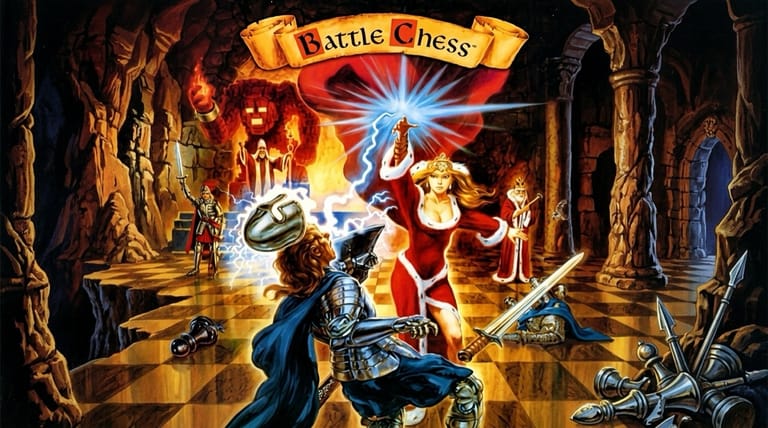

Battle Chess
Preparing game…
Battle Chess
Watch your knights, rooks, and queens come to life and do battle in animated combat with every capture. Battle Chess arrived on floppy disk in 1988 with a price tag attached; Interplay's DOS version plays here for nothing, without an installer, a setup program, or a name and password. Underneath the spectacle sits a genuine chess engine with adjustable strength. It renders happily on a phone, but a move means clicking one small square and then another, and 64 of them across a handset is fiddly work.
How to Play Battle Chess Online
Getting into a game takes seconds:
- Press Play to boot the game straight into its Interplay title screen.
- Give it a moment — the game loads the animation frames for every piece pairing before it shows you a board.
- Click inside the game frame so your cursor becomes the in-game pointer used to pick up pieces.
- Start a new game and choose to play the computer or a second player.
- Click a piece, then click its destination to move — and watch the battle animations.
Battle Chess plays by standard chess rules — the difference is the delightful animation when pieces capture one another.
Controls
Battle Chess is played with the mouse, using standard chess moves:
| Action | Control |
|---|---|
| Select a piece | Left-click the piece |
| Move the piece | Click the destination square |
| Cancel selection | Click the piece again or elsewhere |
| Access menus / options | Use the on-screen menu |
| Choose difficulty / sides | Set in the game menu |
| Fullscreen toggle | Right Alt + Enter |
It plays like any chess program — click a piece, click where it goes — but each capture triggers a unique animated fight between the two pieces.
What Is Battle Chess?
Battle Chess is a chess game developed and published by Interplay in 1988 for MS-DOS and many other platforms. It plays by standard chess rules, but with a memorable twist: the board and pieces are rendered as animated characters, and whenever one piece captures another, the game cuts to a short animated battle depicting the two combatants fighting — a knight clashing with a bishop, a rook transforming into a stone golem, and so on.
Battle Chess became a hugely popular and iconic release, praised for making chess fun and accessible through its humor and personality. The animations were a technical showpiece of their time and gave the ancient game a fresh, entertaining face that appealed to players of all skill levels. Beneath the spectacle is a fully functional chess opponent with adjustable difficulty. Decades on, Battle Chess remains one of the most fondly remembered computer chess games ever made.
How the Game Works / Gameplay Basics
At its core, Battle Chess is regular chess: the same pieces, the same rules, the same goal of checkmating your opponent's king. You play against the computer at various difficulty levels or against a second human player, moving pieces by clicking them and then clicking their destination square. All the standard rules apply — castling, en passant, pawn promotion, check, and checkmate.
The signature feature is the animation. Instead of pieces simply vanishing when captured, the game stages a brief, often humorous animated duel between the attacking and defending pieces, each pairing with its own unique sequence. You can typically toggle these animations on or off and adjust the computer's strength to suit your skill. So whether you want a serious match or just enjoy the charming combat scenes, Battle Chess delivers a complete game of chess wrapped in entertaining presentation. It's both a genuine chess challenge and a piece of gaming nostalgia.
Beginner Tips
- Control the center. Strong central pawns and pieces give you more options.
- Develop your pieces. Get knights and bishops into play early rather than moving pawns aimlessly.
- Protect your king. Castle early to tuck your king into safety.
- Set the right difficulty. Lower the computer's strength while you learn.
- Think before capturing. A flashy capture animation isn't worth losing a better piece.
- Watch for checks. Always check whether a move leaves your king exposed.
Why Play Battle Chess Online?
No chess program has ever been better company than this one, and getting to it no longer involves floppy disks, an install, or picking your sound card off a list. Play a serious game against the engine, come back for the rook-versus-knight animation you still remember, or sit a beginner down in front of it — fighting pieces remain the friendliest way anyone has found to teach the rules.
Whatever machine you're at will run it, and there is nothing to remove afterwards.
Troubleshooting
- Game won't start? Reload and let the Interplay logo finish before you click; the board isn't listening yet.
- Mouse or keyboard not responding? Click once on the board itself so Battle Chess takes hold of the pointer, then try selecting a piece.
- Pieces hard to see? Use fullscreen mode for a larger, sharper board.
- Running slowly? Close other tabs and heavy applications — the capture animations are the busiest thing Battle Chess draws, so they stutter first.
- No sound? The board is silent between moves, so the quickest test is to make a capture and listen for the animation that follows.
- Animations too long? Look in the options to toggle or speed up the battle scenes.
Frequently Asked Questions
Is Battle Chess free to play online? Yes. Every difficulty setting and every one of the animated capture sequences is available from the opening move, and none of it costs anything.
Do I need DOSBox or the original Battle Chess disks? No. The DOS version runs here inside an emulator built into the page, so you don't need to set up DOSBox or supply the original disks.
Can I play Battle Chess on mobile? You can, but each move needs two accurate taps on an eight-by-eight grid, and a phone screen makes that more awkward than it ought to be. A mouse is the comfortable way to play it.
Does Battle Chess use real chess rules? Yes, it plays by standard chess rules — the animated battles are just a presentation feature.
Can I play against another person? Yes, you can play against the computer at various difficulties or against a second human player.
Can I save my progress? Yes. Battle Chess lets you save and resume a game in progress through its menu.
An animated battlefield and a classic game of chess await. Load it up and make your first move.