

Bomberman
Preparing game…
Bomberman
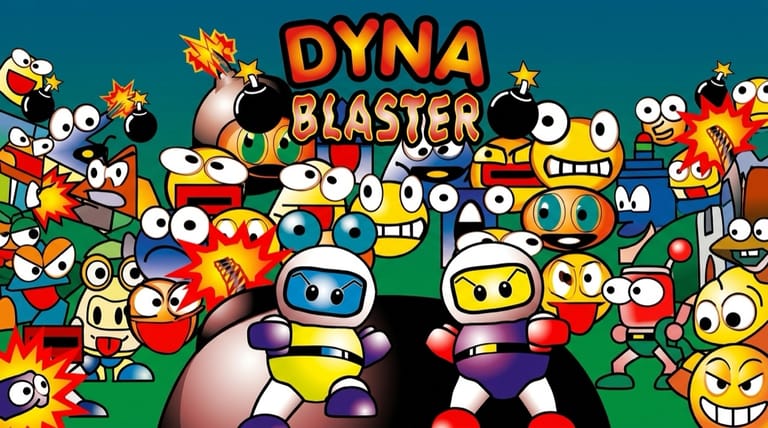
Drop bombs, blast through walls, and blow up your enemies in this explosive maze classic. The DOS release — sold in Europe as Dyna Blaster — runs on this page in full, for nothing, with no installer, no configuration and no account. Same grid, same short fuse, same habit of sealing yourself in behind your own blast. Touchscreens can play it, but every bomb you place starts a countdown you have to walk out of, and one slow tap is the difference between escaping and not.
How to Play Bomberman Online
Getting into the action takes seconds:
- Press Play to bring up the Dyna Blaster title screen.
- It only needs a moment; the DOS release is a small game, so the menu appears soon after you click.
- Click inside the game frame so the arrow keys and the bomb key go to the maze rather than the page.
- From the menu, start a new game.
- Move through the maze, drop bombs to clear blocks and enemies, and find the exit.
Bomberman is about timing and positioning — place bombs to trap enemies, but always leave yourself an escape route.
Controls
Bomberman is played with the keyboard:
| Action | Key |
|---|---|
| Move | Arrow keys |
| Drop bomb | Spacebar or Ctrl |
| Use power-up ability | Assigned key (when available) |
| Pause | Esc or Enter |
| Fullscreen toggle | Right Alt + Enter |
The golden rule: bombs explode in a cross pattern after a short delay — drop one, then immediately move to safety so you don't get caught in your own blast.
What Is Bomberman?
Bomberman is a classic maze-based action game from Hudson Soft, with the MS-DOS version released as Dyna Blaster. You control a little bomber on a grid-based maze filled with destructible blocks and roaming enemies. Your goal on each stage is to strategically place bombs to blow up obstacles and foes, uncover power-ups and the hidden exit, and reach it without getting caught in any explosion — including your own.
Bomberman is one of gaming's most enduring franchises, beloved for its simple, addictive, and deeply tactical gameplay. Every bomb is a small puzzle of positioning and timing, and the maze layouts, power-ups (extra bombs, longer blast range, speed boosts), and enemy patterns combine into fast, satisfying action. Whether played as a single-player gauntlet of stages or remembered for its legendary multiplayer battles, Bomberman's blend of strategy and chaos has made it a timeless classic.
How the Game Works / Gameplay Basics
Each stage is a grid-based maze dotted with solid walls (which can't be destroyed), soft blocks (which can), enemies, and a hidden exit beneath one of the blocks. You move around the grid and drop bombs, which detonate after a short delay, sending out a cross-shaped blast that destroys soft blocks and any enemies — or you — caught in its path. Clearing blocks reveals power-ups and the exit you need to reach to advance.
The core challenge is using bombs as both weapon and key. You must blast through soft blocks to open up the maze and find the way forward, while using carefully placed bombs to trap and destroy the enemies patrolling each stage. The constant tension is avoiding your own explosions: bombs are deadly to you too, so you always need an escape route. Power-ups found in the blocks let you carry more bombs, extend your blast radius, and move faster, gradually making you more powerful as you clear stage after stage.
Beginner Tips
- Always plan your escape. Never drop a bomb without a clear path away from the blast.
- Trap enemies. Use walls and corridors to corner foes within your bomb's range.
- Grab power-ups. Extra bombs, bigger blasts, and speed make every stage easier.
- Clear blocks methodically. Blast soft blocks to find the exit and power-ups.
- Watch enemy patterns. Learn how foes move so you can predict and avoid them.
- Don't get boxed in. Avoid placing bombs that seal off your own escape.
Why Play Bomberman Online?
Hudson's maze game has outlived nearly everything it once shared a shelf with, and the floppy that needed a prompt and a directory now needs a click. A stage lasts a minute or two, which makes this one of the easier classics to pick up for five minutes — and a hard one to actually put back down.
It will run on a work laptop as happily as on a gaming rig, and it never asks either of them for storage.
Troubleshooting
- Game won't start? Reload and wait for the first maze to appear on screen; input before that point goes nowhere.
- Keyboard not responding? Click once inside the game frame, because if the page still holds focus your spacebar scrolls the article instead of dropping a bomb.
- Running slowly? Close other browser tabs and heavy applications: bomb fuses run on a fixed timer, so a stuttering frame rate makes you misjudge how long you have to get clear.
- No sound? Unmute the tab and turn the system volume up. The fuse hiss matters more than it sounds like it should — often it's the only reminder that you left a bomb ticking around a corner.
- Screen too small? Use fullscreen mode, since each stage fits on a single screen and a bigger window makes it much easier to see which squares a blast will reach.
- Keep blowing yourself up? Move away the instant you drop a bomb and learn the blast timing.
Frequently Asked Questions
Is Bomberman free to play online? Yes. The Dyna Blaster conversion runs here at no charge, with every stage open and nothing kept back for a paid version.
Do I need to install Dyna Blaster or anything alongside it? No. The game and the DOS emulation it runs on both come from this page, so there's nothing to install beside it and no registration before the first maze appears.
Can I play Bomberman on mobile? You can, but grid movement plus a lit fuse means you must already be moving the instant you drop, and on-screen controls put you a beat behind a keyboard on exactly that.
Is this the DOS Bomberman? Yes — the MS-DOS conversion, which carried the Dyna Blaster name.
What kind of game is Bomberman? It's a grid-based maze action game where you place bombs to destroy blocks and enemies and reach the exit.
Can I save my progress? There's no save slot here — the game is stage by stage, so a run lasts as long as your lives do.
A maze full of blocks and enemies awaits. Load it up and start dropping bombs.