
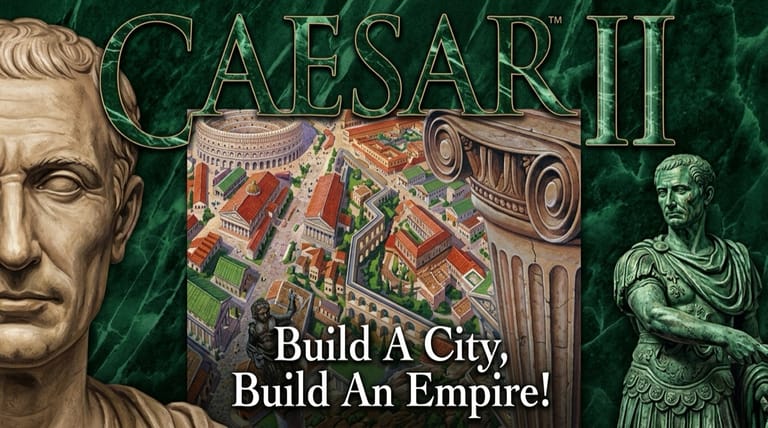

Caesar II
Preparing game…
Caesar II
Build thriving Roman provinces, lay out cities, defend against barbarians, and rise to become Caesar. Caesar 2 online asks nothing of you but a click: Sierra's 1995 CD-ROM release is served straight into this page, with no installer, no serial number and no account. Impressions' design pairs street-level city planning with a wider province of farms, mines, forts and trade roads. It will run on a phone, but nearly every action is a toolbar icon clicked and then a map tile clicked, and dropping one tile of road between two housing blocks is work for a mouse pointer rather than a fingertip.
How to Play Caesar 2 Online
Your first province is roughly a minute away:
- Press Play to bring up Caesar II's main menu, where you choose between a full career and a single standalone province.
- Give it a moment — the game loads the artwork for both the province map and the city view before the menu appears.
- Click inside the game frame so the pointer can reach the build menus along the edge of the screen.
- Start a new game and choose your province to govern.
- Lay out roads and buildings, manage your economy, and keep citizens and the Empire happy.
Caesar II rewards planning — design your cities carefully so housing, work, and services all support one another.
Controls
Caesar II hands almost everything to the mouse; the keyboard barely features:
| Action | Control |
|---|---|
| Select a tool / building | Click the on-screen menu |
| Place a building or road | Click the map location |
| Manage province / city view | Switch via the on-screen tabs |
| Inspect a structure | Click it for details |
| Adjust taxes / wages | Use the management panels |
| Scroll the map | Move cursor to screen edge |
| Fullscreen toggle | Right Alt + Enter |
Switch between the province map (for trade, industry, and defense across the region) and the city view (for laying out roads, housing, and services) to manage everything Rome expects of you.
What Is Caesar II?
Caesar II is a city-building strategy game developed by Impressions Games and published by Sierra On-Line in 1995 for MS-DOS. As a Roman governor, you're tasked with developing the provinces of the Empire — building and managing cities while overseeing the wider province of farms, mines, trade routes, and military forts. Succeed, and you climb the political ladder toward the ultimate goal of becoming Caesar himself.
Caesar II is fondly remembered for deepening the city-builder formula with two interlocking layers: the detailed city, where you place housing, markets, temples, baths, and entertainment to keep citizens happy and productive, and the province map, where you handle agriculture, industry, trade, and defense against barbarian invasions. Balancing the economy, public approval, and the demands of Rome made it a rich, satisfying strategy experience and a landmark in the historical city-building genre that paved the way for later classics.
How the Game Works / Gameplay Basics
The game splits into two connected views. In the city view, you lay out roads and zones, build housing for citizens, and provide the services they need to thrive — markets and granaries for food, water from aqueducts and fountains, temples for the gods, plus baths, theaters, and other amenities that raise quality of life. Happy, well-served citizens upgrade their housing and pay more taxes, fueling your growth. In the province view, you manage the surrounding region: founding settlements, developing farms and mines, building roads and trade connections, and constructing forts.
Success means balancing many demands at once: a healthy economy through taxes and trade, the happiness and prosperity of your people, and protection from barbarian raids, which you repel with soldiers and fortifications. Rome itself also sets expectations — meeting them advances your career, while failure can stall it. The interplay of careful city design, regional economics, and military defense gives Caesar II real depth, rewarding thoughtful long-term planning over quick fixes.
Beginner Tips
- Plan your roads first. A good road layout shapes how your whole city functions.
- Provide essential services. Water, food, and temples keep citizens happy and growing.
- Watch your budget. Balance taxes against happiness so the treasury stays healthy.
- Develop the province. Farms, mines, and trade fund your cities' growth.
- Build defenses. Forts and soldiers protect you from barbarian invasions.
- Keep Rome happy. Meet the Empire's demands to advance your political career.
Why Play Caesar 2 Online?
Caesar II is the kind of game people used to leave installed for months, dipping back in whenever a province needed attention. A browser tab reaches the same place without the disc, the install directory, or the DOS memory settings that made reviving a 1995 city-builder such a chore.
It also means the governor's chair follows you between machines. The province map, the city view and the whole toolbar behave the same on a borrowed laptop as on your own desktop, so an evening spent planning street layouts isn't tied to whichever computer you once ran the setup program on.
Troubleshooting
- Game won't start? Refresh the page and let it reach the menu on its own; the province map is drawn during that load.
- Mouse or keyboard not responding? Click once inside the frame before reaching for a build tool, since the cursor won't lift anything out of the menu until the game has focus.
- Text hard to read? Use fullscreen mode, because Caesar II packs build menus and status panels around the map and those small labels are much easier to read at full size.
- Running slowly? Close other browser tabs and heavy applications; a large city keeps hundreds of citizens walking their routes, and that is where the game slows down first.
- No sound? Look at the tab's mute state first, then your system volume — much of what you hear in the city view is low ambient noise rather than music, so working audio can easily be mistaken for none at all.
- City struggling? Check that citizens have water, food, and services within reach.
Frequently Asked Questions
Is Caesar 2 free to play online? Yes. Sierra sold this at full retail on CD-ROM in 1995; the same career, from a first modest province to the road toward the imperial throne, costs nothing here.
Is there anything to install before I can start governing a province? No. The DOS build arrives already paired with everything needed to run it, so there is no setup program, no disc to keep in the drive and no sign-up form between you and the main menu.
Can I play Caesar 2 on mobile? It runs, but the game assumes a mouse hovering over a toolbar: you pick a structure, read its cost in a strip of very small text, then place it on one specific tile. Touch turns each of those steps into a guess, so a laptop or desktop is far less frustrating.
What kind of game is Caesar II? It's a Roman city-building strategy game played across two linked maps — a street-level city you lay out tile by tile, and the province of farms, mines, roads and forts surrounding it.
How do you win Caesar II? You succeed by building prosperous, happy provinces and meeting Rome's demands to advance toward becoming Caesar.
Can I save my progress? Yes. The DOS release carries its own save and load menu, so a half-built province can be stored and picked up again rather than replayed from the founding stone.
A Roman province and the path to becoming Caesar await. Load it up and start building.