

Create-A-Ride
Loading game…
Create-A-Ride
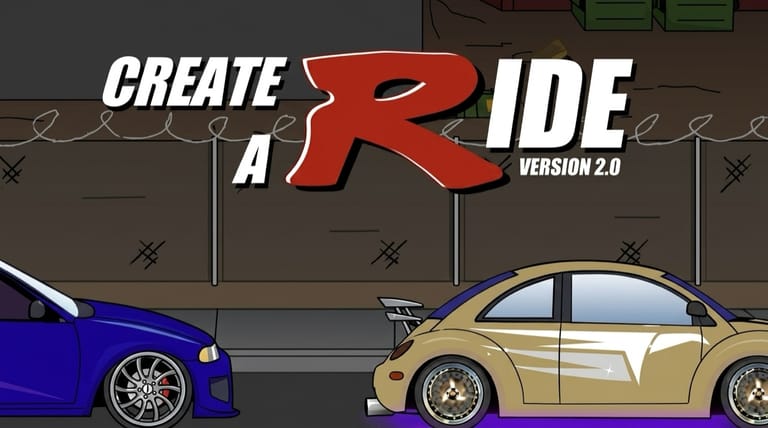
Dress-up games were a whole genre on Flash portals, and Erik Wolter's contribution was to point the format at a car instead of a person. Create-a-Ride gives you a vehicle and a stack of menus — paint, decals, wheels, body parts, licence plates — and asks nothing else of you. There is no lap time, no budget, no unlock tree. Whether you spend two minutes or twenty is entirely up to how interested you are in the thing you are building, which is an unusual proposition and worth taking on its own terms.
A Dress-Up Game With a Body Kit
The workflow runs roughly in the order you would do it in the real world. Choose the car you are starting from, lay down the paint, then work outward through the cosmetic layers: vinyls and decals across the panels, a set of wheels, and bolt-on parts like spoilers, bumpers and exhausts that change the silhouette rather than the colour. The custom licence plate is the small detail people remember the game for, because it is the one place you get to put your own words on the car.
When the build is done, you can drop the finished vehicle into different scenes to see how it looks in context. That is a showcase rather than a driving mode — Create-a-Ride is a customizer, and the scenarios exist to display what you made.
Controls
| Action | Control |
|---|---|
| Select options and parts | Left mouse button |
Nothing Is Being Measured
It is worth being straightforward about this: there is no score, no timer, no fail state, and nothing to complete. That changes what "playing well" means. The satisfaction on offer is the same one a colouring book offers, and if you come to it expecting objectives you will be finished in ninety seconds.
Treated as a creative toy, it holds up better than that. The menus are broad enough that two people starting from the same base car will finish with vehicles that look nothing alike.
Building a Car That Reads Well
A few habits make the difference between a car that looks designed and one that looks like every option got used:
- Hold the palette to two or three colours. A body colour, an accent, and the wheels. Everything past that muddles the shape.
- Match decal scale to the panel. A graphic sized to the door reads cleanly; the same graphic stretched across the whole flank turns into noise at a glance.
- Keep the wheels believable. Oversized rims can work as a deliberate look, but they have to be the only exaggeration on the car or the proportions fall apart.
- Make the plate contrast. It is small, so it only registers if the text stands clear of the bumper colour behind it.
- Choose a backdrop that flatters the paint. A dark car against a dark scene loses all its detail, and that detail is the entire point of the exercise.
Where the Idea Came From
The game arrives out of a very specific moment. Car customization was culturally everywhere in the mid-2000s — street-racing games built whole progression systems around vinyl editors, and television had turned vehicle makeovers into a format. Browser games followed the interest, and a customizer that needed nothing but a mouse and loaded in a few seconds was an easy fit for that audience.
Frequently Asked Questions
Can I save the car I built? There is no account system attached to it, so the dependable way to keep a build is to take a screenshot of the finished vehicle before you close the tab.
Is there any driving in Create-a-Ride? No. It is a customizer end to end. The scenarios put your car into a setting so you can look at it, but you are never at the wheel.
Can I put my own text on the licence plate? Yes, custom plates are one of the options, and they are the one part of the build that is genuinely yours rather than picked from a list.
Do I need a keyboard? No. Everything in the game is done by clicking through menus with the mouse.
Who made it? Erik Wolter is credited as the developer.