
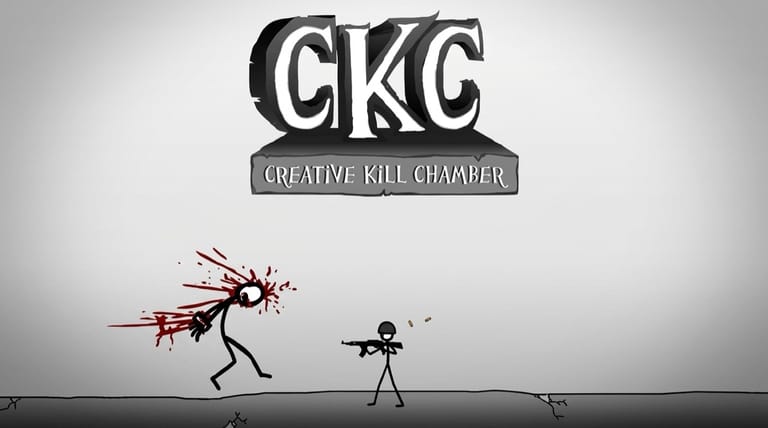

Creative Kill Chamber
Loading game…
Creative Kill Chamber
The premise is a facility you are being held in and a way out that runs through a series of rooms full of guards. What makes it a puzzle rather than an action game is that you never control a character directly. You are given a scene, a handful of things drawn into it, and the job of working out which one of them is the answer. Get it right and the story moves on to the next room. Get it wrong and you are back at the start of the scene, a few seconds older and slightly better informed.
One Screen, One Correct Click
Each room is a self-contained problem. The artist has placed a small number of interactive elements in the frame — an object on a table, a fixture on the wall, a person standing in a particular spot — and exactly one of them, sometimes one sequence of them, advances the escape. Everything else either does nothing or ends the attempt.
The design leans on observation rather than reaction speed. You are not being tested on how fast you can click; you are being tested on whether you noticed what the artist bothered to draw in detail. That is a genuinely different skill, and it is why the game rewards sitting still and looking at a room before touching anything.
Controls
| Action | Control |
|---|---|
| Interact with objects and characters | Left mouse button |
Trial, Error, Restart
Failure is the intended teacher here. The game expects you to be wrong, so the penalty is deliberately tiny: the scene resets and you try a different element. Because each room takes seconds to reach, working through the possibilities is a legitimate strategy rather than a sign you are playing badly.
That structure also means the game is short. Its length is measured in the number of rooms and the number of wrong turns you take through them, and a determined player will see the end in a single sitting. What you are really paying for is the reveal — the moment a solution turns out to be something you had dismissed as background.
Reading a Room
- Scan the entire frame first. Interactive elements tend to be drawn with more care than the wallpaper. Detail is a tell.
- Watch the cursor. A pointer that changes as it passes over something is telling you that thing is live.
- Think about reach. Solutions are usually within arm's length of where you are standing, not across the room.
- Remember earlier objects. Items that mattered in one scene sometimes turn up again in another with a different use.
- Consider position, not just objects. Who is standing where, and what is between them, is frequently the actual puzzle.
The Genre It Belongs To
This sits inside the Flash escape-room tradition, where the entire interface is a mouse pointer and a static illustration. It shares its central idea — a menu of possible actions where most are dead ends and one is correct — with the era's other pick-the-right-option adventures, including the Henry Stickmin escape games. What distinguishes those games from a conventional adventure is that being wrong is not a punishment to be avoided; it is content. You are meant to see the failures.
Frequently Asked Questions
Is there more than one way through a scene? Generally not. Each room is built around a specific solution, and the puzzle is identifying it rather than improvising an alternative.
What happens when I click the wrong thing? The attempt ends and the scene starts again. It costs you a few seconds, and the game is designed around that being cheap.
Do I need fast reflexes to play this? Mostly no. It rewards looking carefully before you commit, and rushing through a room is the reliable way to miss what matters in it.
How long is Creative Kill Chamber? Short. It is a single-sitting game, and most of the playtime comes from the rooms you have to attempt more than once.
Do I need the keyboard at all? No. Every interaction in the game is a mouse click on something in the scene.