
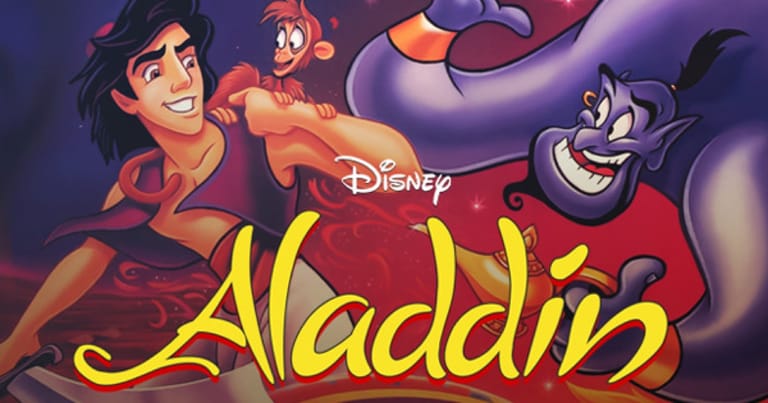

Disney's Aladdin
Preparing game…
Disney's Aladdin
Race across the rooftops of Agrabah, dodge guards, and soar on a magic carpet. The 1993 Aladdin was animated by Disney's own artists rather than farmed out to a licensing house, which is why it still looks the way it does; this DOS release plays on the page at no cost, with no installer and no account. Aladdin fights with a scimitar up close and thrown apples at range, and switching between them mid-jump is the skill the levels are built to test — two action keys plus a held direction, comfortable on a keyboard and awkward on glass.
How to Play Disney's Aladdin Online
Getting into the action takes seconds:
- Click the Play button to load the DOS release, the version built around the sword-and-apples combat.
- Give the opening titles and the film's theme a moment to play; the Agrabah marketplace follows them.
- Click the frame so that jumping and slashing reach Aladdin rather than nudging the page down.
- Pick a difficulty from the menu — the easier settings are the kinder route to the Cave of Wonders.
- Begin in the streets of Agrabah, running, jumping, and slashing your way through the first level.
Aladdin rewards momentum and timing — learn each level's hazards and you'll breeze through with style.
Controls
Disney's Aladdin is played with the keyboard:
| Action | Key |
|---|---|
| Run left / right | Left Arrow / Right Arrow |
| Jump | Up Arrow or Spacebar |
| Crouch / look down | Down Arrow |
| Attack with sword | Ctrl or attack key |
| Throw apple | Alt or throw key |
| Climb / grab | Up / Down near ledges and ropes |
| Pause | Esc |
| Fullscreen toggle | Right Alt + Enter |
Use your sword for close enemies and apples to hit foes from a distance — switching between them is key to clearing levels.
What Is Disney's Aladdin?
Disney's Aladdin is a side-scrolling platformer based on the 1992 animated film, released in 1993 across several platforms including MS-DOS. Developed with the involvement of Disney animators, it was praised for its stunning hand-drawn animation — fluid, expressive, and faithful to the movie — paired with vibrant levels that recreate Agrabah, the Cave of Wonders, the Sultan's dungeon, and a thrilling magic-carpet escape.
The game became one of the most celebrated movie tie-ins of its era, a high point of early-1990s platforming. Players guide Aladdin through colorful stages, using a sword and a supply of throwable apples to deal with enemies — a notable feature, since the home-console versions of the time often varied in how Aladdin fought. With its film-quality visuals, catchy adapted soundtrack, and tight platforming, Disney's Aladdin remains a fondly remembered classic.
How the Game Works / Gameplay Basics
Each level is a colorful, fast-moving platforming stage drawn from the world of the film. You guide Aladdin from start to finish by running, jumping, climbing, and fighting, navigating hazards like spikes, pits, collapsing platforms, and patrolling enemies. The goal is to reach the end of each level while staying alive and, optionally, collecting bonus items and gems along the way.
Combat is a key part of the action: Aladdin can slash with his scimitar at close range or throw apples to stun or defeat enemies from a distance, and choosing the right approach for each foe matters. Levels are dotted with collectibles — gems, extra lives, and Genie and Abu tokens that feed into bonus rounds — encouraging exploration. Standout stages include a high-speed magic-carpet escape from the collapsing Cave of Wonders, which switches up the platforming for a tense chase. It's accessible, great-looking platforming with just enough challenge to keep you engaged.
Beginner Tips
- Mix sword and apples. Slash close enemies and throw apples at distant or airborne ones.
- Time your jumps. Watch for moving platforms, spikes, and pits before leaping.
- Collect for extra lives. Grab gems and tokens to build up lives and bonus rounds.
- Learn the carpet chase. The Cave of Wonders escape rewards quick reactions — practice it.
- Don't rush blindly. Look ahead for hazards rather than running straight into them.
- Conserve apples. Save throwables for enemies you can't safely reach with your sword.
Why Play Disney's Aladdin Online?
The DOS version came on floppies with an install program, a sound-card list and the usual interrogation about free memory. All of that is dealt with for you here: Agrabah appears and you run. The levels are short, so this is a good twenty minutes rather than a commitment — as satisfying if you are chasing a memory as it is if you have only ever heard that this tie-in was the good one.
None of it is installed, which makes this the rare version of Aladdin you can start on a school or office machine and close again without leaving anything behind.
Troubleshooting
- Game won't start? Reload the tab and let the title animation run all the way to the menu before you click.
- Keyboard not responding? Click once inside the game frame; running jumps need several keys at once, and the frame must have focus to read them.
- Running slowly? Aladdin's animation is unusually detailed for its time, so close other tabs and heavy applications if the frame rate slips during busy scenes.
- No sound? The adapted film score does a lot of work here, so check the tab isn't muted and turn your system volume up.
- Screen too small? Use fullscreen mode — the hand-drawn animation was the whole point of this version, and it deserves the space.
- Controls feel off? Give yourself a level to get used to the jumping and attack timing.
Frequently Asked Questions
Is Disney's Aladdin free to play online? Yes. Nothing here is paid for, gated or trial-limited — press Play and the whole DOS game is yours for as long as the tab stays open.
Do I need to install anything to play Aladdin? No. Aladdin runs here through an in-page emulator, so there is no installer to run and no account to create.
Can I play Disney's Aladdin on mobile? You can, though the rope swings and the carpet chase both need a jump timed tightly, and a touch button adds just enough delay to cost you the landing.
Is this the classic 1993 Aladdin game? Yes, this is the classic platformer based on the Disney film, beloved for its hand-drawn animation.
What kind of game is Disney's Aladdin? It's a side-scrolling platformer where Aladdin runs, jumps, and fights with a sword and thrown apples through movie-inspired levels.
Can I save my progress? Aladdin is built around discrete levels rather than a long campaign, so a session is about clearing stages and improving your run rather than banking a save file.
The streets of Agrabah and a magic carpet ride await. Load it up and begin Aladdin's adventure.