
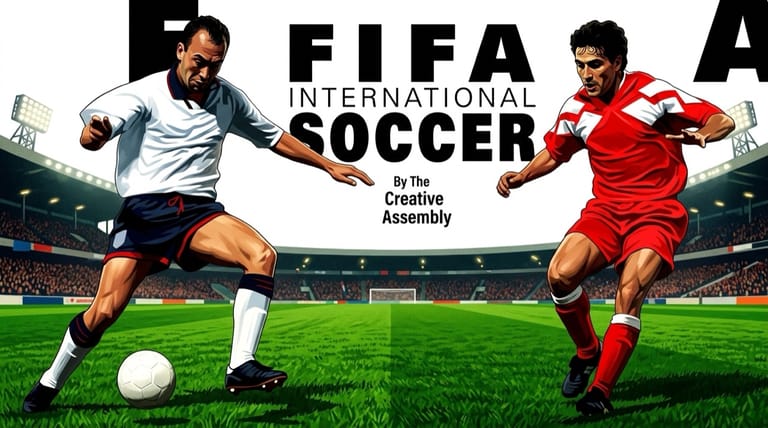

FIFA International Soccer
Preparing game…
FIFA International Soccer
Kick off with the game that launched EA's football dynasty, taking control of national teams in fast isometric soccer action — FIFA International Soccer is yours to play here for nothing, and it asks for nothing beyond a click on Play. EA Sports' original 1993 football game delivers the accessible, end-to-end action that started one of gaming's biggest franchises. It will run on a touchscreen, but sprint, pass and shoot are often wanted within the same second, and on-screen buttons quietly cost you that timing.
How to Play FIFA International Soccer Online
Getting onto the pitch takes seconds:
- Hit Play and EA's original release comes up in this page.
- It arrives at the team selection menus, with no installer or disk swap in the way.
- Give the game frame a click first, or the arrow keys will scroll this article instead of moving your player.
- From the menu, choose your national teams and match type, then kick off.
- Pass, dribble, and shoot your way to goals against the opposition.
FIFA International Soccer rewards passing and positioning — build your attacks rather than charging the ball straight at the defense.
Controls
FIFA International Soccer is played with the keyboard:
| Action | Key |
|---|---|
| Move player | Arrow keys |
| Pass | Assigned pass key |
| Shoot | Assigned shoot key |
| Through ball / cross | Secondary action key |
| Tackle / switch player | Defensive key |
| Sprint | Hold sprint key |
| Fullscreen toggle | Right Alt + Enter |
The game's isometric viewpoint changes how you read the pitch — get used to the angled perspective so your passes and runs go where you intend.
What Is FIFA International Soccer?
FIFA International Soccer is a football (soccer) game developed and published by EA Sports in 1993 for MS-DOS and many other platforms. It was the very first game in the FIFA series, the franchise that would go on to become the best-selling sports video game series in the world. Featuring a selection of national teams, it presented football from a distinctive isometric (angled overhead) viewpoint, offering fast, accessible arcade-style action that stood out from competitors at the time.
FIFA International Soccer is historically significant as the foundation of the FIFA dynasty. It impressed players with its smooth animation, isometric presentation, and approachable gameplay, establishing the series' identity as an exciting, broadcast-flavored take on football. While simpler than later entries, it captured the core appeal — passing, dribbling, shooting, and tackling across recognizable teams — that made the series a phenomenon. Playing it today offers both an enjoyable game of arcade football and a look at where one of gaming's biggest franchises began.
How the Game Works / Gameplay Basics
You control one outfield player at a time, with the game switching your control to whoever is best placed as play develops. On offense, you link passes, dribble past opponents, and choose when to shoot at goal, working to break down the defense and find the net. On defense, you take control of a defender to tackle, block, and intercept, aiming to regain possession. The isometric camera gives you a clear, angled view of the action across the pitch.
You can play exhibition matches and tournaments with a roster of national teams, competing in the standard two-half football format. The gameplay is firmly arcade-oriented, prioritizing fast, fun, end-to-end action over deep simulation, so it's easy to pick up and enjoy. Scoring comes from smart passing to create openings, good positioning, and well-timed shots. As the original entry, its controls and options are simpler than modern FIFA games, but the fundamental loop of attack, defend, and score remains satisfying. It's a great game for a quick, competitive match solo or against a friend.
Beginner Tips
- Pass to build attacks. Move the ball to open teammates rather than forcing it forward.
- Adjust to the isometric view. Learn the angled perspective for accurate passes and runs.
- Time your shots. Pick your moment and aim instead of shooting wildly.
- Defend actively. Switch to the right defender to tackle and intercept.
- Use sprint wisely. Save bursts of speed for getting past defenders.
- Practice first. Play a match or two to get comfortable with the controls.
Why Play FIFA International Soccer Online?
If you want to see where the FIFA series actually began, a browser tab beats tracking down decades-old media that may not even read any more. Nothing is installed and nothing needs configuring; the team select screen is the first thing you touch. Play a single friendly, revisit a game you wore out as a kid, or work out how much of modern FIFA was already present in the very first one.
A match takes about as long as a coffee break, and you can start one on whatever machine happens to be in front of you. Few games this influential are this easy to simply try.
Troubleshooting
- Game won't start? Reload and give the EA Sports intro time to draw itself — the team menus won't take input until it has finished.
- Keyboard not responding? Both players share one keyboard in a two-player match, so click once inside the game frame before kick-off or neither set of keys will register.
- Running slowly? Close other browser tabs and heavy applications if the players start moving in fits — smooth animation was one of this game's selling points, and it shows when the frame rate drops.
- No sound? Crowd noise and the referee's whistle carry most of a match's atmosphere, and a silent pitch feels oddly dead — unmute the tab and raise the system volume.
- Screen too small? Use fullscreen. The isometric camera fits a lot of pitch on screen, and picking out an unmarked teammate is much easier at a larger size.
- Controls feel off? Spend a match getting used to the isometric view and the passing and shooting keys.
Frequently Asked Questions
Is FIFA International Soccer free to play online? Yes. The game that started the best-selling sports series in the world sold at full retail price in its day; here it costs nothing at all.
Do I need to install FIFA International Soccer or find a copy first? No. The original release runs inside this page exactly as it always did — none of it is copied onto your machine, and no sign-up form stands in the way.
Can I play FIFA International Soccer on mobile? You can, but sprint, pass and shoot are separate inputs you often need in quick succession, and touch buttons make that sequence clumsy. A keyboard gives the game a fairer hearing.
Is this the first FIFA game? Yes, FIFA International Soccer is the original 1993 entry that launched the FIFA series.
What teams can I play as? You can play as a selection of national teams in exhibition matches and tournaments.
Can I save my progress? The game lets you play through tournaments using its own save/continue system between matches.
The pitch and the origin of FIFA await. Load it up and kick off.