
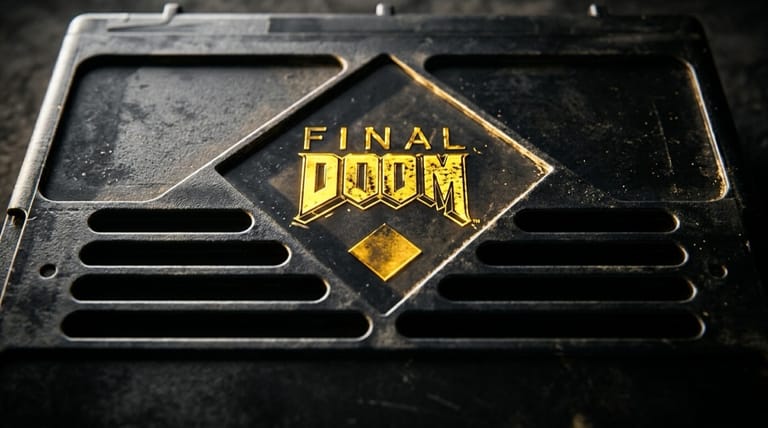

Final Doom
Preparing game…
Final Doom
Two full episodes of fresh, fiendishly tough DOOM levels await — Final Doom carries no price tag here, and the first menu is one click away with no installer and no account in between. id Software's 1996 release bundles two complete level packs — TNT: Evilution and The Plutonia Experiment — that push the classic engine to its limits. It will run on a touchscreen, but these maps were tuned for players who could turn on a mouse, and Plutonia punishes anything slower than that.
How to Play Final Doom Online
Getting into the action takes seconds:
- Press Play to bring up Final Doom with both of its level sets attached.
- TNT and Plutonia sit behind the same menu, so give it a few seconds to load before choosing between them.
- Click inside the game frame so Ctrl, Alt and Shift act as fire, strafe and run rather than triggering browser shortcuts.
- From the main menu, choose New Game, pick a difficulty, and select a level set.
- Start blasting through 32 brand-new maps of demons and danger.
Final Doom is harder than the originals — especially Plutonia — so consider an easier difficulty to start.
Controls
Final Doom uses the classic DOOM keyboard layout:
| Action | Key |
|---|---|
| Move forward / back | Up Arrow / Down Arrow (or W / S) |
| Turn left / right | Left Arrow / Right Arrow |
| Strafe left / right | Alt + Arrow, or comma / period |
| Fire weapon | Ctrl |
| Open doors / use switches | Spacebar |
| Run (hold) | Shift |
| Switch weapons | Number keys 1–7 |
| Toggle map | Tab |
| Pause | Esc |
Enable mouse aiming for faster turning — most players prefer it on desktop.
What Is Final Doom?
Final Doom is a first-person shooter release published by id Software in 1996 for MS-DOS, running on the DOOM II engine. It collects two complete 32-level megawads: TNT: Evilution and The Plutonia Experiment, both created by the talented fan team TeamTNT and then officially released. Each set continues the demon-slaying action of DOOM II with all-new maps, layouts, and challenges, but no change to the core engine or weapons.
Final Doom is best known for its difficulty. The Plutonia Experiment in particular is famous for brutal encounters, dense monster placement, and devious traps that test even DOOM veterans. For fans who'd cleared the originals and wanted more — much more — Final Doom delivered 64 fresh levels of the fast, satisfying combat that made the series legendary, and it remains a favorite challenge among classic-shooter enthusiasts.
How the Game Works / Gameplay Basics
Final Doom plays exactly like DOOM II: you move through maze-like levels hunting for the exit, collecting weapons, ammo, armor, and keycards along the way. Colored keycards gate the doors, false walls hide stashes worth hunting for, and any corner may be holding an imp, a Revenant, an Arch-Vile, or a hulking Baron of Hell.
The loop is the one you already know — find the keys, clear what stands between you and the exit — but these maps arrange it into far nastier shapes than the original campaigns did. What sets Final Doom apart is the level design — TNT: Evilution offers large, varied maps, while The Plutonia Experiment leans into tight, lethal encounters and clever traps. Your arsenal is the full DOOM II lineup, including the Super Shotgun, and strafing around enemies while picking your shots remains the heart of the combat. Expect to die, learn the maps, and earn every exit.
Beginner Tips
- Start on an easier setting. Final Doom — especially Plutonia — is tough; ease in before going hard.
- Use the Super Shotgun. It's your best all-round weapon for most encounters.
- Keep moving. Standing still gets you killed; circle-strafe to dodge incoming fire.
- Watch for traps. Plutonia loves ambushes — approach switches and keys carefully.
- Prioritize Arch-Viles. They revive dead enemies, so take them out fast.
- Hunt for secrets. Many walls hide armor, health, and weapons you'll badly need.
Why Play Final Doom Online?
Two of the most punishing classic DOOM level packs ever assembled are one click away here. Nothing has to sit in a CD drive and no sound card needs picking off a list — both 32-map sets wait behind the first menu. It suits veterans who want a stiffer fight, players who finished the original campaigns years ago, or anyone who has only ever heard about Plutonia secondhand.
Trying those maps no longer means keeping a DOOM install and a source port on your hard drive. Plutonia's reputation is worth testing yourself against at least once, and the only thing it costs you now is an evening.
Troubleshooting
- Game won't start? Give it a few seconds to reach the menu, and reload the page if the frame stays black — nothing responds until a level set has loaded.
- Keyboard not responding? DOOM fires on Ctrl and runs on Shift, and the browser intercepts both until you click once inside the game frame.
- Mouse pointer drifting? Fullscreen keeps the pointer locked to the view, which matters here because Plutonia's ambushes often need a fast turn to face something that has just appeared behind you.
- Running slowly? The larger fights in both sets put a lot of monsters on screen at once, so close other browser tabs and heavy applications before walking into one.
- No sound? The soundtrack is MIDI, and Plutonia reuses tracks you'll recognize from DOOM and DOOM II — if a map plays out in silence, the tab is muted or the system volume is sitting at zero.
- Controls feel off? The DOOM engine aims vertically for you, so the mouse only turns; if the defaults feel wrong, put movement on WASD and leave turning to the mouse.
Frequently Asked Questions
Is Final Doom free to play online? Yes. Sixty-four levels that were sold as a boxed retail product in 1996 now run here at no charge.
Do I need the Final Doom CD or a source port to play? No. There is no disc to find and no port to configure — the engine and both megawads are fetched into the page, and nothing is written to your machine.
Can I play Final Doom on mobile? You can, but Plutonia especially expects you to circle-strafe and change weapons in the middle of a fight, and a keyboard and mouse on a desktop or laptop handle that far better than a touchscreen.
What is Final Doom exactly? It's an official 1996 release containing two complete 32-level packs — TNT: Evilution and The Plutonia Experiment — built on the DOOM II engine.
Why is Final Doom so hard? The Plutonia Experiment in particular is famous for dense enemies and devious traps — even DOOM veterans find it a serious challenge.
Can I save my progress? Yes, through the engine's own save slots in the Esc menu. Use them more freely than you would in the original campaigns: a Plutonia trap can undo ten minutes of careful clearing in about two seconds.
Sixty-four new levels of demons are waiting. Load it up and start the fight.