
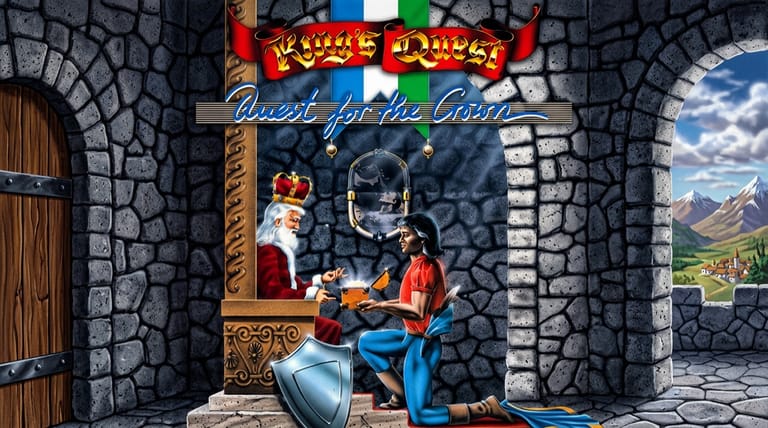

King's Quest
Preparing game…
King's Quest
Guide Sir Graham on a quest to recover three stolen treasures and win a kingdom in the game that helped invent the graphic adventure — King's Quest online costs nothing here and runs in the tab you already have open. Sierra wrote it in 1984 for the IBM PCjr under the subtitle Quest for the Crown, and Daventry's first screen appears within seconds. A phone will display it well enough, but every action in this game is a phrase you type, so a real keyboard is close to essential.
How to Play King's Quest Online
Getting started takes seconds:
- Hit Play and King's Quest comes up inside an emulated DOS session.
- The title screen arrives after a few seconds, and Daventry's first screen follows straight behind it.
- Click once inside the picture so the parser, rather than your browser, receives what you type.
- Move Sir Graham with the arrow keys and type commands to interact.
- Begin in Daventry, setting out to find the kingdom's three lost treasures.
King's Quest rewards exploration — examine everything, type clear commands, and save often, since some choices can be dangerous.
Controls
Everything here happens through two inputs: the arrow keys move Graham, and typed sentences do the rest.
| Action | Control |
|---|---|
| Move Sir Graham | Arrow keys |
| Enter a command | Type it, e.g. "look at tree", then Enter |
| Examine surroundings | Type "look" |
| Take an item | Type "take [item]" |
| Use / open / climb | Type the action and object |
| Check inventory | Type "inventory" or "inv" |
| Fullscreen toggle | Right Alt + Enter |
Type "look" in each new area and experiment with simple commands — Daventry hides clues, items, and dangers, and careful exploration is the key to success.
What Is King's Quest?
King's Quest, subtitled Quest for the Crown, came out of Sierra On-Line in 1984, written first for the IBM PCjr and ported soon afterwards to MS-DOS and other platforms. It casts you as the brave knight Sir Graham, sent by the ailing King Edward to recover three stolen magical treasures — a mirror, a shield, and a chest — and restore the prosperity of the kingdom of Daventry. Succeeding will earn Graham the throne itself.
King's Quest is one of the most historically important games ever made, a pioneer of the graphic adventure genre. It introduced a then-revolutionary style: an on-screen character you could move around animated, three-dimensional-feeling environments while typing text commands to interact — a leap beyond the static text adventures that came before. Set in a world of fairy tales and folklore, full of puzzles, hidden treasures, and dangers, it launched the legendary King's Quest series and Sierra's adventure empire. Charming and influential, it remains a foundational classic.
How the Game Works / Gameplay Basics
You control Sir Graham, walking him around the screens of Daventry with the arrow keys and typing commands to examine objects, pick up items, talk, climb, and interact with the fairy-tale world. Progress comes from exploring the kingdom, solving puzzles, and collecting items that help you overcome obstacles and ultimately recover the three lost treasures. The world is populated with characters and creatures drawn from folklore — some helpful, some dangerous — and many puzzles involve clever use of inventory items or knowledge gleaned from exploration.
As a classic Sierra adventure, the game can be unforgiving: Graham can die from missteps, hazards, or wrong choices, and it's possible to miss items you'll need later, so saving often is essential. Many puzzles reward lateral thinking and attention to detail, and there are sometimes multiple ways to solve a challenge, with bonus points for cleverer approaches. The blend of open-ended exploration, fairy-tale puzzles, and the thrill of discovery gives King's Quest its enduring appeal. Patience, curiosity, and careful experimentation are the keys to guiding Graham to the crown.
Beginner Tips
- Type "look" everywhere. Descriptions reveal clues and hidden items.
- Take useful items. Daventry's useful objects are small and easy to walk straight past, and several of them are needed screens away from where you found them.
- Save often. Graham can die, so keep frequent saves to avoid lost progress.
- Experiment with commands. Try sensible verbs and objects to find solutions.
- Explore thoroughly. Daventry is full of secrets off the obvious path.
- Think like a fairy tale. Folklore logic often points to the answer.
Why Play King's Quest Online?
Few games are as fiddly to get running on modern hardware as a 1984 PCjr title, and none of that fiddliness reaches you here — Daventry's opening screen is one click from this paragraph. Set aside an hour for typing at trees and gnomes, come back to something you first met on a monochrome monitor, or find out for yourself how the earliest graphic adventures actually played.
Because nothing is copied to your disk, any machine with a keyboard will serve, including one you do not own. That counts for more with a game this old than with most, since the alternative is tracking down an interpreter and a disk image by hand.
Troubleshooting
- Game won't start? Load the page again and give Daventry's opening screen time to finish drawing; the parser ignores typing until the room is fully painted in.
- Keyboard not responding? Click into the picture once. Graham only walks, and only accepts typed commands, while the frame holds keyboard focus.
- Text hard to read? Go fullscreen. The narrow text window that reports what Graham sees carries most of the game's clues and is easy to squint at otherwise.
- Running slowly? Close spare tabs and anything heavy running alongside them, because Graham's walk cycle and the arrow-key response are the first things to feel sluggish when the browser is busy elsewhere.
- No sound? King's Quest uses simple beeper-style music that mostly plays at the title screen and at key moments, so quiet stretches in between are expected.
- Command not working? Try rephrasing it with simple verb-object wording.
Frequently Asked Questions
Is King's Quest free to play online? Yes. Sierra charged shop prices for this in 1984, and it costs nothing now — no trial period, no timer, no upsell.
Do I need to install anything to play King's Quest? No. The emulator and the game files both arrive with the page. Nothing is written to your computer, and you are never asked to sign up for anything.
Can I play King's Quest on mobile? You can, but Graham only takes typed instructions, and tapping out phrases like "look at tree" on a phone keyboard gets tiresome quickly.
Is this the original 1984 King's Quest? Yes, this is the classic Sierra original, Quest for the Crown, that launched the series and the genre.
What kind of game is King's Quest? It's a pioneering graphic adventure where you explore, solve puzzles, and collect treasures as Sir Graham.
Can I save my progress? Yes. King's Quest keeps its own save slots, and it pays to use one before crossing water, climbing anything tall, or approaching a creature you have not met yet.
The fairy-tale kingdom of Daventry and three lost treasures await. Load it up and begin Graham's quest.