
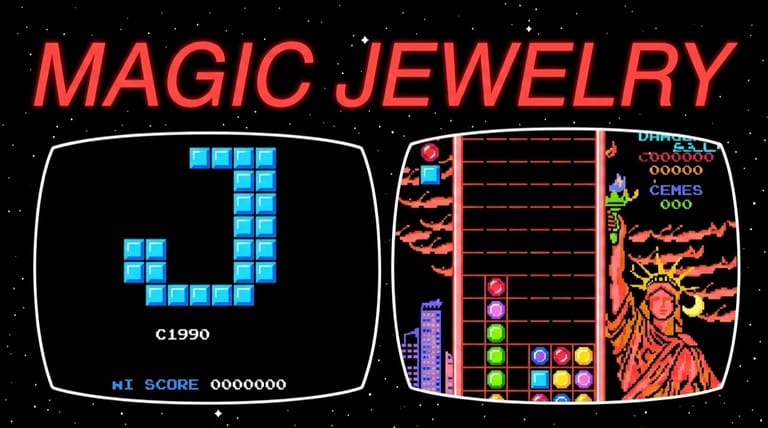

Magic Jewelry
Loading game…
Magic Jewelry
Stack, match, and clear the falling gems before they reach the top. Magic Jewelry is a beloved 1990 falling-block puzzle game — a Columns-style classic that became a fixture of the NES era through multicarts — and the whole of it runs on this page at no charge, exactly as it did off the cartridge. Spin your jewel columns, line up three or more, and chase that high score. Hit the Play button to start dropping, and read on for the rules, controls, and tips.
What Is Magic Jewelry?
Magic Jewelry is a tile-matching puzzle game programmed in Taiwan by Hwang Shinwei and published by RCM in 1990 for the Nintendo Entertainment System (NES). It's an unlicensed game — never given an official North American retail release — and like many compact Taiwanese titles of the era, it became widely known by appearing on the popular pirate Famicom/NES multicarts that packed dozens of games onto a single cartridge. That distribution is exactly why so many players have fond memories of it despite it never hitting US store shelves.
Its gameplay sits right alongside Columns and Dr. Mario, which both arrived earlier the same year. Jewels fall in columns of three, and your job is to line up matching colors to clear them — simple to grasp, fiendishly addictive to master.
How the Gameplay Works
The rules are quick to learn:
- Falling columns — jewels drop in blocks of three. You can shift the column left and right, and cycle the order of the three jewels, until the block lands.
- Match to clear — line up three or more jewels of the same color horizontally, vertically, or diagonally to clear them and score points.
- Chain reactions — when jewels clear, those above fall and can form new matches automatically.
- The X block — after you've cleared enough jewels, a flashing 'X' block drops. When it lands on a jewel, it clears every jewel of that color from the board and advances you to the next level.
- Rising speed — each new level increases the default drop speed, ramping up the pressure.
- Game over — the game ends when a column stacks up past the top edge of the board.
It's a pure score-chaser: the deeper you go, the faster the jewels fall and the sharper your reactions need to be.
How to Play
Getting started is instant. Press the Play button on this page and Magic Jewelry opens at its title screen, with play beginning on the slowest level. Then:
- Move the falling column left and right to position it.
- Rotate the jewels to set the order you want.
- Match three or more of a color in any direction to clear them.
- Trigger the X block to wipe a whole color and advance a level.
- Keep the stack low — survive as the speed climbs and rack up your score.
Magic Jewelry asks almost nothing of your hands: a direction to slide the column, a button to cycle the three jewels, and that is the entire input. The arrow keys and Z or X cover it on a desktop, and a USB or Bluetooth pad you plug in is picked up on its own and mapped to the NES buttons. On a touchscreen the on-screen NES pad takes over, which is plenty for a game that only ever wants a nudge sideways and a rotate.
Controls
| Action | Control |
|---|---|
| Move Column Left / Right | Left / Right Arrows |
| Drop Faster | Down Arrow |
| Rotate Jewels | Z (A) or X (B) |
| Pause | Enter (Start) |
Rotation always cycles the three jewels from top to bottom. A connected gamepad follows the same mapping, so either face button cycles the column.
Tips for New Players
- Plan around colors, not just gaps. Keep similar colors near each other so a single drop can trigger a match — and ideally a chain.
- Build for chains. Setting up jewels so that one clear cascades into another scores far more than single matches.
- Use diagonals. Many players forget matches count diagonally — it opens up clears you'd otherwise miss.
- Save the X block for a big color. Since the X clears every jewel of one color, time it for whichever color you've stacked the most of.
- Keep the board flat. A lopsided stack fills the top fast — spread your jewels out to buy yourself reaction time as the speed climbs.
Why Play It in Your Browser?
Magic Jewelry is a hidden gem of the multicart era — a simple, endlessly replayable puzzler that countless players discovered tucked inside those big game collections. Finding a working multicart and a console to put it in is the hard part of playing this today, and neither is needed here. Because it's the genuine NES build, you get the falling-column gameplay, the X-block twist, and the escalating speed exactly as it was originally programmed.
Frequently Asked Questions
Is Magic Jewelry free to play here? Yes. The complete NES build, X block and all, runs here at no cost and without an account.
When did Magic Jewelry come out? It was programmed in Taiwan by Hwang Shinwei and published by RCM in 1990 for the NES. It was an unlicensed game and never officially sold in North America — most players found it on multicarts.
Is it like Tetris or Columns? It's closest to Columns and Dr. Mario — jewels fall in columns of three and you match colors in any direction to clear them, rather than completing full lines.
What does the X block do? After clearing enough jewels, a flashing X block drops. Landing it on a jewel clears every jewel of that color and advances you to the next, faster level.
Can I play it on my phone? Absolutely. The on-screen NES pad gives you a D-pad for sliding the column and a button for cycling the jewels, which is everything Magic Jewelry asks of you, and a keyboard or gamepad does the same job on desktop.
Ready to start matching? Press Play and drop your first jewels.