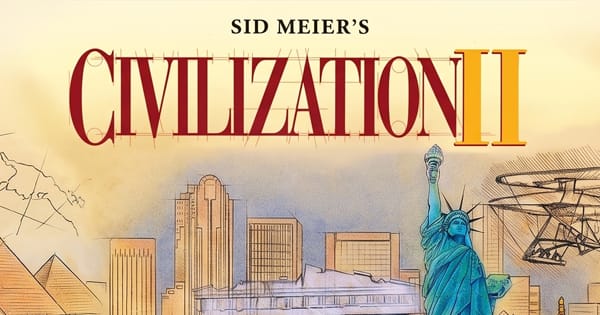

Sid Meier's Civilization 2
Preparing game…
Sid Meier's Civilization 2
Lead a people from a single settler in 4000 BC all the way to the stars — Civilization 2 online opens free in this window, unpacked and ready, with no installer and no account. Sid Meier's acclaimed 1996 turn-based strategy game loads in seconds, refining the original Civilization into one of the most addictive "just one more turn" experiences ever made. Phones cope badly with it: the city screen is a dense grid of small numbers, and the unit hotkeys it leans on have nowhere to live on a touchscreen.
How to Play Civilization 2 Online
You will have your first settler placed within a minute:
- Press Play and Civilization 2 comes up in its DOS environment.
- Give it a moment to reach the opening menu; the world map itself is generated after you pick your settings, so expect a second pause there too.
- Click inside the game frame so the map takes your clicks and the unit hotkeys go to the game.
- From the menu, start a new game, choose your civilization, map size, and difficulty, then begin in 4000 BC.
- Found your first city, explore the land around you, and guide your people through the ages.
Civilization 2 is a slow burn — take your time, and the "one more turn" hook will do the rest.
Controls
Civilization 2 is played with the mouse and a handful of keyboard shortcuts:
| Action | Control |
|---|---|
| Select unit / move | Left-click |
| Issue orders (build, fortify) | On-screen menus or hotkeys |
| Fortify unit | F |
| Build city (with settler) | B |
| Center on active unit | Spacebar or Enter to end turn |
| City screen | Left-click a city |
| Adjust game speed (if needed) | Ctrl + F11 (slower) / Ctrl + F12 (faster) |
| Fullscreen toggle | Right Alt + Enter |
End your turn only once every unit has orders — idle units waste valuable time.
What Is Sid Meier's Civilization 2?
Sid Meier's Civilization 2 is a turn-based strategy game developed by MicroProse and released in 1996. The sequel to the genre-defining 1991 Civilization, it deepened and polished nearly every system: an isometric map, richer diplomacy, a vast technology tree, a Hall of Fame, and the famous "Wonders of the World," each accompanied by short film clips. Your single goal echoes the original — "build an empire to stand the test of time."
Widely considered one of the greatest strategy games ever made, Civilization 2 cemented the 4X formula (eXplore, eXpand, eXploit, eXterminate) and became a benchmark for the genre. Its blend of city management, research, diplomacy, and warfare — wrapped in that irresistible "one more turn" loop — has kept players coming back for decades.
How the Game Works / Gameplay Basics
You guide a civilization from prehistory to the space age through four pillars: explore the map, expand by founding cities, exploit resources to grow and build, and exterminate or out-diplomacy your rivals. Each city produces food, resources, and trade, and you decide what it builds — military units, improvements like granaries and libraries, or the powerful one-of-a-kind Wonders of the World.
Meanwhile your scientists research a sprawling technology tree spanning over a hundred advances, from Pottery and Bronze Working up to Nuclear Fission and Space Flight. You'll manage happiness, government types (from Despotism to Democracy), and diplomacy with rival leaders — trading tech, signing treaties, or going to war. There are two paths to victory: conquer every rival, or win the space race by launching a colony ship to Alpha Centauri.
Beginner Tips
- Found cities early. More cities means more production, research, and income — expand quickly.
- Protect with defenders. Keep a defensive unit in every city to fend off barbarians and rivals.
- Don't neglect science. A technology lead is the single biggest long-term advantage.
- Build key Wonders. Wonders like the Pyramids and Great Library give powerful empire-wide boosts.
- Manage happiness. Unhappy cities riot and stall — use luxuries, temples, and improvements.
- Use diplomacy. Playing rivals against each other is often cheaper than fighting them yourself.
Why Play Civilization 2 Online?
Civilization 2 went out on CD-ROM largely because it had to. The Wonder films and the advisor footage were never going to fit on floppies, and the disc generally stayed in the drive for as long as you wanted to play. That arrangement is gone. The page carries the whole game, film clips included, and hands it over as soon as it has finished loading.
So a game notorious for eating whole evenings no longer needs a machine of its own. Twenty turns fit into a lunch break on a borrowed laptop, and when you close the tab that laptop's hard drive is exactly as you found it. For something a lot of players still rank as the best Civ ever released, that is a cheap way in.
Troubleshooting
- Stuck before the menu? Let the opening screen finish drawing before you click anywhere. Civ 2 puts pixels up a moment before it is ready to take input, and an early click can strand you on a blank screen; a reload clears it.
- Mouse or keyboard not responding? Click once on the map area so the game receives input — the end-turn and fortify keys won't register until it does.
- Text hard to read? Use fullscreen. The city screen packs a lot of small numbers into a narrow panel, and they are much easier to weigh up scaled up.
- Running slowly? Close other tabs and heavy applications; late-game turns with dozens of cities and rival units take noticeably longer to process.
- No sound? Civilization 2 has separate switches for sound effects and music in its game options, so check both there — otherwise the advisor voices and Wonder film clips will play silently.
- Game too fast or slow? Try the speed adjustment keys or reload the page.
Frequently Asked Questions
Is Civilization 2 free to play online? Yes. It was a full-price MicroProse box in 1996; here it costs nothing and there is no checkout anywhere on the page.
Do I need to download or install Civilization 2? No. Everything the game needs is delivered to the page as it runs, so no installer touches your machine and no account is required.
Can I play Civilization 2 on mobile? It will load, but the city screen packs dozens of small figures into one panel, and shortcuts like F to fortify and B to found a city have no touch equivalent.
Is this the original 1996 Civilization 2? It is — MicroProse's isometric sequel to the 1991 original, not one of the later 3D entries.
How do you win Civilization 2? You can win by conquering every rival civilization, or peacefully by winning the space race to Alpha Centauri.
Can I save my progress? Yes. Civ 2 keeps its own save slots. Write one from the game menu before a war or a risky change of government and you always have a way back out of it.
A single settler stands ready in 4000 BC. Found your first city and build an empire to stand the test of time.