
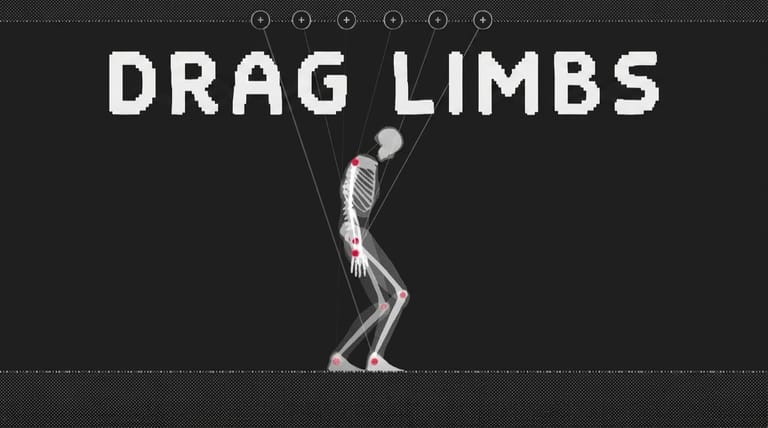

Skeleton Simulator
Loading game…
Skeleton Simulator
Walking is one of those things the human body does so reliably that it seems simple until you try to build one. Skeleton Simulator, made by Andres Adendaal of Wireframe, hands you a skeleton held together by a physics engine and lets you change the length, angle and behaviour of its joints while it is trying to stay upright. There is no score and no objective. What you get is a toy about biomechanics that happens to be very funny when it goes wrong.
A Sandbox, Not a Game
The skeleton is a jointed ragdoll. Its bones have mass, its joints have limits, and a simple gait routine drives the legs. Left alone with default settings it manages something recognisable as walking. The moment you start altering the articulation points, that routine keeps running against a body it no longer suits, and the result is a genuine physics simulation of a badly designed skeleton rather than a canned animation of one.
That distinction matters, because it is why the toy holds attention. The failures are not authored. Lengthen one femur and the skeleton develops a limp, over-corrects, and eventually pitches forward — not because someone drew that, but because the maths worked out that way.
What You Can Change
Each articulation point can be adjusted, and the effects compound in ways that are hard to predict from the individual change:
- Limb length alters stride and balance. Asymmetry between left and right is the fastest way to a stumble.
- Joint rotation limits decide how far a knee or elbow can bend before it locks, which changes how much of a step the leg can absorb.
- Joint stiffness governs whether the skeleton holds a posture or folds under its own weight.
- Overall mass and scale shift the centre of gravity, and a top-heavy skeleton behaves nothing like a bottom-heavy one.
You can also drop a second skeleton into the scene. The two are not scripted to interact, which is exactly why the collisions between them are worth watching — two independent physics bodies bumping into each other produce tangles the author never had to design.
Controls
| Action | Control |
|---|---|
| Select / interact | Left mouse button |
Click and drag on the skeleton to grab and reposition it, and use the on-screen panels to adjust individual joints and reset the scene.
Getting a Skeleton to Actually Walk
If you want to move past chaos and build something that functions, a few habits help:
- Change one value at a time. Two simultaneous adjustments make it impossible to tell which one caused the collapse.
- Keep the legs symmetrical. Almost every stable walker you build will have matched leg lengths. Asymmetry is for entertainment, not for stability.
- Lower the centre of mass. Shortening the torso or thinning the upper body buys a surprising amount of tolerance for bad legs.
- Stiffen the ankles before the knees. Ground contact is where most falls begin, so a foot that holds its angle fixes more problems than a rigid knee does.
- Reset often. A skeleton that has already fallen is a poor test bed, because it is starting each new attempt from a broken pose.
Why It Is Still Worth Loading
Procedural walking became a whole small genre — QWOP and the physics-driven ragdoll experiments that followed all mine the same vein — and Skeleton Simulator is one of the more approachable entries in it. It asks nothing of your reflexes and gives you a system you can genuinely reason about. Five minutes in you are laughing at a skeleton falling over; twenty minutes in you are quietly running experiments about where a body's balance actually comes from.
Frequently Asked Questions
Is there any way to win? No. There is no scoring, no timer and no goal state. It is an open sandbox, and the only measure of success is whatever you decide you were trying to build.
Who made it? Andres Adendaal, under the Wireframe name.
What does adding a second skeleton do? It puts another independent physics body in the scene. The two are not coordinated in any way, so they collide, trip over each other and tangle as the simulation dictates.
Can I save a skeleton I have built? There is no built-in save or export. Note down the settings you liked if you want to recreate a configuration later.
Why does my skeleton collapse instantly? Usually because a joint has been loosened past the point where it can support the weight above it, or because the mass sits too high. Raise stiffness in the legs and shorten the torso, then test again.