
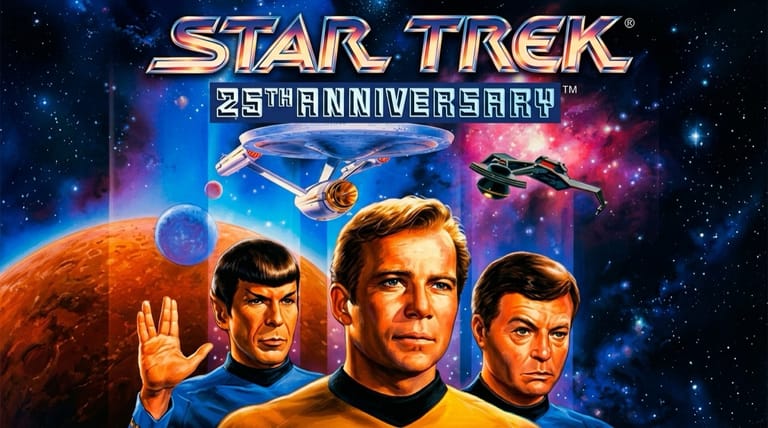

Star Trek: 25th Anniversary
Preparing game…
Star Trek: 25th Anniversary
Take command of the Enterprise as Captain Kirk in a series of classic-feeling missions blending exploration, away-team adventures, and ship combat. Star Trek: 25th Anniversary is free here, with nothing to install, nothing to configure and no account to sign up for. Interplay built it in 1992 to mark the franchise's silver anniversary, and it reaches the bridge in seconds, telling its story as a run of self-contained episodes. Away teams want a pointer you can place precisely and the ship battles want keys, so both halves of the game argue for a desk.
How to Play Star Trek: 25th Anniversary Online
Getting started takes about a minute:
- Press Play and the Enterprise's bridge is drawn into the frame.
- Wait a moment for it to start — the game opens with the ship on screen and orders waiting from Starfleet.
- Click inside the game frame so away-mission clicks and the ship-combat keys both reach the game.
- Take command of the Enterprise and begin the first mission.
- Navigate space, beam down with away teams, solve problems, and fight when needed.
This game rewards a true Starfleet approach — explore, talk, and solve problems peacefully when you can, since diplomacy often scores better than force.
Controls
Star Trek: 25th Anniversary mixes point-and-click adventure with action, played with mouse and keyboard:
| Action | Control |
|---|---|
| Move / interact (away missions) | Left-click |
| Use commands (look, talk, use, get) | Choose from the action menu |
| Use an inventory item | Select it, then click the target |
| Pilot / fire (ship combat) | Keyboard and mouse controls |
| Navigate menus | Click or arrow keys |
| Confirm / continue | Click |
| Fullscreen toggle | Right Alt + Enter |
On away missions you use point-and-click commands to explore and solve problems, while ship combat switches to a more action-oriented mode where you maneuver and fire the Enterprise's weapons.
What Is Star Trek: 25th Anniversary?
Star Trek: 25th Anniversary is an adventure game developed and published by Interplay in 1992 for MS-DOS and other platforms, released to celebrate the franchise's 25th year. Featuring Captain Kirk and the crew of the original USS Enterprise, it presents a series of episodic missions that play out like episodes of the classic 1960s television series, complete with space exploration, planetary away-team adventures, problem-solving, and starship combat. The CD version even featured the voices of the original cast.
Star Trek: 25th Anniversary is fondly remembered as one of the best Star Trek games and a faithful tribute to the original series. Each mission feels like a self-contained episode, blending point-and-click adventure gameplay — beaming down to investigate, talking to characters, and solving puzzles — with action-oriented starship combat where you pilot and fight the Enterprise. It rewards players for acting like real Starfleet officers, often giving better outcomes for diplomatic, non-violent solutions. With its authentic atmosphere, classic crew, and varied gameplay, it captured the feel of Star Trek and remains a beloved entry in the franchise's gaming history.
How the Game Works / Gameplay Basics
The game is structured as a series of missions, each like an episode of the original series. Missions typically begin aboard the Enterprise, where you may need to navigate space and engage in starship combat — an action mode where you pilot the ship, manage shields and weapons, and fire phasers and torpedoes at enemy vessels. Reaching a planet or station, you then lead an away team (Kirk, Spock, McCoy, and a redshirt) down to the surface, switching to point-and-click adventure gameplay.
On these away missions, you explore environments, talk to characters, examine and use objects, and solve puzzles using commands like look, talk, use, and get, often drawing on your crew's specialties (Spock's logic, McCoy's medical knowledge). The game notably rewards a Starfleet mindset — solving situations peacefully and diplomatically, following the Prime Directive, and avoiding unnecessary violence typically yields better mission ratings than fighting. Each mission tells its own story with its own puzzles and challenges, and your performance is scored. The mix of tense ship battles and thoughtful away-team problem-solving, all wrapped in authentic Star Trek atmosphere, gives the game its varied, episodic appeal — a chance to truly captain the Enterprise.
Beginner Tips
- Act like Starfleet. Peaceful, diplomatic solutions often score better than violence.
- Use your crew. Rely on Spock, McCoy, and the team's specialties to solve problems.
- Examine everything. Clues and items on away missions reward careful exploration.
- Talk to characters. Conversations reveal goals, hints, and the best path forward.
- Manage ship combat. Balance shields and weapons when battling enemy vessels.
- Save often. Keep saves so you can recover from mistakes in tricky missions.
Why Play Star Trek: 25th Anniversary Online?
The quickest route back onto Kirk's bridge is a browser tab. Nothing installs and nothing needs configuring: a release that arrived on floppies, and later on a CD carrying the original cast reading their lines, now opens from a single button. One mission makes a decent evening of Trek whether you finished this in 1992 or have never had the conn before.
Because the emulator does its work remotely, the ship answers on whatever computer you happen to be sitting at and leaves nothing behind on it. A game shaped like a television season fits that neatly — one episode, one sitting.
Troubleshooting
- Game won't start? Refresh and let it load fully; the first mission briefing will not appear until the game has finished starting up.
- Mouse or keyboard not responding? Click once inside the frame — the game switches between point-and-click away teams and keyboard ship combat, and both need it to hold focus.
- Text hard to read? Use fullscreen; the mission log and the small labels on the bridge stations are much clearer scaled up.
- Running slowly? Close other tabs and heavy applications, particularly before the ship battles, which are the only real-time part of the game.
- No sound? The bridge effects and alert klaxons are a large part of what makes a mission feel like an episode, so it's worth sorting the audio out before the first briefing.
- Stuck on a mission? Examine everything, use your crew's skills, and try a diplomatic approach.
Frequently Asked Questions
Is Star Trek: 25th Anniversary free to play online? Yes. The full run of missions is playable here at no cost and without signing up.
Do I need to download or install Star Trek: 25th Anniversary? No. Everything the game needs is delivered to the page when you press Play, so there's no installer and no account to set up.
Can I play Star Trek: 25th Anniversary on mobile? You can, but away missions are driven from a menu of small labeled commands, and choosing the wrong verb by a few pixels is easy on glass.
Is this the original 1992 game? Yes, this is the classic Interplay adventure featuring Captain Kirk and the original Enterprise crew.
What kind of game is it? It's an episodic adventure blending point-and-click away missions with action-oriented starship combat.
Can I save my progress? Yes — the game keeps its own saves, reachable from the menu. Saving the moment an away team beams down is a good habit, since a botched mission still gets scored.
The Enterprise and a galaxy of missions await. Load it up and take the captain's chair.