

Stick Animator
Loading game…
Stick Animator
There is no score here and nothing to beat. Stick Animator is a small keyframe animation tool wearing a game's clothing: you drag a stick figure's limbs into a pose, save that pose as a frame, nudge the limbs slightly, save another, and keep going until the playback shows something that moves. It is the same workflow a professional uses, reduced to its absolute minimum and dropped into a browser window.
An Animation Tool in Miniature
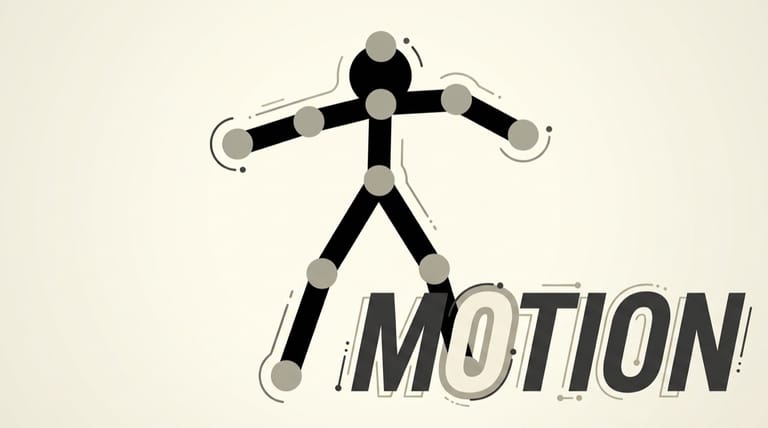
The figure is a jointed armature — head, torso, upper and lower arms, upper and lower legs — with grab handles at the pivot points. Click a handle and drag, and the limb rotates around its joint while the rest of the body stays put. That constraint is what makes the tool usable by people who cannot draw. You are never drawing a person; you are positioning a puppet, and the software fills in the figure.
Frames are added one at a time. The sequence you build is a flipbook, and the illusion of motion comes entirely from how carefully you space the poses. Playback runs the frames in order at a fixed rate, so a movement that looks smooth in your head can come out jerky if the gaps between poses are too large, and sluggish if they are too small.
The Tradition It Belongs To
Stick figure animation was one of the defining crafts of the early web. Desktop tools like Pivot Stickfigure Animator put keyframing in the hands of teenagers with no art training, and the results filled Newgrounds and Albino Blacksheep for years — the Xiao Xiao shorts, the Animator vs. Animation series, and thousands of homemade fight scenes of wildly varying quality.
Browser-based animators like this one lowered the barrier further by removing the install step entirely. What you lose is depth: there are no layers, no camera, no scripting and no export to a real video format. What you gain is that anyone can be posing a figure ten seconds after the page loads, which is why these tools were so effective at getting people started.
Controls
| Action | Control |
|---|---|
| Select / interact | Left mouse button |
Click and drag a joint to rotate the limb attached to it, then use the on-screen buttons to add a frame, step through the timeline, and play the sequence back.
Making Something That Actually Reads
- Block out the extremes first. Set the start pose and the end pose, then fill in the middle. Working strictly left to right tends to produce animation that drifts.
- Move fewer things per frame. Changing every limb between frames reads as noise. Isolate one action — an arm swing, a step — and let the rest follow.
- Keep the hips honest. Weight lives in the torso. If the body does not shift when a leg takes a step, the walk will look like sliding no matter how good the legs are.
- Overshoot, then settle. A limb that travels slightly past its final position and comes back looks alive. A limb that stops dead looks mechanical.
- Watch the playback constantly. A pose that looks correct while static often falls apart in motion, and the only way to know is to run it.
- Loop before you extend. A four-frame cycle that loops cleanly is worth more than forty frames that do not.
Why Bother With It Now
Modern animation software is free, powerful and completely overwhelming for a beginner. Something this stripped-back is a genuinely good teaching object, because every principle you have to learn eventually — timing, spacing, weight, anticipation — is still present, and none of the interface is in the way. Half an hour of pushing a stick figure through a jump will teach you more about why animation works than an hour of tutorials.
Frequently Asked Questions
Is this a game with objectives? No. It is a creative tool. There is no scoring, no failure condition and nothing to unlock — the output is whatever sequence you make.
Can I animate more than one figure at a time? The tool is built around a single armature, so complex multi-character scenes are outside what it is designed to handle.
How do I make a walk cycle? Build a short loop of contact, passing and extended poses for each leg, keep the arms swinging opposite the legs, and let the torso rise and fall slightly. Then test the loop repeatedly and adjust the spacing.
Will my animation be saved if I close the tab? Do not count on it. Treat each session as temporary and finish what you start in one sitting.
Why does my animation look choppy? Almost always too much change between consecutive frames. Add intermediate poses at the points where the movement is fastest.