
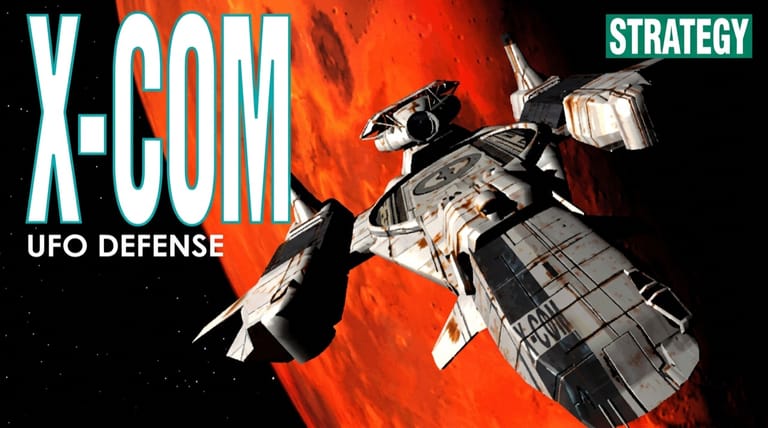

X-COM: UFO Defense
Preparing game…
X-COM: UFO Defense
Command Earth's last line of defense against an alien invasion. X-COM online is free here and plays inside the page, with no download, no installer and no account. MicroProse's legendary 1994 strategy game, X-COM: UFO Defense, loads in seconds and hands you control of a secret organization tasked with researching, fighting, and ultimately repelling an extraterrestrial threat. A phone will run it, though the Geoscape asks you to click one moving UFO among several, and tapping accurately on a world map that narrow is a mission of its own.
How to Play X-COM Online
Standing up your first base:
- Play starts UFO Defense loading.
- Give the intro a moment to finish; the Geoscape and every tactical mission run in this tab.
- Give the frame one click of its own, after which the base and world-map panels will take your input.
- From the menu, start a new game and place your first base on the world map.
- Manage your base, intercept UFOs, then take your soldiers into turn-based tactical missions.
X-COM is deep and punishing — take it slow, read the tooltips, and expect to learn from a few losses.
Controls
X-COM is played almost entirely with the mouse, using on-screen panels:
| Action | Control |
|---|---|
| Select / move soldier | Left-click |
| Open context actions | Right-click |
| Fire / aim (Battlescape) | Click the weapon, choose shot type, click target |
| Change unit elevation view | Page Up / Page Down |
| Rotate / face direction | Click adjacent tile |
| End turn | Click the end-turn button |
| Scroll the map | Move cursor to screen edge or arrow keys |
| Fullscreen toggle | Right Alt + Enter |
On tactical missions, every action spends Time Units — don't burn them all moving, or you'll have none left to shoot or react.
What Is X-COM: UFO Defense?
X-COM: UFO Defense (known as UFO: Enemy Unknown outside North America) is a strategy game developed by Mythos Games and MicroProse, released in 1994 for MS-DOS. It blends two layers of play: the Geoscape, where you manage bases, fund research, build interceptors, and track UFO activity across a real-time map of Earth; and the Battlescape, a turn-based tactical layer where your squad fights aliens on the ground.
X-COM is famous for its depth, tension, and unforgiving difficulty. Soldiers are permanently lost when they die, missions can go wrong in an instant, and a single bad decision can cascade into disaster. That high-stakes, emergent storytelling — combined with a deep research and management loop — made it one of the most acclaimed and influential strategy games ever, and the foundation of a long-running franchise.
How the Game Works / Gameplay Basics
X-COM runs on two interlocking layers. On the Geoscape, you build and manage bases, hire scientists and soldiers, research captured alien technology, manufacture equipment, and scramble interceptors to shoot down UFOs. Funding comes from the world's nations, whose support rises or falls based on how well you defend them.
When a UFO lands or is shot down, you deploy a squad into the turn-based Battlescape. Here every soldier has limited Time Units to spend on moving, shooting, and throwing grenades, and aliens take their turn in the unseen darkness between yours. You'll recover alien corpses, artifacts, and live captives to fuel research that unlocks better weapons, armor, and craft. Success is a long campaign of escalating threats, building toward an assault on the aliens' home base on Mars.
Beginner Tips
- Research relentlessly. Tech unlocks better weapons and armor — prioritize laser weapons and alien containment early.
- Capture live aliens. Stun captives give the most valuable research breakthroughs.
- Mind your Time Units. Always leave enough to fire a reaction shot or retreat.
- Use cover and scouts. Advance carefully; rushing into the open gets soldiers killed.
- Keep nations happy. Defend regions that fund you, or your budget collapses.
- Save often. X-COM is brutal, and a quick save before a risky move saves a lot of grief.
Why Play X-COM Online?
The 1994 release came as a multi-floppy install with a setup program to argue with first. That whole ritual is gone; the Geoscape is up as soon as the page is. What hasn't changed is the campaign, which will happily eat a weekend and kill soldiers you had bothered to rename.
Defending Earth from a tab also means nothing is installed on the machine doing the defending, so you can pick at a campaign wherever you happen to be. A strategy game with this much under the hood shouldn't have an install standing in front of it.
Troubleshooting
- Game won't start? X-COM pulls in both its Geoscape and Battlescape data before it shows you anything at all, so the first load is the slow one — wait for the main menu instead of clicking into a blank frame.
- Mouse or keyboard not responding? Click once inside the game frame; X-COM's right-click context actions in particular will do nothing until the frame has focus.
- Text hard to read? Use fullscreen mode — the UFOpaedia entries and soldier stat screens are wall-to-wall small text, and they are genuinely hard to read in a small window.
- Running slowly? Close other browser tabs and heavy applications if the Geoscape stutters at the faster time settings, or if a large Battlescape map slows to a crawl.
- No sound? Check that the tab isn't muted; the alert when a UFO is detected is easy to miss when you are buried in the research screen.
- Feeling overwhelmed? Slow down, read the in-game tooltips, and tackle one UFO at a time.
Frequently Asked Questions
Is X-COM free to play online? Yes. The whole campaign, from your first interception to the assault on Cydonia, costs nothing and asks for no purchase along the way.
Do I need to install X-COM or configure an emulator? No. This page supplies both the DOS game and the emulator that runs it, so there is nothing for you to configure and no files left on your machine.
Can I play X-COM on mobile? You can, but the right mouse button drives half the Battlescape — shot types, kneeling, unit actions — and no touch gesture stands in for it cleanly.
Is this the original 1994 X-COM? Yes — the 1994 original, sold as UFO Defense in North America and UFO: Enemy Unknown elsewhere, rather than the later Firaxis remake.
Why is X-COM so hard? Permanent soldier deaths, limited resources, and unpredictable aliens make it genuinely challenging. Careful planning, research, and saving improve your odds dramatically.
Can I save my progress? Yes, from the in-game menu — and X-COM is the game that teaches you why. A save written before the landing ramp comes down is standard practice.
The skies are full of UFOs and Earth is counting on you. Build your base and begin the defense.