
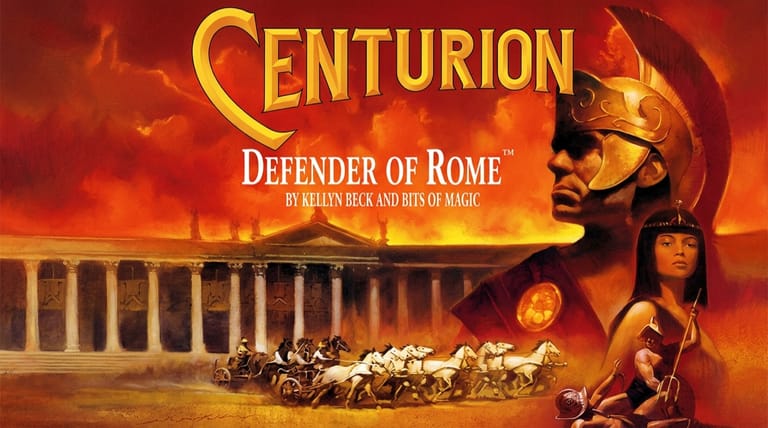

Centurion: Defender of Rome
Preparing game…
Centurion: Defender of Rome
Rise from a lowly centurion to ruler of the entire Roman world through conquest, diplomacy and spectacle. Centurion: Defender of Rome online carries no price and no barrier: the 1990 Electronic Arts release plays from this page with no download, no install and no account. It swings between a turn-based map of the Mediterranean and hands-on set-pieces — legions manoeuvring in real time, chariots in the circus, gladiators in the arena. Mobile will run it, but the game wants a mouse on the province map and the keyboard during a chariot race, often minutes apart, and a phone offers neither.
How to Play Centurion: Defender of Rome Online
Taking command takes roughly a minute:
- The Play button brings Centurion up on the screen where a new campaign begins.
- Give it a moment — the game carries the campaign map plus the battle, chariot, and arena set-pieces, so there is a fair amount to bring in at once.
- Click inside the game frame so both the mouse-driven menus and the keys used in the races answer you.
- Start a new game and take command of a Roman province.
- Manage taxes and legions on the map, then fight battles and stage events to expand Rome.
Centurion mixes strategy and action — build a strong economy and army on the map, then prove yourself in hands-on battles.
Controls
Centurion is played with the mouse and keyboard, switching between strategy and action:
| Action | Control |
|---|---|
| Select province / menu option | Left-click |
| Manage taxes, legions, diplomacy | Use the on-screen menus |
| Move legions on the map | Select and direct your armies |
| Command troops in battle | Click and direct formations |
| Race chariots / play events | Arrow keys or mouse |
| Advance turn | Click to proceed |
| Fullscreen toggle | Right Alt + Enter |
On the campaign map you manage your empire by clicking provinces and menus, then in battles and events you take direct control of your legions, chariots, or fleets.
What Is Centurion: Defender of Rome?
Centurion: Defender of Rome is a turn-based strategy game with action elements, developed by Bits of Magic and published by Electronic Arts in 1990 for MS-DOS. You begin as a Roman commander in charge of a single province and set out to expand Rome's dominion across the entire Mediterranean world — managing provinces, raising and leading legions, conducting diplomacy, and fighting battles, with the ultimate ambition of becoming Caesar and ruler of the known world.
Centurion is fondly remembered for its variety and accessibility. It wraps a manageable grand-strategy campaign — taxing provinces, building armies, negotiating with neighbors — around a series of hands-on set-pieces: commanding legions in real-time tactical battles, racing chariots in the circus, staging gladiatorial games, and even fighting naval engagements. This mix of strategic depth and arcade spectacle, all themed around ancient Rome, gave it broad appeal and made it a beloved classic of historical strategy gaming.
How the Game Works / Gameplay Basics
The campaign plays out on a map of the Roman world divided into provinces. You manage your empire by setting taxes, raising and equipping legions, and conducting diplomacy — forming alliances, demanding tribute, or declaring war on neighboring territories. Keeping your provinces prosperous and content while building military strength is the foundation of your expansion, as unhappy provinces can revolt and overreach can leave you vulnerable.
When conflict comes, the game shifts to hands-on action. You command your legions in real-time tactical battles, positioning formations of infantry and cavalry to defeat enemy armies. Beyond warfare, you can hold chariot races and gladiatorial games to win the favor of the people, and fight naval battles at sea. These interactive events break up the strategic management and let your skill directly influence Rome's fortunes. Balancing economy, diplomacy, and military might across the map — while excelling in the action set-pieces — is the path to ruling the entire Roman world.
Beginner Tips
- Keep provinces happy. Set fair taxes and hold games to prevent costly revolts.
- Build strong legions. Well-equipped armies are essential for conquest and defense.
- Use diplomacy. Alliances and tribute can expand your power without constant war.
- Position troops well in battle. Formation and terrain decide tactical fights.
- Win the people's favor. Chariot races and gladiator games boost your standing.
- Expand steadily. Secure each province before pushing into the next.
Why Play Centurion: Defender of Rome Online?
Centurion is unusually easy to recommend to people who don't normally play strategy games, mostly because it keeps interrupting the ledger with a chariot race. Opening a tab suits that impulse: you can be commanding a legion a minute after deciding you fancy it, with no judgement call about whether the game is worth an installation.
It travels well between sittings, too. A Mediterranean campaign takes a while to finish, and the page behaves the same on whatever machine happens to be in front of you, so where you play doesn't have to be settled up front.
Troubleshooting
- Game won't start? There's a fair amount arriving at once — the campaign map plus the battle, chariot and arena set-pieces — so give it longer than you would a smaller game before concluding it has failed.
- Mouse or keyboard not responding? Click once inside the game frame, as Centurion moves between mouse-driven menus and keyboard set-pieces and both need the game to hold focus.
- Text hard to read? Use fullscreen mode: province names and the figures on the tax and legion screens are small, and the map is much easier to read at full size.
- Running slowly? Close other browser tabs and heavy applications, because while the strategy map asks little of your machine, the real-time battles and chariot races are where a slow frame rate shows.
- No sound? Test the tab's mute state and then your system volume — crowd noise is most of what sells the races and the arena, and both feel strangely empty without it.
- Provinces revolting? Lower taxes and stage games to win back the people's favor.
Frequently Asked Questions
Is Centurion: Defender of Rome free to play online? Yes. This was a boxed EA release in 1990; the whole rise from a single province to Caesar costs nothing here, and no part of the page asks you for payment.
Do I need to install Centurion or run it through DOSBox? No. The DOS version and the emulator that runs it are both served by this page, so there's nothing to configure locally and no account to create.
Can I play Centurion on mobile? You can, but the game keeps changing what it wants from you — precise clicks on small provinces and tax figures one moment, quick key presses to steer a chariot the next. A mouse and keyboard cover both; a touchscreen struggles with each in its own way.
What kind of game is Centurion? It's a turn-based Roman strategy game with hands-on battles, chariot races, and gladiator games.
How do you win Centurion? You expand Rome's empire across the Mediterranean through economy, diplomacy, and conquest to become Caesar.
Can I save my progress? Yes. Saving and loading are handled from inside the game itself — worth doing before a risky invasion rather than after one.
The Roman world and the path to Caesar await. Load it up and begin your rise.