

Crossword
Loading game…
Crossword
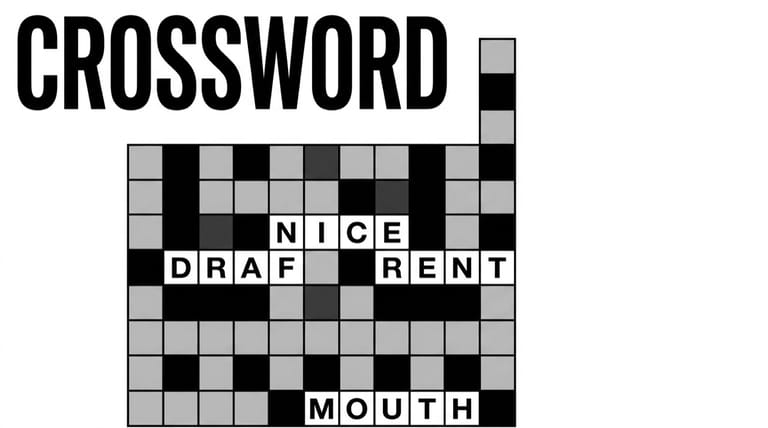
Open it expecting a newspaper crossword and the first thing you will notice is what is missing: there are no clues. No numbered list down the side, no definitions, nothing to look up. What you get instead is a grid with a scattering of letters already in place, a bank of letters to spend, and one rule that does all the work — place a letter and every tile on the board that belongs to that letter fills in at the same time. Five difficulty settings later, that rule is still the only mechanic, and it is more than enough.
Not the Crossword You Expect
Because the grid is prefilled in places and the letter bank is finite, the puzzle is one of deduction rather than vocabulary. You are looking at partial words — a four-letter entry reading _ O _ E, say — and working out which of your remaining letters can complete them in a way that also works for every other word crossing them. Nothing you know about capital cities or Greek gods helps. What helps is knowing how English words are shaped.
Controls
| Action | Control |
|---|---|
| Select a tile or letter | Left mouse button |
| Select on touchscreen | Tap |
Why It's Really a Codeword
The puzzle family this belongs to is the codeword, also sold as a code cracker or cipher crossword. In a codeword, every distinct letter of the alphabet has been assigned a marker, and solving means recovering the mapping rather than answering questions. The auto-fill behaviour here is exactly that idea made visible: when you commit a letter, the board immediately shows you every consequence of that decision at once.
That propagation cuts both ways, and it is the most useful thing to understand about the game. A correct placement spreads confirmation across the grid and often cracks two or three other words for free. A wrong one spreads nonsense just as widely — which sounds bad, but is actually a gift, because a bad guess reveals itself within a second or two instead of quietly sitting in the corner of the board.
Cracking Grids Faster
- Start with the shortest entries. A two or three-letter word with one gap has very few legal completions, and each one you settle constrains everything crossing it.
- Attack the busiest intersections. A tile shared by two words is worth more than a tile in the middle of a long entry, because it has to satisfy two constraints at once.
- Use frequency. A letter appearing all over the grid is far more likely to be E, T, A, O, I or N than J or Z. The distribution is doing half the deduction for you.
- Lean on English's habits. A single-letter word is A or I. A Q is followed by a U. Word endings run heavily to -ING, -ED, -ER and -LY, and doubled letters are usually LL, SS, EE or OO.
- Work up the difficulty tiers rather than starting at the top. The technique is identical at every setting; what changes is how much margin you have for a wrong guess.
Where This Sits Among Word Games
Codewords have been a newspaper staple for decades precisely because they need no clue-writing — the grid alone is the puzzle, so a machine can generate them endlessly. That made the format an obvious fit for browser games, which needed content that did not require an editor. The version here keeps things bare: a grid, a bank, five levels of difficulty, and no timer breathing down your neck.
Frequently Asked Questions
Where are the clues? There aren't any, by design. The grid supplies all the information you need, and the deduction replaces the clue list entirely.
Why did letters appear elsewhere on the board when I placed one? Because every tile assigned to that letter fills at once. That propagation is the core mechanic, not a bug.
What is the fastest way into a fresh grid? The shortest words and the tiles where two words cross. Both have the fewest possible answers, so they collapse the puzzle quickest.
Is this the same as a regular crossword? No. A regular crossword tests what you know; this tests how words are built. They look alike and solve nothing alike.
Do I need general knowledge to finish it? None at all. Everything you need is spelling and letter patterns, which is why the puzzle works regardless of what you happen to have read.