
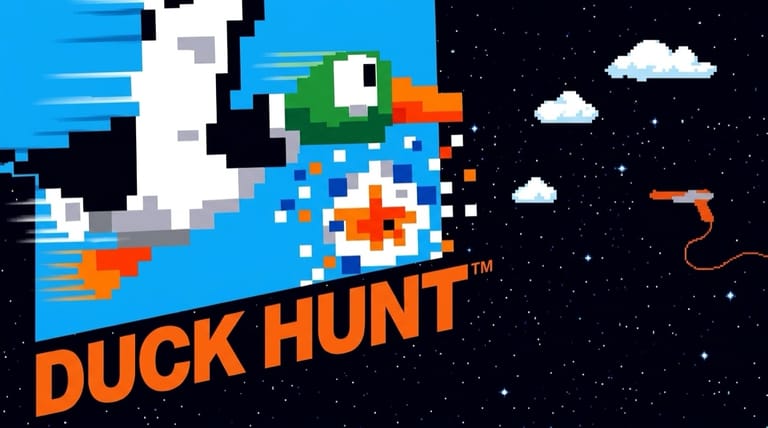

Duck Hunt
Loading game…
Duck Hunt
Take aim and bag your limit before the ducks fly away. Duck Hunt is Nintendo's iconic 1985 NES shooting game — the light-gun classic that came packed in with millions of consoles — and here your mouse pointer stands in for the Zapper, with all three modes open from the start and nothing to pay or install. Track the ducks, fire fast, and try to outscore that smug laughing dog. Hit the Play button to start shooting, and read on for the modes, controls, and tips.
What Is Duck Hunt?
Duck Hunt is a shooting game developed and published by Nintendo, released as a launch title for the Nintendo Entertainment System (NES) in North America in October 1985. Originally it was played with the NES Zapper light gun pointed at a CRT television — and it became one of the most famous and widely owned games of the 8-bit era, frequently bundled alongside Super Mario Bros.
The goal is simple: shoot the moving targets — ducks or clay pigeons — before they escape. You're given a limited number of shots per set of targets, and you must hit a minimum number each round to advance. Miss too many, and that infamous dog pops up to laugh at you.
A Note on Light-Gun Play
The original Duck Hunt relied on the Zapper and a CRT TV — modern LCD and HD screens don't work with the real light gun at all. The good news: in your browser you simply aim and fire with your mouse (or tap on a touchscreen), so you can enjoy the full game on any modern device. It's a different feel from holding the classic plastic Zapper, but the targets, modes, and challenge are all intact.
Game Modes
Duck Hunt offers three ways to play:
- Game A — one duck appears at a time in a woodland setting. A second player can even use a standard controller to steer the duck's flight, making it harder for the shooter.
- Game B — two ducks appear at once, doubling the challenge.
- Game C — clay pigeon shooting, where targets are flung away from you into the distance.
Each round has ten targets. As you climb the rounds, the targets fly faster and the minimum you must hit rises. The game tracks your highest score for the session, and play can run all the way to Round 99 (followed by a famously glitchy "kill screen" round).
How to Play
Getting started is instant. Press the Play button on this page and Duck Hunt loads to the mode screen; the dog only turns up once a round is under way. Then:
- Pick a mode — Game A, Game B, or clay-pigeon Game C.
- Watch the targets appear and start moving.
- Aim and fire at each duck or pigeon before it flies off.
- Hit the minimum number of targets to advance to the next round.
- Keep your accuracy up as targets speed up in later rounds — and chase a perfect ten for bonus points.
Duck Hunt plays great on both desktop and mobile. On a computer you aim and shoot with the mouse, which sits closer to the Zapper than any thumbstick could; a plugged-in controller will still drive the mode screen, but the shooting belongs to the pointer. On phones and tablets you tap the screen to fire, and since a duck is a large target under a fingertip, aiming survives the move to glass better than most NES games do.
Controls
| Action | Control |
|---|---|
| Aim | Move Mouse / Touch |
| Fire | Left Click / Tap |
| Mode Select | V (Select) |
| Start / Pause | Enter (Start) |
Because the original used a light gun, browser play maps aiming and firing to your mouse or touchscreen rather than the D-pad. A connected gamepad can navigate the menus.
Tips for New Players
- Lead your shots. Ducks move in arcs — aim slightly ahead of where the duck is heading rather than directly at it.
- Prioritize in Game B. With two ducks at once, take the one closest to flying off-screen first, then swing to the second.
- Don't waste shots. You have a limited number per set of targets — a panicked early shot often misses. Track the duck for a beat, then fire.
- Watch the timer behavior. Ducks that linger will suddenly bolt upward — be ready to fire before they leave the screen.
- Clay pigeons go away from you. In Game C, targets shrink as they fly into the distance, so shoot them early while they're still large.
Why Play It in Your Browser?
Duck Hunt is one of the most nostalgic games ever made — a defining memory of the NES generation. Running it right here means no Zapper, no CRT, and no console setup: just press Play and start shooting with your mouse or finger. Because it's the genuine NES build, you get all three game modes, the rising difficulty, and yes — that unforgettable laughing dog — exactly as Nintendo designed them.
Frequently Asked Questions
Is Duck Hunt free to play here? Yes. Press Play and Nintendo's complete NES release runs here, all three modes included, at no cost and with no account or install step.
Do I need a light gun to play? No. The original used the NES Zapper and a CRT TV, but in your browser you simply aim and fire with your mouse or by tapping a touchscreen, so it works on any modern device.
When did Duck Hunt come out? It launched as an NES launch title in North America in October 1985, developed by Nintendo, and was famously bundled with many consoles alongside Super Mario Bros.
What are the three modes? Game A (one duck at a time), Game B (two ducks at once), and Game C (clay pigeon shooting).
Can I play it on my phone? Absolutely. It plays great on mobile — just tap the screen to aim and fire — and just as well on desktop with the mouse.
Ready to bag your limit? Press Play and take aim.