
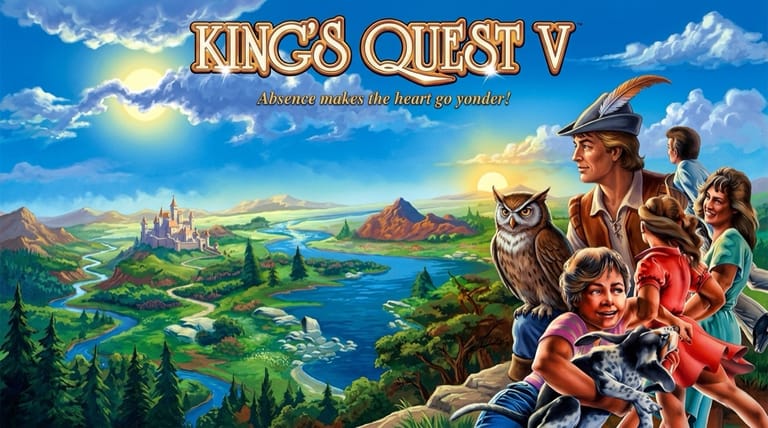

King's Quest V: Absence Makes the Heart Go Yonder!
Preparing game…
King's Quest V: Absence Makes the Heart Go Yonder!
Set out to rescue your kidnapped family across deserts, forests, and a sorcerer's castle in Sierra's first fully point-and-click adventure — King's Quest 5 online costs nothing and runs inside this tab, with the whole game arriving as a page rather than an installer. The 1990 release, subtitled Absence Makes the Heart Go Yonder, comes up in seconds with its icon bar waiting along the top edge of the screen. A phone will run it, but Graham's world is one you interrogate object by object, and a cursor points at a painted detail far more exactly than a fingertip.
How to Play King's Quest 5 Online
Getting started takes seconds:
- Start the player above; King's Quest V opens straight into its animated introduction.
- Give it a moment — the hand-painted VGA artwork is heavier than the EGA games that came before it, so the title takes a little longer to appear.
- Click inside the game frame once so the icon bar responds to your cursor and the keyboard shortcuts register.
- Use the icon-based cursor to walk, look, take, and talk.
- Begin as King Graham, whose castle and family have vanished, and set off to save them.
King's Quest V uses icons instead of typing — cycle the cursor to look, take, and interact, and examine everything you can.
Controls
King's Quest V uses Sierra's icon-based point-and-click interface, played with the mouse:
| Action | Control |
|---|---|
| Select an action icon (walk, look, hand, talk) | Click the icon |
| Interact with the world | Choose the icon, then click the target |
| Use an inventory item | Select it, then click the target |
| Open inventory | Click the inventory icon |
| Move Graham | Use the walk icon and click |
| Skip dialogue / cutscene | Click or press Esc |
| Fullscreen toggle | Right Alt + Enter |
Use the eye (look) icon generously — examining objects and scenery reveals the clues and items you'll need, with no typing required.
What Is King's Quest V: Absence Makes the Heart Go Yonder?
King's Quest V: Absence Makes the Heart Go Yonder arrived from Sierra On-Line in 1990, first on MS-DOS floppies and later on other machines. It once again stars King Graham of Daventry, who returns home to find his entire castle — and his family inside it — has been magically spirited away by the evil sorcerer Mordack. Graham sets out on a long journey across deserts, forests, mountains, and Mordack's island to rescue them.
King's Quest V was a major milestone for Sierra and the genre: it was the first King's Quest (and one of the first Sierra adventures) to abandon the typed parser in favor of a fully point-and-click, icon-based interface, making it far more accessible. It also showcased gorgeous hand-painted 256-color graphics and, in its CD version, full voice acting, raising the bar for adventure-game presentation. With its sweeping fairy-tale story, varied environments, and classic puzzle-solving, it became one of the best-selling and most beloved entries in the series.
How the Game Works / Gameplay Basics
You guide King Graham through beautifully illustrated locations using an icon-based cursor — selecting the walk, look, hand (use/take), or talk icon and clicking on the world to interact. This streamlined interface replaces the old typing system: to examine something you pick the eye icon and click it; to use an item, you select it from your inventory and apply it. Progress comes from exploring, collecting items, talking to characters, and solving puzzles as you follow Graham's quest from the deserts near Daventry to Mordack's distant lair.
The game is a classic Sierra adventure at heart, combining inventory puzzles, logic challenges, and exploration across diverse environments, each with its own characters and obstacles. Many puzzles involve figuring out which item to use where, helping (or outwitting) the people and creatures you meet, and paying close attention to clues. As with other Sierra games, danger and dead ends are possible — Graham can die or you can miss a needed item — so saving frequently is wise. The combination of an accessible interface, lavish visuals, a heartfelt rescue story, and satisfying puzzles makes King's Quest V an inviting and rewarding adventure for newcomers and longtime fans alike.
Beginner Tips
- Examine everything. The look icon reveals clues and items you'll need.
- Collect every item. If you can take it, take it — you'll likely use it later.
- Talk to everyone. Conversations give hints, goals, and story.
- Save often. Deaths and dead ends are possible, so keep frequent saves.
- Combine and use items. Many puzzles are solved with the right inventory object.
- Explore each area fully. New screens hold the clues and items to progress.
Why Play King's Quest 5 Online?
The floppy edition of King's Quest V asked you to feed disks in one after another; the CD re-release with its full voice cast wanted a drive and a sound card configured to match it. Neither of those chores survives here — the game opens straight off this page. That suits a long evening spent poking at scenery, a return to something you finished as a teenager, or a first look at the Sierra adventure that finally dropped the typing.
Nothing is written to your machine either, so a borrowed laptop works as well as your own. Graham's road from the desert wastes to Mordack's island is measured in evenings rather than sittings, and a tab you can leave parked suits a quest that size.
Troubleshooting
- Game won't start? Reload and let the introduction play out before you click; King's Quest V opens with an animated sequence and the icon bar stays inactive until it hands control over.
- Mouse or keyboard not responding? One click inside the frame sorts it out: the cursor only switches between the walk, look, hand, and talk icons while the game holds focus.
- Text hard to read? Use fullscreen. The small message boxes that sit over the painted backgrounds gain the most from the extra size, and so does the inventory icon row.
- Running slowly? Free up some headroom by closing other tabs and background applications, since the large VGA backgrounds and Graham's walking animation are the first things to hitch.
- No sound? King's Quest V leans on its music to carry the mood between locations, so a silent desert crossing points to an audio problem rather than a design choice.
- Stuck on a puzzle? Re-examine scenery, revisit characters, and try your inventory items.
Frequently Asked Questions
Is King's Quest 5 free to play online? Yes. King's Quest V carried a full retail box price in 1990, in both its floppy and CD editions. Playing it here costs nothing at all.
Do I need Sierra's original floppies or the CD release? No. The game data streams into the page and runs there, so you are never asked to install a thing, choose a sound card, or create an account.
Can I play King's Quest 5 on mobile? It will run, but the hand icon has to land on small painted details — a coin in the sand, a latch on a cupboard door — and a fingertip covers most of a screen that size.
Is this the original 1990 King's Quest V? Yes, this is the classic Sierra original, Absence Makes the Heart Go Yonder.
Should I play King's Quest I through IV first? No. King's Quest V tells a self-contained rescue story and is a fine place to start.
Can I save my progress? Yes. Pull down the game's own menu bar at the top of the screen and use its save and restore commands. Do it before anything that looks lethal, because Graham dies easily and King's Quest V will let you walk on for hours without an item you can no longer go back for.
A vanished castle and a sorcerer's island await. Load it up and begin Graham's rescue.