
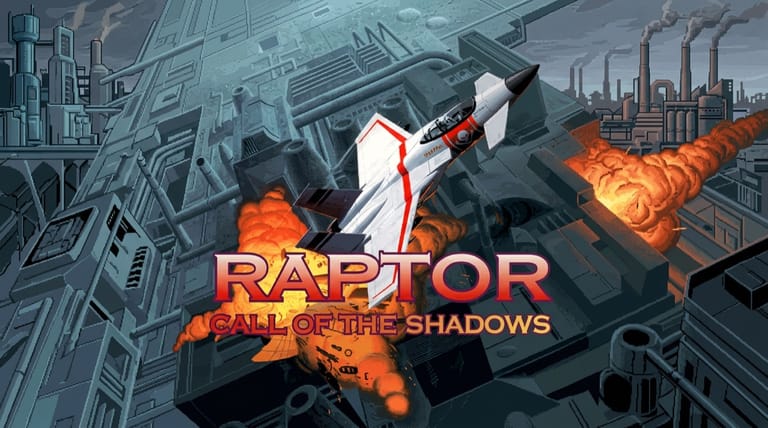

Raptor: Call of the Shadows
Preparing game…
Raptor: Call of the Shadows
Pilot a heavily armed fighter through waves of enemies, upgrading your arsenal with the cash you earn in this explosive vertical shooter. Raptor: Call of the Shadows online costs nothing to open, which is a fair joke on a game built around spending: the only currency involved is the money your kills drop. Apogee's slick 1994 scrolling shooter loads in seconds and delivers fast action paired with a satisfying weapon-buying system. It will run on a phone, but Raptor has you sliding through gaps in enemy fire, and a thumb on the glass covers exactly the bullets you need to watch.
How to Play Raptor: Call of the Shadows Online
Getting into the action takes seconds:
- Click the Play button on this page and Raptor loads to its Apogee title screen.
- Give it a moment to start; the game runs in the browser window, with no shareware archive to unpack first.
- Click inside the game frame so your keyboard or mouse input reaches the fighter.
- Start a new game and choose a sector to fly.
- Blast enemies, collect money and power-ups, and buy upgrades between missions.
Raptor rewards smart spending — collect the money enemies drop, then buy powerful weapons in the shop to take on tougher waves.
Controls
Raptor is played with the keyboard or mouse:
| Action | Control |
|---|---|
| Move ship | Arrow keys or mouse |
| Fire main weapon | Ctrl, Spacebar, or mouse button |
| Switch / use special weapon | Assigned key |
| Collect money / power-ups | Fly over them |
| Pause | Esc |
| Fullscreen toggle | Right Alt + Enter |
Hold down fire as you weave through enemy formations, and fly over the money and power-ups that destroyed enemies drop — that cash is what you'll spend on upgrades between missions.
What Is Raptor: Call of the Shadows?
Raptor: Call of the Shadows is a vertically scrolling shoot 'em up developed by Cygnus Studios and published by Apogee Software in 1994 for MS-DOS. You pilot the Raptor, a powerful fighter aircraft flown by a mercenary pilot taking on contracts against a sinister corporation, blasting through waves of enemy planes, helicopters, tanks, ships, and bosses across multiple sectors of missions. Between missions, you spend the money you've earned in a shop to buy and upgrade weapons for your ship.
Raptor stands out among DOS shooters for its polished presentation and addictive upgrade system. It features colorful, detailed graphics, a thumping soundtrack, and tons of enemies and explosions, delivering classic vertical-shooter action. Its signature hook is the economy: destroyed enemies drop money, which you collect and then spend in a between-mission store on an arsenal of weapons — from extra cannons and missiles to powerful special weapons — letting you tailor and steadily strengthen your ship. This blend of fast shooting and rewarding progression made it one of the most beloved shareware shooters of its era and a lasting fan favorite.
How the Game Works / Gameplay Basics
You fly the Raptor from a top-down view as the screen scrolls upward, automatically advancing through each mission while you move your ship to dodge enemy fire and obstacles and shoot down the constant waves of foes. Enemies range from planes and choppers to ground installations, tanks, and ships, culminating in big boss battles. Destroyed enemies often drop money and power-ups, which you collect by flying over them — making aggressive, thorough clearing of each wave both safer and more profitable.
The defining feature is the between-mission shop. The money you collect lets you visit a store where you buy new weapons and upgrades for your ship — additional guns, homing missiles, powerful special weapons, extra shields, and more — so your firepower and survivability grow as you progress. This creates a satisfying loop: fight a mission, earn cash, upgrade, then take on tougher missions with your improved arsenal. You choose which weapons to equip and when to unleash limited special weapons, adding a light strategic layer to the pure shooting action. With its waves of enemies, big bosses, and rewarding upgrade path across multiple sectors, Raptor offers fast, addictive shoot 'em up fun.
Beginner Tips
- Collect the money. Fly over the cash enemies drop — it funds your upgrades.
- Buy upgrades. Spend between missions on stronger weapons and shields.
- Keep firing. Hold down fire and sweep through enemy formations.
- Dodge constantly. Weave between bullets and enemies to survive.
- Save special weapons. Use limited powerful weapons on bosses and tough waves.
- Grab power-ups. They boost your firepower and survivability mid-mission.
Why Play Raptor: Call of the Shadows Online?
Raptor reached most players as a shareware archive passed hand to hand or pulled down from a BBS, with the later sectors bought separately from Apogee. The whole ritual — unzip, install, find a sound card setting that worked — has been removed, and what remains is the flying. A mission runs a few minutes, so the store screen and its next upgrade are never far off.
Nothing is written to your disk, and the only thing your machine has to do is draw a top-down shooter from 1994. The reason to keep coming back is unchanged: clear a wave, bank the cash, and walk out of the shop with something louder than you had.
Troubleshooting
- Game won't start? Reload and give the Apogee logo and title screen time to run through before you reach for the menu.
- Controls not responding? Click once inside the game frame — if you fly with the mouse, the game needs the pointer captured to track it.
- Running slowly? Close other tabs and heavy applications; dense bullet patterns and boss waves are where slowdown hurts most.
- No sound? Raptor's FM soundtrack runs continuously through a sector rather than only at the boss, and it and the explosions are a large part of the game's appeal.
- Screen too small? Use fullscreen so you can watch fire coming in at the top of the screen while dodging at the bottom.
- Dying quickly? Spend your money on shields and weapons, and focus on dodging enemy fire.
Frequently Asked Questions
Is Raptor: Call of the Shadows free to play online? Yes. The shareware release put the first sector in your hands and charged for the rest; on this page nothing is held back and no payment step exists.
Do I need to download Raptor or register the shareware? No. There's no archive to unpack and no registration code to type in — the page brings the game with it and asks for nothing.
Can I play Raptor on mobile? You can, but steering with a fingertip means your hand hides the lower half of the screen, which is where the fire you are dodging arrives. A mouse or the arrow keys leave the whole playfield visible.
Is this the original 1994 Raptor? Yes, this is the classic Apogee vertically scrolling shooter, Call of the Shadows.
How does the upgrade system work? Destroyed enemies drop money, which you collect and spend in a between-mission shop on weapons and upgrades.
Can I save my progress? Yes. Raptor has its own save system between missions — use it to preserve your progress and upgrades.
Waves of enemies and an upgradable fighter await. Load it up and take flight.