
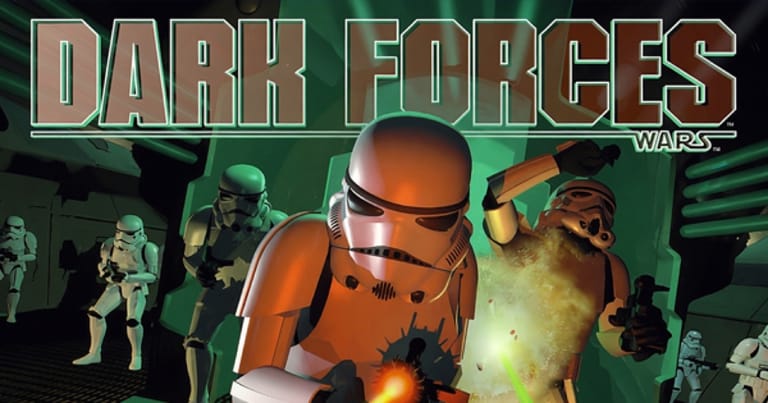

Star Wars: Dark Forces
Preparing game…
Star Wars: Dark Forces
Take on the Empire as mercenary Kyle Katarn in a galaxy far, far away. Dark Forces plays free on this page — nothing to fetch, nothing to set up, no account to open. LucasArts released this first-person shooter in 1995 on its own Jedi engine, and it starts here in seconds, mixing Star Wars fiction with the fast, secret-riddled level design of the era's best shooters. Kyle has to look up and down, leap across gaps and aim while doing it, and none of that is graceful on a touchscreen.
How to Play Star Wars: Dark Forces Online
Getting into the action takes seconds:
- Press Play and the Jedi engine begins loading into the frame.
- Wait a moment for it to start; the LucasArts logo comes first, then the main menu.
- Click inside the game frame so Kyle answers WASD and the mouse — the browser holds those inputs until you do.
- Pick New Game at the menu, then settle on a difficulty you can live with.
- Begin the first mission — the famous raid to steal the Death Star plans — and fight your way through.
Dark Forces has vertical levels and jumping puzzles, so take your time exploring each mission.
Controls
Dark Forces uses a classic keyboard layout with optional mouse aiming:
| Action | Key |
|---|---|
| Move forward / back | W / S (or Up / Down Arrow) |
| Strafe left / right | A / D |
| Turn / look | Mouse (or arrow keys) |
| Fire weapon | Ctrl or left mouse |
| Jump | Spacebar |
| Crouch / duck | C |
| Use / open doors | E or Spacebar |
| Switch weapons | Number keys 1–0 |
| Headlamp | F5 |
| Fullscreen toggle | Right Alt + Enter |
Enable mouse look — Dark Forces lets you aim up and down, and you'll need it for the vertical levels.
What Is Star Wars: Dark Forces?
Star Wars: Dark Forces is a first-person shooter developed and published by LucasArts in 1995 for MS-DOS. Built on the custom Jedi engine, it pushed the genre forward with the ability to look up and down, jump, crouch, and explore multi-level environments — a step beyond the flat mazes of earlier shooters. You play Kyle Katarn, a mercenary working for the Rebel Alliance, tasked with uncovering and stopping the Empire's secret "Dark Trooper" project.
Dark Forces was praised for capturing the Star Wars atmosphere — stormtroopers, blasters, TIE fighters, and John Williams' iconic score — while delivering deep, vertical level design and a genuine story between missions. It introduced the now-beloved character Kyle Katarn and launched the Jedi Knight series, making it both a great shooter and a landmark Star Wars game.
How the Game Works / Gameplay Basics
Each mission sends Kyle into a sprawling, multi-level environment with clear objectives — steal plans, rescue a contact, sabotage a facility — and the freedom to explore to reach them. You'll hunt for keycards and switches to open new areas, find hidden caches behind secret walls, and navigate platforming sections that use the engine's full verticality, including jumping and crouching.
Combat pits you against the Empire's forces: stormtroopers, officers, probe droids, and the menacing Dark Troopers. Your arsenal grows from the trusty blaster pistol and rifle up to heavier weapons like the repeater, mortar gun, and concussion rifle. Unlike many shooters of its day, Dark Forces has no on-screen Force powers or lightsaber — it's pure blaster action — but its objective-driven missions and vertical levels gave it real depth. Smart movement, exploration, and weapon choice carry you through.
Beginner Tips
- Use mouse look. Aiming up and down is essential for the vertical levels and flying enemies.
- Explore thoroughly. Objectives often require finding keycards and switches off the main path.
- Hunt for secrets. Hidden areas hold weapons, ammo, shields, and health.
- Use your headlamp. Dark sections are easier to navigate with the light on.
- Mind the platforming. Save before tricky jumps over pits and hazards.
- Pick the right weapon. Save heavy weapons for Dark Troopers and tough groups.
Why Play Star Wars: Dark Forces Online?
A browser tab is now the quickest door into the best Star Wars shooter of the mid-nineties. This once wanted a boot disk and a careful count of free conventional memory before it would reach a menu; the whole ritual has collapsed into one button. A mission fits inside a lunch break, and the opening raid for the Death Star plans is still the right introduction for anyone who has never met Kyle Katarn.
Nothing is installed on the machine you happen to be using, so a borrowed computer runs the Jedi engine as readily as your own. That is quite a change for a game that used to need its own boot floppy.
Troubleshooting
- Game won't start? Reload and allow it a pause — the engine reads an entire level's geometry in after you choose New Game, so a few blank seconds are expected.
- Keyboard not responding? Click once inside the frame — the game uses the number row for weapons and F5 for the headlamp, and the browser claims keys like that until it has focus.
- Mouse pointer drifting? Fullscreen locks the pointer inside the frame, which matters most in the vertical sections where you're looking up and down constantly.
- Running slowly? Close other tabs and heavy applications; the Jedi engine's larger multi-level areas are where you'll notice a slowdown first.
- No sound? Dark Forces drives the John Williams score with iMUSE, so the music shifts the moment a patrol notices you — losing the audio costs you a warning as well as a soundtrack.
- Controls feel off? Dark Forces defaults to keyboard turning, so open the options and enable mouse look before you attempt the jumping sections.
Frequently Asked Questions
Is Star Wars: Dark Forces free to play online? Yes. It sold on CD-ROM at full price in 1995, and the entire campaign costs nothing here.
Do I need to download or install Dark Forces? No. Dark Forces streams into the page and runs there — you never download a file or create a login.
Can I play Dark Forces on mobile? You can, but this was the shooter that introduced looking up and down and jumping, and doing both on glass while a Dark Trooper closes in is no fun.
Is this the original 1995 Dark Forces? Yes, this is the classic original that introduced Kyle Katarn and launched the Jedi Knight series.
Does Dark Forces have lightsabers or Force powers? No — the original is pure blaster action. Lightsabers and Force powers arrived in its sequel, Jedi Knight.
Can I save my progress? Yes, from the in-game menu. Do it before the jumping sections, because one missed leap into a pit sends you back a long way.
The Empire's secret weapon won't stop itself. Load it up and begin Kyle Katarn's mission.