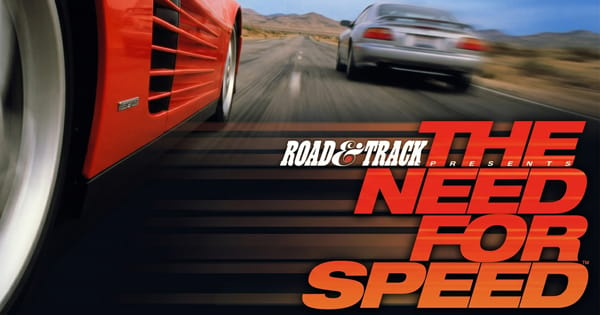

The Need for Speed
Preparing game…
The Need for Speed
Get behind the wheel of exotic supercars and tear down open highways dodging traffic and cops — Need for Speed is free on this page, needs nothing installed, and asks for no account. Electronic Arts' genre-launching 1995 racing game, The Need for Speed, loads in seconds and delivers the high-speed thrills that started one of gaming's biggest racing franchises. A phone can run it, but holding a steady throttle while easing into a corner is a job for keys you can feel rather than glass your thumb slides off.
How to Play The Need for Speed Online
Getting on the track takes seconds:
- Press Play and let the game boot through to its main menu.
- Give it a moment — it opens on the car-showcase menus rather than dropping you straight onto a track.
- Click inside the game frame so the steering and throttle keys go to the car, not the page.
- From the menu, pick a car and a track, then choose a race type.
- Hit the gas and race — watch for traffic and police on the open-road courses.
Need for Speed rewards smooth driving — brake before corners and ease back on the throttle to stay in control.
Controls
The Need for Speed is played with the keyboard:
| Action | Key |
|---|---|
| Accelerate | Up Arrow |
| Brake / reverse | Down Arrow |
| Steer left / right | Left Arrow / Right Arrow |
| Shift up / down (manual) | A / Z (or assigned keys) |
| Handbrake | Spacebar |
| Change camera view | C or view key |
| Pause | Esc |
| Fullscreen toggle | Right Alt + Enter |
Brake before you enter a corner, not during it — lifting off and braking early keeps your supercar from sliding wide.
What Is The Need for Speed?
The Need for Speed is a racing game developed by EA Canada (originally Pioneer Productions) and published by Electronic Arts in 1995 for MS-DOS, 3DO, and other platforms. The very first entry in the legendary Need for Speed series, it focused on exotic sports cars — Lamborghinis, Ferraris, Porsches, and more — and let players race them across scenic point-to-point courses and circuits, complete with traffic and police pursuits on the open-road tracks.
The original Need for Speed stood out for its emphasis on realistic car handling and its loving presentation of real-world supercars, including video and stats for each model. Its mix of accessible arcade thrills and a touch of simulation, plus the novelty of dodging civilian traffic and evading cops, made it a hit and laid the foundation for one of the best-selling racing franchises of all time.
How the Game Works / Gameplay Basics
You pick from a roster of licensed exotic cars, each with its own handling and top speed, and race across a variety of tracks. Courses come in two flavors: point-to-point open roads that wind through scenic locations with oncoming traffic and police, and circuit races for pure competition. Your goal is to beat rival racers (and the clock) to the finish while keeping your expensive machine on the road.
Driving is the heart of the experience, and the game rewards learning each car and track. You'll manage speed through corners, use braking and the handbrake to handle tight turns, and on open-road events keep an eye out for slow traffic and patrolling police who'll try to pull you over. There are different race modes and the ability to tune some settings, but the core appeal is simple and timeless: fast cars, great tracks, and the thrill of pushing a supercar to its limit.
Beginner Tips
- Brake before corners. Slow down early, then accelerate through the turn for control.
- Learn each car. Different supercars handle very differently — find one that suits you.
- Watch for traffic. On open-road tracks, oncoming cars can end your race instantly.
- Avoid the police. Drive cleanly on pursuit tracks to dodge costly stops.
- Use the handbrake sparingly. It helps with very tight turns but can cost you speed.
- Memorize the track. Knowing what's ahead lets you carry more speed safely.
Why Play Need for Speed Online?
This is where the whole series began, and it began on CD-ROM — a disc the game kept reading for its car footage and manufacturer stats between events. That disc is nobody's problem now. The game opens from a link, costs nothing, and puts no files on your machine.
A race takes a few minutes, so this is easy to open on whatever computer you happen to be at and close again with the tab. Worth a look whether you have played a dozen later Need for Speed titles and never the first one, or you remember waiting for the Lamborghini footage to grind off the disc in 1995.
Troubleshooting
- Game won't start? Reload, and let the car-showcase menus finish drawing themselves before you settle on a machine.
- Keyboard not responding? Click once inside the game frame; the arrow keys only steer while the frame holds focus.
- Running slowly? A steady frame rate is what lets you judge braking points, so close other tabs and heavy applications before a run.
- No sound? The engine note is your clearest cue for when to shift in manual, so check the tab isn't muted and turn the volume up.
- Screen too small? Use fullscreen mode — at speed, the extra size buys you a little more warning before a corner or a truck in your lane.
- Spinning out? Brake earlier before corners and ease off the throttle through turns.
Frequently Asked Questions
Is The Need for Speed free to play online? Yes. No cost, no purchase step, and no car locked away behind one — the full 1995 game runs as it shipped.
Do I need the original CD or a DOS setup? No. The 1995 release runs from this page as it is, with no disc to find, no install, and no registration.
Can I play The Need for Speed on mobile? It loads, but this game is won by holding a steady throttle and braking a beat before the corner, and a keyboard delivers that far more reliably than a touch overlay.
Is this the original 1995 Need for Speed? Yes — the first entry, the one the long-running series grew out of.
What cars are in The Need for Speed? A lineup of exotic supercars from real manufacturers like Lamborghini, Ferrari, and Porsche.
Can I save my progress? The game is race-based — you compete in individual events and tournaments rather than saving a long campaign.
A garage of supercars and open roads await. Load it up and put the pedal to the metal.