
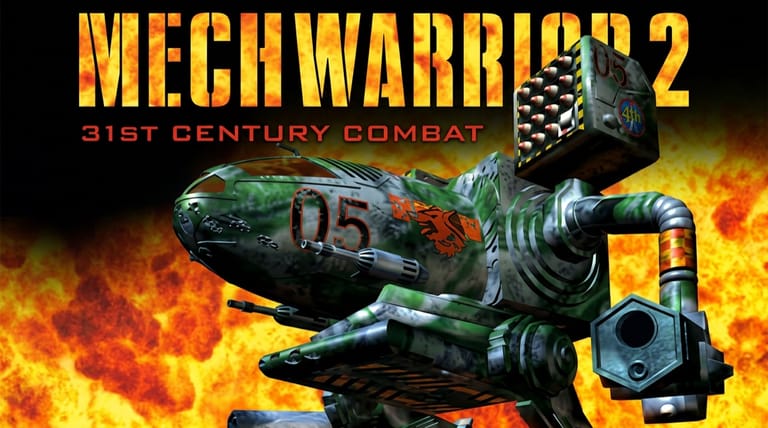

MechWarrior 2: 31st Century Combat
Preparing game…
MechWarrior 2: 31st Century Combat
Pilot a towering BattleMech across alien battlefields, managing weapons, heat, and armor in the definitive giant-robot combat simulator. Activision's 31st Century Combat arrived in 1995 with a reputation for wanting your DOS memory configuration exactly so; MechWarrior 2 here needs none of that, costs nothing, and asks for no registration. Choose a Clan — Wolf or Jade Falcon — and the mech lab is waiting behind the briefing. Touch devices will load it, but a cockpit that splits throttle, legs and torso across the keyboard while the mouse holds your aim wants more hands than a touchscreen can offer.
How to Play MechWarrior 2 Online
Suiting up and launching your first sortie:
- Play above boots the DOS release of 31st Century Combat.
- The intro and Clan briefing take a few seconds; from there the sim stays inside the frame.
- One click on the frame and torso twist starts following your mouse instead of the page.
- Choose your side, configure your 'Mech, and start a mission.
- Pilot your BattleMech, manage your weapons and heat, and destroy your targets.
MechWarrior 2 rewards heat management — fire your weapons in bursts so your 'Mech doesn't overheat and shut down in the middle of a fight.
Controls
MechWarrior 2 is played with the keyboard and mouse, piloting a 'Mech:
| Action | Control |
|---|---|
| Move forward / back | W / S or throttle keys |
| Turn / torso twist | Mouse or arrow keys |
| Set speed | Number keys (throttle levels) |
| Fire weapons | Mouse buttons or fire keys |
| Cycle weapon groups | Assigned keys |
| Manage targeting | Targeting keys |
| Fullscreen toggle | Right Alt + Enter |
Your legs and torso move separately — you can drive in one direction while twisting your torso to aim elsewhere — and you must watch your heat gauge, since firing too much can overheat and shut down your 'Mech.
What Is MechWarrior 2: 31st Century Combat?
MechWarrior 2: 31st Century Combat is a giant-robot combat simulation developed and published by Activision in 1995 for MS-DOS. Set in the BattleTech universe, it puts you in the cockpit of a BattleMech — a massive, heavily armed walking war machine — as a pilot for one of two warring Clans, the Wolf and the Jade Falcon. Across a campaign of missions, you fight other 'Mechs, vehicles, and installations on diverse alien worlds, all while managing the complex systems of your towering machine.
MechWarrior 2 is regarded as a landmark of the 'Mech-combat genre, beloved for its atmospheric 3D battlefields, moody soundtrack, and deep simulation. Beyond piloting and shooting, it gives you a 'Mech customization lab where you outfit your machine with weapons, armor, and equipment within strict weight and heat constraints — a core strategic layer. The combination of tactical combat, heat and damage management, and pre-mission engineering made it a rich, immersive experience. Stylish and deep, it defined the series for many fans and remains a celebrated classic of simulation gaming.
How the Game Works / Gameplay Basics
You pilot your BattleMech from a first-person cockpit, controlling its movement and weapons across mission-based battlefields. A key feature is that your 'Mech's legs and torso operate independently: you set a throttle to walk or run in one direction while twisting your torso to aim your weapons in another, allowing you to circle, retreat, and fire at the same time. You engage enemy 'Mechs and units with a mix of energy weapons (lasers, PPCs), ballistic weapons, and missiles, targeting specific components to disable or destroy them.
The simulation depth comes from resource and damage management. Firing weapons — especially energy weapons — generates heat, and overheating can slow you, cause damage, or even shut your 'Mech down mid-battle, so you must fire in disciplined bursts. Your armor is tracked section by section (arms, legs, torso), so positioning to protect damaged areas matters. Before missions, the 'Mech lab lets you customize your machine — choosing weapons, armor, heat sinks, and equipment within weight limits — adding a strategic engineering layer. Success means balancing firepower, heat, and survivability while outmaneuvering enemy 'Mechs. It's a deep, deliberate combat sim that rewards both piloting skill and smart preparation.
Beginner Tips
- Manage your heat. Fire weapons in bursts so your 'Mech doesn't overheat and shut down.
- Use torso twist. Aim your weapons independently of where your legs are walking.
- Target weak spots. Focus fire on enemy legs or damaged sections to cripple them.
- Customize your 'Mech. Balance weapons, armor, and heat sinks in the 'Mech lab.
- Keep moving. Circle enemies and use terrain to avoid taking concentrated fire.
- Protect damaged armor. Turn undamaged sections toward incoming fire.
Why Play MechWarrior 2 Online?
Getting MechWarrior 2 running in 1995 was a campaign in itself: a sound card to declare, extended memory to argue with, an install routine that wanted more of the drive than you had spare. All of that has been dealt with here, and the Clan briefing is the first thing you actually have to think about.
Half of this game happens before you fire a shot, in the mech lab, trading armour against heat sinks against tonnage. That is something you can spend twenty minutes on in a tab and then walk away from, and since nothing is written to the machine you are sitting at, it need not even be your machine.
Troubleshooting
- Game won't start? MechWarrior 2 reads in mission terrain and 'Mech models before it will show the main menu, so allow it a few seconds more than a smaller DOS game would need. Refresh if it stalls outright.
- Keyboard or mouse not responding? Nothing in the cockpit answers until the frame has focus, so click once inside it and then test a throttle key.
- Mouse aiming drifting? Fullscreen keeps the pointer inside the frame, which matters because torso aiming asks for long, continuous movement in one direction.
- Running slowly? The battlefields are drawn without graphics-card help, so close other browser tabs and heavy applications before missions that put several 'Mechs on screen at once.
- No sound? The missile-lock warning and the shutdown alarm reach you as audio well before you see them.
- Overheating constantly? Add heat sinks in the 'Mech lab and fire your weapons in shorter bursts.
Frequently Asked Questions
Is MechWarrior 2 free to play online? Yes. Activision sold this on CD at full price in 1995; both Clan campaigns and the whole mech lab are open here at no charge.
Do I need the original CD or a DOS setup to play MechWarrior 2? No. Everything runs from this page, so you reach the mech lab without a disc in the drive or an install to sit through.
Can I play MechWarrior 2 on mobile? You can, but piloting a 'Mech means holding a throttle, steering the legs, twisting the torso and cycling weapon groups all at once. That is four jobs spread across a keyboard and a mouse, and a touchscreen has to drop most of them.
Is this the original 1995 MechWarrior 2? Yes — Activision's original 31st Century Combat, not the Mercenaries expansion or one of the later accelerated re-releases.
What kind of game is MechWarrior 2? It's a giant-robot ('Mech) combat simulator with cockpit piloting, heat management, and 'Mech customization.
Can I save my progress? Yes, from the game's own menu. The campaign runs across a long series of sorties, so save between missions rather than expecting the tab to hold your place overnight.
A 'Mech cockpit and 31st-century battlefields await. Load it up and pilot your war machine.