
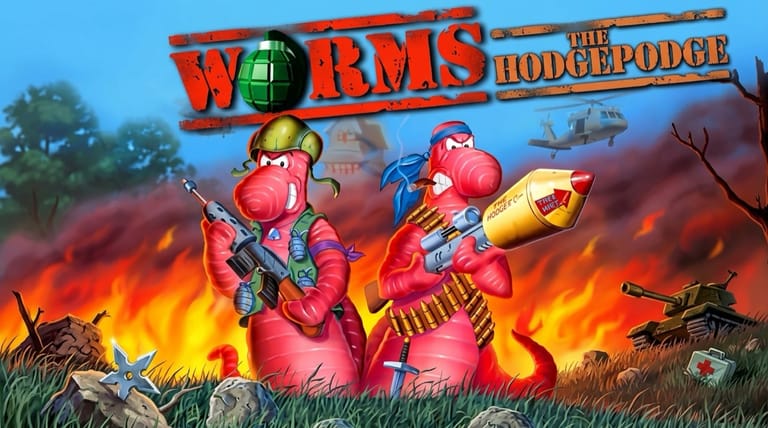

Worms
Preparing game…
Worms
Lob grenades, fire bazookas, and unleash the exploding sheep on rival squads of cartoon worms. Worms online costs nothing here: the DOS version boots inside the frame and asks for no download, no installer and no account. Team17's hilarious 1995 turn-based artillery game loads in seconds and delivers the chaotic, tactical, endlessly replayable combat that made the series a legend. A phone can run it, but a bazooka shot lives or dies on two degrees of aim and a well-timed release of the fire key, which is a lot to ask of a thumb.
How to Play Worms Online
From this page to your first bazooka shot:
- Load Team17's original with the Play button.
- Wait for the menu to appear — matches, including hot-seat games at one keyboard, all run in this tab.
- Click inside the game frame so the aiming and weapon keys go to your worms.
- From the menu, set up a match — choose teams and options, then start.
- Take turns moving your worms and firing weapons to wipe out the enemy team.
Worms rewards careful aim — account for the wind and angle before you fire, and use the terrain to your advantage.
Controls
Worms is played with the keyboard, with a mix of aiming and movement keys:
| Action | Key |
|---|---|
| Move worm left / right | Left Arrow / Right Arrow |
| Aim up / down | Up Arrow / Down Arrow |
| Jump | Enter (or Backspace for backflip) |
| Select weapon | F-keys or weapon menu |
| Fire weapon (hold for power) | Spacebar |
| Change weapon options | Number keys / menu |
| Skip turn | Use the menu |
| Fullscreen toggle | Right Alt + Enter |
For most weapons, hold Spacebar to build up firing power, then release — the longer you hold, the farther the shot.
What Is Worms?
Worms is a turn-based artillery strategy game developed by Team17 and released in 1995 for MS-DOS and many other platforms. Two or more teams of comical worms take turns lobbing an absurd arsenal at each other across destructible 2D landscapes, with the goal of being the last team standing. Behind the cartoon presentation lies a genuinely tactical game of angles, wind, positioning, and timing.
Worms became a phenomenon thanks to its perfect blend of strategy and slapstick. Its huge, silly arsenal — bazookas, grenades, dynamite, the Holy Hand Grenade, and the infamous exploding Super Sheep — combined with hot-seat multiplayer made it a party favorite. The destructible terrain means no two matches play the same, and the series it launched is still going strong decades later. The original remains a beloved classic.
How the Game Works / Gameplay Basics
Each match places teams of worms on a randomly generated, fully destructible landscape. Players take turns, and on your turn you control one worm: move it into position, pick a weapon, aim, and fire. The catch is physics — most projectiles arc, are affected by wind, and detonate on impact, blasting craters in the terrain that change the battlefield as the match goes on.
The arsenal is the heart of the fun, ranging from straightforward bazookas and grenades to comedy weapons like the exploding sheep, banana bomb, and Holy Hand Grenade. You can also use utilities like the ninja rope and bungee to reposition, or shove enemy worms off cliffs into the water for an instant kill. Worms fall when the ground beneath them is destroyed, so terrain control is as important as direct hits. The last team with surviving worms wins.
Beginner Tips
- Mind the wind. Wind pushes grenades and missiles — adjust your aim to compensate.
- Hold to charge power. For most weapons, hold the fire button longer for more range.
- Use the terrain. Knock enemies into the water for instant kills and blast away their cover.
- Don't bunch up. Keep your worms spread out so one blast can't hit several at once.
- Learn the arsenal. Each weapon has its moment — grenades for close targets, bazookas for distance.
- Aim for high ground. Position worms where they're hard to hit and easy to fire from.
Why Play Worms Online?
Worms once wanted a DOS install finished before anyone got a first turn. Here the menu is up as soon as the page is, which counts for a game whose natural habitat is several people crowded round one keyboard with twenty minutes to kill. Set up a two-team match and the old arguments about wind speed restart on their own.
Nothing is written to the computer you play on, either, so a hot-seat match works just as well at a friend's desk or on a laptop propped up in a kitchen. A game built for one keyboard and several players should be this easy to put in front of them.
Troubleshooting
- Game won't start? Worms builds its landscape after you set the match options, so a pause at that point is normal; if the menu itself never turns up, reload and let it get there before you click anything.
- Keyboard not responding? Click once inside the game frame; if holding Spacebar is not charging up a shot, the frame simply is not focused.
- Running slowly? Close other browser tabs if explosions feel jerky — carving fresh craters out of the landscape is the most demanding thing Worms does.
- No sound? Check that the tab isn't muted; the worms' voice clips and the beeping countdown on a grenade are half the reason to play.
- Screen too small? Use fullscreen mode — judging an arc across the map is far easier when the terrain and the wind indicator are both larger.
- Shots missing? Account for wind and hold the fire button longer for more power.
Frequently Asked Questions
Is Worms free to play online? Yes. Nothing is paid for, trial-limited or hidden behind an account — the whole arsenal, bazooka through Holy Hand Grenade, at no cost.
Do I need to install Worms or track down the DOS version? No. The DOS build is emulated by this page, so you need neither a copy of the game, nor a disk image, nor an emulator of your own.
Can I play Worms on mobile? You can, but hot-seat matches assume a few people sharing one keyboard, and handing a phone round between turns is not the same evening.
Is this the original 1995 Worms? Yes — Team17's first Worms, the one that came before Worms 2 and the Armageddon years.
How do you win a match of Worms? Be the last team with surviving worms by eliminating all the enemy worms with your arsenal.
Can I save my progress? Worms is match-based, so you play and finish individual battles rather than saving a long campaign.
The battlefield is set and the bazookas are loaded. Load it up and start the worm warfare.