
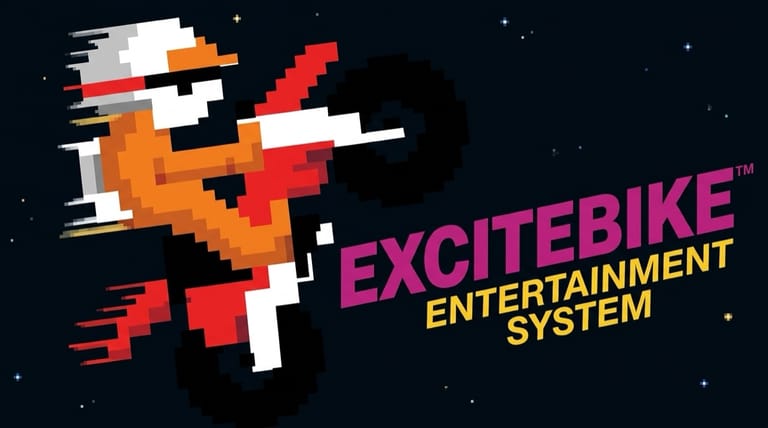

Excitebike
Loading game…
Excitebike
Hit the throttle, soar off the ramps, and don't let your engine overheat. Excitebike is Nintendo's classic 1985 NES motocross racer — a fast, addictive arcade racer with a track editor that was years ahead of its time — and the cartridge runs here in full, Design Mode included, for nothing. Race the clock, nail your landings, and build your own courses. Press Play to start the engine; below you'll find how the heat gauge works, what each button does, and where the time goes.
What Is Excitebike?
Excitebike is a motocross racer from Nintendo, released as a launch title for the Nintendo Entertainment System (NES) in North America in 1985 (after debuting on the Famicom in Japan in 1984). It's the first game in the long-running Excite series and remains one of the most beloved early NES titles — praised for its sense of speed, its physics, and its remarkable track design mode.
You ride a motocross bike across side-scrolling tracks packed with ramps, hills, and obstacles, racing against the clock (and optionally CPU riders) to qualify for the championship. It's simple to pick up but rewards mastery of its momentum, jumps, and engine management.
How the Gameplay Works
Excitebike is all about speed without overheating:
- Two throttles — normal acceleration (the A button) keeps your engine cool, while turbo (the B button) is much faster but heats your engine up.
- Overheating — push turbo too long and your temperature bar fills; you'll stall on the side of the track while the bike cools. Drive over arrows/turbo strips to instantly cool the engine.
- Lane changes — move your bike between the track's horizontal lanes to line up ramps and dodge obstacles.
- Air control — in the air, tilt the bike: lower the front wheel to fly lower and longer, raise it to fly higher and shorter. Landing flat and level keeps your speed; a bad landing throws you off.
- Crashes — hit an opponent, a ramp, or botch a landing, and you're knocked into the grass. Tap A and B rapidly to run back to your bike.
Game Modes
- Selection A — race solo against the clock.
- Selection B — race with CPU riders on the track as moving obstacles (bumping them the wrong way sends you flying).
- Design Mode — build your own tracks from a menu of hills and obstacles, set the lap count, then race your creation in either mode.
The goal in a race is to finish third or better in the preliminary to qualify for the championship — and beat the record times posted on the stadium walls.
How to Play
Getting started is instant. Press the Play button on this page and Excitebike shows the selection screen, where Design Mode sits alongside the two race options. Then:
- Pick a mode — solo (A), with rivals (B), or Design Mode.
- Accelerate with normal or turbo, watching your temperature bar.
- Change lanes to line up ramps and avoid obstacles.
- Control your bike in the air — level out for clean, fast landings.
- Beat the qualifying time to reach the championship, and chase new records.
Excitebike survives the move to a browser well because it never asked for much: a direction and two buttons. A keyboard handles that comfortably, a controller plugged into your machine maps its face buttons onto the NES A and B, and on a phone the on-screen pad drawn to look like the original does the same job. The only input that really rewards a physical button is the rapid A-B tapping that gets you back on the bike after a crash.
Controls
| Action | Control |
|---|---|
| Change Lane / Tilt Bike (in air) | Arrow Keys |
| Accelerate (cool) | Z (A) |
| Turbo (heats engine) | X (B) |
| Mode Select | V (Select) |
| Start / Pause | Enter (Start) |
Up/down move you between lanes; left/right tilt the bike in the air (and pop wheelies on the ground). Any USB or Bluetooth pad you connect follows the same layout, with its face buttons standing in for the NES A and B.
Tips for New Players
- Manage your turbo. Turbo is fast but heats the engine — use it in bursts on straights and ease off before you redline. Overheating costs you far more time than it saves.
- Hunt the arrows. Driving over the arrow strips instantly cools your engine, letting you turbo more aggressively right after.
- Level your landings. Tilt the front wheel down before you land so you touch down flat — a nose-up or nose-down crash kills your momentum.
- Long jumps beat high jumps. Lowering the front in the air sends you farther and faster; save high arcs for clearing tall obstacles.
- Build tracks to practice. Design Mode lets you create courses to drill specific jumps — a great way to master the physics.
Why Play It in Your Browser?
Excitebike is a foundational NES classic — pure arcade racing with a track editor that still feels fresh forty years on. You don't need to find a working cartridge, a console and a TV that will take its output; a tab covers all three. Because this is the genuine NES build, the tracks, the engine-heat mechanic and Design Mode behave exactly as Nintendo shipped them.
Frequently Asked Questions
Is Excitebike free to play here? Yes. Both race selections and Design Mode are here in full, exactly as on the cartridge, and none of it is behind a payment or a sign-up.
When did Excitebike come out? It debuted on the Famicom in Japan in 1984 and launched on the NES in North America in 1985, developed by Nintendo. The version here is the NES release.
Can I build my own tracks? Yes — Design Mode lets you place hills and obstacles, set the number of laps, and race your custom course. (Note: the original cartridge couldn't permanently save tracks in the Western version, as that required a Japan-only peripheral.)
Why does my bike stop in the middle of a race? Your engine overheated from too much turbo. Watch the temperature bar, drive over arrow strips to cool down, and use turbo in shorter bursts.
Can I play it on my phone? Absolutely. Excitebike only ever needs the d-pad and two buttons, so it suits a touchscreen better than most NES games, and the on-screen gamepad is modeled on the original controller. Lane changes and mid-air tilts are still a little crisper on a keyboard or a connected pad.
Ready to ride? Press Play and start your engine.