
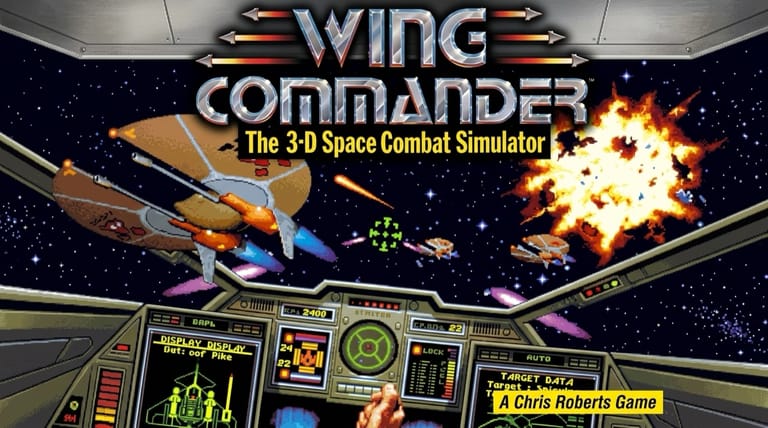

Wing Commander
Preparing game…
Wing Commander
Fly into the cockpit as a rookie pilot aboard a carrier at war with the feline Kilrathi in the space-combat sim that revolutionized the genre. Wing Commander online is free here and launches straight from the page: no download, no installer, no account. Origin Systems' landmark 1990 space-combat sim loads in seconds and immerses you in cinematic dogfights and a war that responds to how you fly. A phone can show the cockpit, but flying it means holding a throttle key while your other hand works the guns and the comms menu, which is a keyboard job.
How to Play Wing Commander Online
From this page to the flight deck of the Tiger's Claw:
- Start the game with Play; the TCS Tiger's Claw comes up in the frame.
- Wait through the title music and opening sequence; you are running the DOS original in this tab.
- Click inside the game frame so throttle, guns, and comms keys register with the game.
- Attend your mission briefing aboard the carrier, then launch.
- Fly your fighter, complete the mission objectives, and dogfight the Kilrathi.
Wing Commander rewards good piloting — use your targeting systems, manage your weapons and afterburner, and protect your wingman and key objectives.
Controls
Wing Commander is played with the keyboard, piloting a starfighter:
| Action | Control |
|---|---|
| Steer / aim | Arrow keys or mouse |
| Throttle / afterburner | Throttle keys |
| Fire guns | Spacebar or fire key |
| Fire missiles | Assigned weapon key |
| Target enemies | Targeting keys |
| Command wingman | Communication keys |
| Fullscreen toggle | Right Alt + Enter |
Use your targeting system to lock onto Kilrathi fighters, manage your guns, missiles, and afterburner, and give orders to your wingman to help you survive the dogfights.
What Is Wing Commander?
Wing Commander is a space-combat simulation developed and published by Origin Systems in 1990 for MS-DOS. It casts you as a rookie starfighter pilot aboard the carrier TCS Tiger's Claw, fighting in an interstellar war between humanity (the Terran Confederation) and the aggressive feline alien race known as the Kilrathi. Across a campaign of missions, you fly various fighters, escort ships, intercept enemies, and dogfight the Kilrathi, with a strong cinematic story unfolding between sorties aboard the carrier.
Wing Commander is a hugely influential and beloved classic that helped define the space-combat sim genre and brought cinematic storytelling to games. Its accessible-but-engaging flight and combat — managing speed, weapons, targeting, and your wingman in fast dogfights — was wrapped in a dramatic, branching narrative: between missions you'd talk with fellow pilots in the bar, attend briefings, and see a story that reacted to your performance. Winning missions pushed the war forward on a victorious path, while losses led down a harder branch. With memorable characters, exciting combat, and groundbreaking presentation, Wing Commander launched a legendary franchise and remains a defining classic.
How the Game Works / Gameplay Basics
The game is structured around missions flown from the carrier. Before each sortie you attend a briefing that lays out your objectives — escort a transport, patrol a sector, intercept Kilrathi raiders, destroy a target — then you launch in your starfighter with a wingman at your side. In space, you pilot your craft in real-time dogfights, managing your throttle and afterburner, aiming and firing your guns and missiles, using your targeting systems to lock onto enemies, and issuing commands to your wingman (attack, break and attack, return to base). Completing the mission's objectives and surviving to return to the carrier is the goal.
What set Wing Commander apart is how the story responds to your success. The campaign follows a branching path: doing well in missions advances the war along a winning track toward harder, more triumphant battles, while failing pushes you onto a losing branch with different missions and stakes — so your piloting genuinely affects the unfolding narrative. Between missions, life aboard the carrier — conversations with fellow pilots, the bar, character moments — fleshes out the world and the war. As you progress, you fly different fighters with varying speed, armor, and weapons, and earn promotions and medals. The combination of exciting, accessible space combat and a reactive, cinematic story gives Wing Commander its enduring, immersive appeal.
Beginner Tips
- Use your targeting. Lock onto Kilrathi fighters to aim and track them in dogfights.
- Manage your weapons. Save missiles for tough targets and use guns for close fights.
- Use the afterburner. Boost to close distance, escape danger, or reposition.
- Command your wingman. Give orders to get help against multiple enemies.
- Protect objectives. Many missions depend on keeping escorted ships alive.
- Fly well. Your success steers the war down the winning story path.
Why Play Wing Commander Online?
Getting back into the sim that rewrote the rules for space combat used to mean freeing up conventional memory and choosing your sound hardware from a setup menu. Here it means pressing one button. A single sortie fits in a spare half hour; the campaign keeps branching for far longer than that, depending on how well you fly it.
Any machine with a browser can put you in the cockpit, and none of them ends up with Origin's files sitting on a drive afterwards. For the game that showed the industry what a story told between missions could do, that is the right amount of friction: none.
Troubleshooting
- Game won't start? A dark screen early on is normal: the cinematic intro plays out before you reach any menu. If nothing has moved after a good while, reload and leave it untouched while it runs.
- Keyboard not responding? Click once inside the game frame; the wingman command keys are easy to blame when it is really the frame that has lost focus.
- Running slowly? Close other browser tabs before a large engagement — the frame rate drops most when several Kilrathi fighters and a capital ship are on screen at once.
- No sound? Check that the tab isn't muted; the missile-lock alarm is your best early warning in a fight, and the scenes between missions lean heavily on their music.
- Screen too small? Use fullscreen mode — the gauges, damage display, and radar surround a fairly narrow viewport, and picking out a distant fighter is much easier scaled up.
- Getting shot down? Use your afterburner to evade, target one enemy at a time, and call on your wingman.
Frequently Asked Questions
Is Wing Commander free to play online? Yes. This was famously the game people upgraded their PCs for in 1990; three decades on it costs nothing and runs on whatever you already have.
Do I need to install anything before I can launch? No. The page carries the emulator and the game data together, so there's nothing to fetch, nothing to unpack, and no account to create.
Can I play Wing Commander on mobile? You can, but dogfighting means holding a throttle key while you aim, fire, and call your wingman, and that is far more comfortable on a desktop or laptop keyboard.
Is this the original 1990 Wing Commander? Yes — Origin's first entry in the series, the DOS release that everything after it was built on.
Does my performance affect the story? Yes — the campaign branches based on how well you do, with success leading down a winning path and losses to a harder one.
Can I save my progress? Yes. Save between missions from the game's own menu. Because the campaign forks on your results, an old save is also the simplest way to go back and see the other path.
A carrier at war and the Kilrathi threat await. Load it up and launch into the fight.