
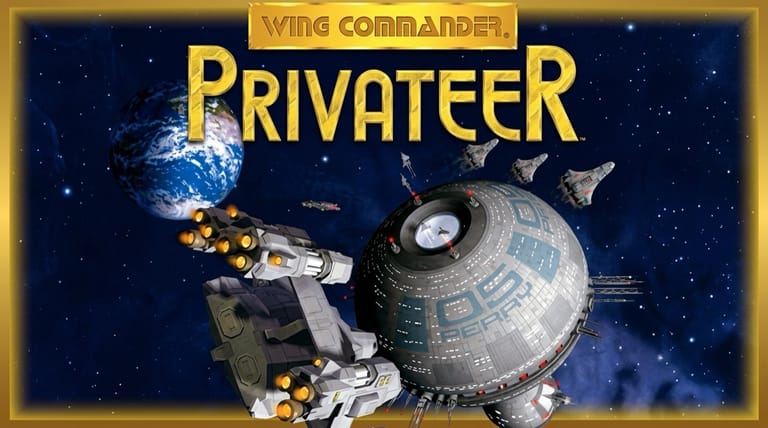

Wing Commander: Privateer
Preparing game…
Wing Commander: Privateer
Make your own way in a lawless frontier of space — trade, hunt bounties, smuggle, or turn pirate as a free-roaming spacer in this open-ended Wing Commander spin-off. Wing Commander: Privateer online runs free in this tab, with nothing to download, nothing to set up, and nobody asking for an email address. Origin Systems' acclaimed 1993 open-world space sim loads in seconds and gives you total freedom among the stars. A phone will play it, but the throttle, the targeting keys and the nav map all want attention at once, and that's more than two thumbs can cover.
How to Play Wing Commander: Privateer Online
The Gemini Sector is a few clicks off:
- Play boots the DOS release and drops you into the sector.
- Let the Origin logo and intro play out — the sim runs here in the page, not on your machine.
- Click inside the game frame so the flight and targeting keys go to your ship, not to the page.
- Start a new game as Grayson Burrows with your starting ship.
- Take jobs, trade cargo, fight or flee, and build up your ship and fortune.
Privateer is open-ended — choose your own path as a trader, mercenary, or pirate, and upgrade your ship with the profits you earn.
Controls
Wing Commander: Privateer is played with the keyboard, piloting a spacecraft:
| Action | Control |
|---|---|
| Steer / aim | Arrow keys or mouse |
| Throttle / afterburner | Throttle keys |
| Fire weapons | Spacebar or fire key |
| Target enemies | Targeting keys |
| Autopilot / navigate | Navigation controls |
| Trade / accept missions (at bases) | Base menus |
| Fullscreen toggle | Right Alt + Enter |
Dock at bases to trade cargo, take missions, and upgrade your ship, and use autopilot to travel between locations — but be ready to fight pirates and other threats along the way.
What Is Wing Commander: Privateer?
Wing Commander: Privateer is an open-world space-combat and trading game developed and published by Origin Systems in 1993 for MS-DOS, set in the Wing Commander universe but with a very different, freeform approach. You play Grayson Burrows, an independent spacer (a "privateer") in the lawless Gemini Sector, free to make your living however you choose — trading goods between systems, taking on mercenary missions, hunting bounties, smuggling, or even turning pirate — while a loose central storyline unfolds that you can pursue at your own pace.
Wing Commander: Privateer is celebrated for bringing open-ended freedom to the Wing Commander series, often compared to Elite. Rather than a linear campaign of set missions, it drops you into a living frontier of space with a sandbox of possibilities: you choose your path, build up your ship and wealth, and shape your reputation with the various factions — merchants, militia, pirates, and the alien Kilrathi and Retros. It combines the series' satisfying cockpit space combat with trading, exploration, mission-taking, and ship upgrading, all wrapped in an atmospheric setting. Deep, flexible, and engrossing, it's a beloved classic for fans of open-ended space games.
How the Game Works / Gameplay Basics
You start with a modest ship and some money, and the Gemini Sector is yours to roam. You travel between bases and planets (using autopilot for the long stretches), where you can trade commodities — buying low and selling high to turn a profit — accept missions (cargo runs, bounty hunts, escort and combat jobs) from mission computers, and upgrade your ship with better weapons, shields, engines, cargo space, and more. Out in space, you face pirates, hostile factions, and the Kilrathi, leading to real-time cockpit dogfights where you maneuver, target enemies, and fire your weapons to survive.
The defining feature is the freedom and consequence. There's no single forced path: you decide whether to be a peaceful trader, a mercenary, a bounty hunter, a smuggler, or a pirate, and your actions affect your standing with the different factions — attacking merchants makes them hostile, helping the militia earns their favor, and so on. The money you earn funds ship upgrades and better vessels, making you more capable of taking on tougher jobs and threats. A loose main storyline runs through it all, which you can follow when you wish. The blend of open-ended choice, trading economy, ship progression, faction reputation, and exciting space combat gives Privateer its rich, sandbox appeal — a galaxy where you forge your own destiny.
Beginner Tips
- Start with safe trade. Build capital running cargo between bases before risky ventures.
- Upgrade your ship. Spend profits on better weapons, shields, and engines.
- Mind your reputation. Your actions affect your standing with each faction.
- Pick your fights. Flee battles you can't win, especially early on.
- Take missions. Mission computers offer steady income and direction.
- Use autopilot. Travel efficiently, but be ready to drop out and fight.
Why Play Wing Commander: Privateer Online?
Few sandboxes from the 1990s have aged as well, and none of them used to be this quick to start. No memory manager to tune, no sound-card guesswork, no 1993 Origin install routine to sit through — the sector is simply there once the page has loaded. Run a couple of cargo hops to find out whether buying low in one system and selling high in the next still has a hold on you.
Roaming Gemini from a tab also means the game asks nothing of the computer it's running on, which suits a spacer's career you might pick at twenty minutes at a time. Freedom this wide shouldn't come with a setup cost attached.
Troubleshooting
- Game won't start? There's a fair amount of data to pull in before any cockpit appears, so a slow first load is expected; reload and hold off on clicking until the Origin logo turns up.
- Keyboard not responding? Click once inside the game frame; if your afterburner or targeting keys do nothing at all, the frame has almost certainly lost focus.
- Running slowly? Close other browser tabs if the frame rate dips mid-dogfight — several ships trading fire at close range is where Privateer asks the most of the emulator.
- No sound? Check the tab isn't muted; missile-lock warnings and the tone your shields make when they take a hit are how you notice trouble before you can see it.
- Screen too small? Use fullscreen mode — the cockpit frame occupies a good share of the display, so your actual view of space is smaller than you might expect.
- Getting destroyed? Upgrade your shields and weapons, avoid tough fights early, and flee when outmatched.
Frequently Asked Questions
Is Wing Commander: Privateer free to play online? Yes. Nothing on this page is charged for or held back — the entire 1993 game and the whole of Gemini Sector, with no purchase and no time limit on your career.
Do I need to install Privateer or run a DOS setup program? No. There's no DOS setup utility to work through and no emulator to install; the page brings both along before the game appears.
Can I play Privateer on mobile? Flying is possible on a touchscreen, but targeting, throttle, and the base and trading menus all lean on the keyboard, so a desktop or laptop suits it far better.
Is this the original 1993 Privateer? Yes — Origin's open-world spin-off as it shipped for DOS, rather than a remake or fan project.
What kind of game is Privateer? It's an open-ended space sim blending trading, missions, faction reputation, ship upgrades, and cockpit combat.
Can I save my progress? Yes. Privateer saves from its own menu, and the time to do it is before you accept a risky escort contract rather than after it goes wrong.
A lawless frontier of space and total freedom await. Load it up and make your fortune.