
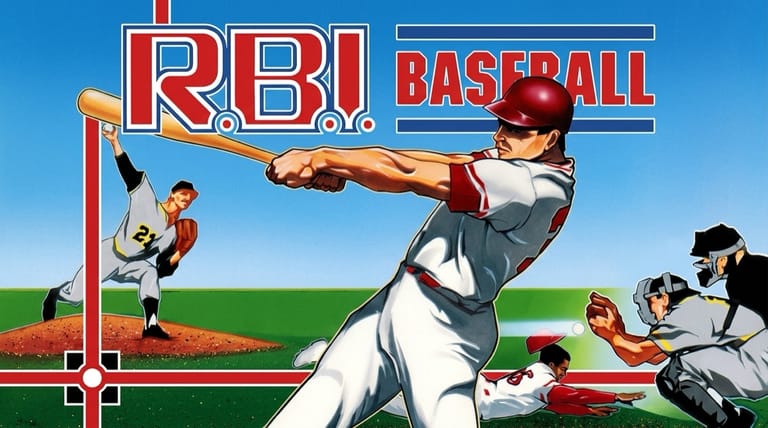

R.B.I. Baseball
Loading game…
R.B.I. Baseball
Step up to the plate in the game that put real big-league names on the NES. R.B.I. Baseball is the classic 1986 baseball game — the first console title to feature actual Major League players — and it runs here in full, with no cartridge to find, no cost, and no account. Pitch, swing, steal, and manage your way to a win. Hit the Play button to take the field, and read on for the teams, gameplay, controls, and tips.
What Is R.B.I. Baseball?
R.B.I. Baseball (known in Japan as Pro Yakyuu Family Stadium) is a baseball game for the Nintendo Entertainment System (NES), developed by Namco and published by Tengen in 1986. "R.B.I." stands for run batted in, and the game became a landmark: it was the first console baseball game licensed by the Major League Baseball Players Association (MLBPA), meaning it used real player names — a huge novelty at a time when rival games used made-up rosters.
Because it wasn't licensed by MLB itself, the game uses city names rather than team nicknames or logos — eight teams (Boston, California, Detroit, Houston, Minnesota, New York, St. Louis, and San Francisco) based on the division-leading clubs of the 1986 and 1987 seasons, plus American League and National League All-Star squads stacked with stars.
Real Players, Real Differences
What made R.B.I. special is that the players actually feel different, modeled on their real-life strengths:
- Hitters vary in contact, power, and base-running speed. Vince Coleman, for instance, is so fast he's nearly impossible to catch stealing second.
- Pitchers differ in speed, ball movement, and stamina. Power arms like Nolan Ryan and Roger Clemens throw the hardest, while Fernando Valenzuela has tremendous movement without a blazing fastball.
- Stamina matters — as a pitcher tires, his pitches slow down and get harder to steer, so managing your bullpen is part of the strategy.
Each team carries 8 starting batters, bench players, two starters, and two relievers — a simplified but recognizable take on those real playoff rosters.
How the Gameplay Works
R.B.I. plays as an accessible but strategic take on baseball:
- Pitching — choose your pitch and steer it left or right in flight to paint the corners or fool the batter.
- Batting — time your swing for contact; stronger hitters drive the ball farther.
- Base running & stealing — advance runners and pick your spots to steal, using your speedsters.
- Fielding — control your defense to chase down hits and turn outs.
- Box score — a running tally tracks hits, runs, and errors through the game.
How to Play
Getting started is instant. Press the Play button on this page and the cartridge boots straight to the mode select screen. Then:
- Pick your team from the eight cities or the two All-Star squads.
- On the mound, select and steer your pitches, watching your pitcher's stamina.
- At the plate, time your swing for contact and power.
- Run the bases and pick smart moments to steal.
- Play the field to record outs and protect your lead.
R.B.I. asks less of your hands than most games of its era: a direction and two buttons cover pitching, hitting, and fielding. The keyboard mapping below handles all of that on a desktop, and a pad plugged in over USB or paired over Bluetooth is picked up without any setup on your part. On a phone or tablet, the touch controller drawn beneath the game gives you the same D-pad and buttons — enough to steer a fastball onto the outside corner.
Controls
| Action | Control |
|---|---|
| Move Fielder / Aim Pitch / Run | Arrow Keys |
| Swing / Throw / Pitch | Z (A) |
| Select Pitch / Steal / Field Action | X (B) |
| Mode Select | V (Select) |
| Start / Pause | Enter (Start) |
You steer pitches with the D-pad as they travel, and use the buttons to swing, throw, and run. If you plug in a gamepad, its face buttons take over the swing and pitch-select roles listed above.
Tips for New Players
- Steer your pitches. Moving the ball left and right in flight is the key to both fooling batters and catching the corners for strikes.
- Watch pitcher stamina. A tired pitcher loses speed and control — go to your bullpen before a starter gets shelled (but remember relievers tire fast).
- Use your speedsters. Fast runners like Vince Coleman can steal almost at will — manufacture runs by getting them in motion.
- Pick power hitters in key spots. Know which batters have pop and lean on them with runners on base.
- Play the matchups. Pitchers with big movement can neutralize strong hitters — choose who you bring in based on who's coming up.
Why Play It in Your Browser?
R.B.I. Baseball is a nostalgic cornerstone of NES sports gaming — the game that first let you play as real big-league stars. Nothing here needs a cartridge tracked down at a flea market or a console wired back into a television; the mode select screen is one click away. Because it's the genuine NES build, you get the real MLBPA player names, the distinct player abilities, and the pick-up-and-play action exactly as it shipped.
Frequently Asked Questions
Is R.B.I. Baseball free to play here? Yes. Press Play and the complete NES cartridge — all eight city teams plus both All-Star squads — runs in your browser at no cost.
When did R.B.I. Baseball come out? It released in 1986 for the NES, developed by Namco and published by Tengen. The version here is that NES release.
Why are teams listed by city instead of team name? The game was licensed by the MLB Players Association (for real player names) but not by MLB itself, so it couldn't use team nicknames or logos — only city names.
Are the players based on real stats? Yes — hitters and pitchers have different abilities modeled on their real-life strengths, from Vince Coleman's speed to Nolan Ryan's fastball.
Can I play it on my phone? Absolutely. R.B.I. only asks for the D-pad and two buttons, so the on-screen NES controller covers everything — steering a pitch with your thumb feels natural, and the keyboard or a connected gamepad does the same job on desktop.
Ready to play ball? Press Play and take the field.