
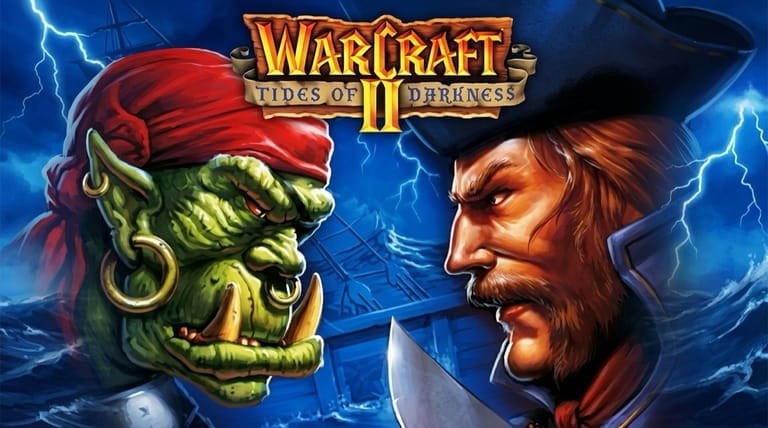

WarCraft II: Tides of Darkness
Preparing game…
WarCraft II: Tides of Darkness
Build your stronghold, raise an army of Humans or Orcs, and battle for control of Azeroth — WarCraft 2 online is free on this page and asks nothing of you: no download, no configuration, no login. Blizzard's beloved 1995 real-time strategy classic, Tides of Darkness, loads in seconds and puts you in command of one of two warring factions on land and sea. It will display on a phone, but fights here are won by drag-selecting a group of units and issuing orders quickly, and a touchscreen turns both of those into a fumble.
How to Play WarCraft 2 Online
Getting from this page to your first peasant or peon takes under a minute:
- Press Play above to start loading Tides of Darkness.
- Wait for the Blizzard logo and the animated intro to come up — the whole game is running inside this page.
- Click inside the game frame once, so the in-game cursor takes over from the browser's.
- From the main menu, choose New Game and pick a side: the Humans (Alliance) or the Orcs (Horde).
- Start the first campaign mission and follow the objectives — the early missions ease you into gathering, building, and combat.
New to real-time strategy? The opening missions of either campaign are a gentle way to learn the basics.
Controls
WarCraft 2 is played almost entirely with the mouse, with handy keyboard shortcuts:
| Action | Control |
|---|---|
| Select unit / building | Left-click |
| Move / attack / gather | Right-click target (or left-click order, then target) |
| Drag-select multiple units | Hold left-click and drag |
| Scroll the map | Move cursor to screen edge, or use arrow keys |
| Build (with a worker selected) | Click the build icon, then place |
| Group units | Ctrl + number (press the number to reselect) |
| Command shortcuts | First letter of the order (e.g. M for Move, A for Attack) |
| Fullscreen toggle | Right Alt + Enter |
Send your workers to harvest gold and lumber straight away — your whole army depends on a steady flow of both.
What Is WarCraft 2: Tides of Darkness?
WarCraft 2: Tides of Darkness is a real-time strategy game developed and published by Blizzard Entertainment in 1995 for MS-DOS. The sequel to the original WarCraft, it continues the war between the noble Human Alliance and the savage Orcish Horde across the world of Azeroth. With two full campaigns, sharper visuals, and the addition of naval and air units, it became one of the most popular and influential strategy games of the 1990s.
Tides of Darkness helped cement the modern real-time strategy formula and laid the groundwork for the entire Warcraft universe that would later grow into Warcraft III and World of Warcraft. Its tight base-building, memorable units, and endlessly replayable skirmishes made it a defining PC classic — and it remains a favorite of strategy fans decades later.
How the Game Works / Gameplay Basics
Every mission follows the same satisfying loop: gather resources, build a base, train an army, and crush the enemy. Peasants (Human) and Peons (Orc) harvest gold from mines and chop lumber from forests, which you spend on buildings and units. From your structures you produce everything from footmen and grunts up to knights, ogres, archers, catapults, ships, and dragons or gryphons in the skies.
WarCraft 2 expanded the series across three fronts — land, sea, and air — so naval control and aerial units matter alongside your ground forces. Many units also gain spellcasters like mages and death knights, adding powerful magic to the mix. Victory comes from balancing economy, defense, and a well-timed assault: build too slowly and the enemy overwhelms you, but rush without support and you'll lose your army for nothing. Both the Human and Orc campaigns tell the story from their own side.
Beginner Tips
- Gather immediately. Put every starting worker on gold and lumber from the first second.
- Keep building workers. A bigger economy funds a bigger army — don't stop at your starting peasants.
- Use group hotkeys. Assigning units to Ctrl+number lets you command armies quickly in battle.
- Mix your forces. Combine melee, ranged, and spellcasters so you're never hard-countered.
- Don't neglect defense. Towers and a few guards protect your workers from raids while you expand.
- Scout the map. Knowing where the enemy is strong or weak helps you strike at the right moment.
Why Play WarCraft 2 Online?
Playing WarCraft 2 in your browser is the fastest way back into a real-time strategy landmark. There's no CD to keep in the drive, no sound card to pick from a setup list, and no IPX network to configure — the game that once asked for all of that now starts from one click. Twenty minutes covers an early mission; both campaigns end to end is a proper undertaking, and it remains the clearest place to see where the Warcraft saga actually began.
Because it runs in the browser, you can pick up an unfinished Alliance or Horde campaign on a work laptop or a borrowed machine without installing anything on it. For the game that taught a generation of players what a build order is, the lack of ceremony feels like a fair trade.
Troubleshooting
- Long pause on a blank frame? Reload and hold off clicking until the intro begins — WarCraft 2 pulls in its full set of unit, terrain, and speech data before it shows you anything.
- Mouse or keyboard not responding? Click once inside the game frame — until you do, the arrow keys will scroll the web page instead of the map.
- Map scrolling too fast or slow? Edge scrolling is sensitive, so ease the cursor toward the border rather than slamming it there, and use the arrow keys when you want steady, predictable panning along a battle line.
- Running slowly? Close other tabs before a big engagement — WarCraft 2 struggles most when dozens of units and ships are pathing around each other at once.
- No sound? The peasant and grunt acknowledgements are your main confirmation that an order actually registered, so playing silently means watching each unit to see whether it moved.
- Screen too small? Use fullscreen mode — the fixed minimap and command panel take up a good share of the interface, so scaling everything up makes the small unit icons much easier to read.
Frequently Asked Questions
Is WarCraft 2 free to play online? Yes. Blizzard sold it as a boxed CD in 1995; here it carries no price and there is no checkout to get past.
Do I need the WarCraft 2 CD or a DOS emulator installed? No. The emulation happens inside this page, so there's nothing to install locally, no disc to source, and no account to create.
Can I play WarCraft 2 on mobile? You can, but drag-selecting a band of grunts and giving them an order before the enemy reacts is mouse work, and a thumb is a poor stand-in once a real battle starts.
Is this the original 1995 WarCraft 2? Yes — Tides of Darkness as Blizzard shipped it, the original sequel that defined the series rather than a later remaster.
What's the difference between the Humans and Orcs? Each faction has its own full campaign and equivalent units with different names and styles — the Alliance and the Horde play similarly but tell the war from opposite sides.
Can I save my progress? Yes, through the in-game menu. Save mid-mission rather than only between them — a lost army is far cheaper to undo than a lost base.
Azeroth is at war and the command is yours. Choose your side and march out.