
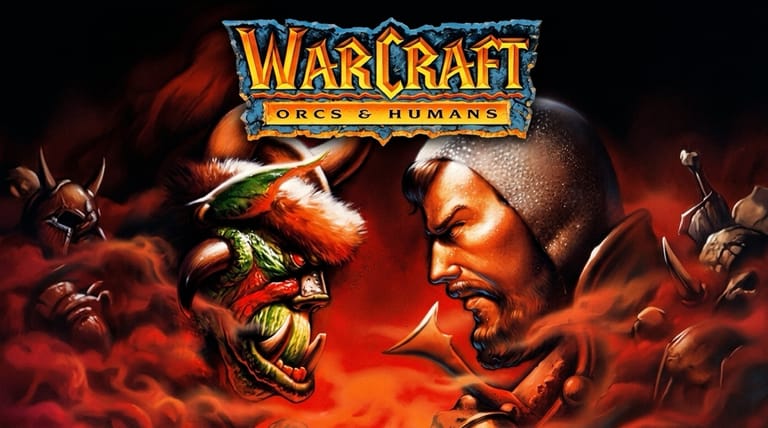

WarCraft: Orcs & Humans
Preparing game…
WarCraft: Orcs & Humans
Where the war between the Alliance and the Horde began: WarCraft online, free, emulated inside this browser tab with nothing to download and no account to create. Blizzard's foundational 1994 real-time strategy game, WarCraft: Orcs & Humans, loads in seconds and lets you command either the Kingdom of Azeroth or the invading Orcish Horde in the conflict that started it all. A phone will run it, but boxing a group of footmen with a drag-select and nudging the map from its edges are both fiddly enough that a mouse earns its place here.
How to Play WarCraft Online
Five steps stand between this page and the opening skirmishes of the First War:
- Press Play to bring the original Orcs & Humans up in the frame.
- Give it a few seconds to reach the main menu; the 1994 DOS build is emulated here, with nothing installed on your machine.
- Click inside the game frame first, so map scrolling and unit orders go to WarCraft rather than the page.
- From the main menu, choose New Game and pick a side: the Humans or the Orcs.
- Start the first campaign mission and follow the objectives as you learn to gather, build, and fight.
New to real-time strategy? The early missions of either campaign ease you in gently.
Controls
Orders go through the mouse; the keyboard covers shortcuts and precise map panning:
| Action | Control |
|---|---|
| Select unit / building | Left-click |
| Move / attack / gather | Left-click order, then click target |
| Drag-select multiple units | Hold left-click and drag |
| Scroll the map | Move cursor to screen edge, or use arrow keys |
| Build (with a worker selected) | Click the build icon, then place |
| Command shortcuts | First letter of the order (e.g. M for Move) |
| Cancel / deselect | Right-click or Esc |
| Fullscreen toggle | Right Alt + Enter |
Send your workers to mine gold and chop lumber straight away — your army depends on both.
What Is WarCraft: Orcs & Humans?
WarCraft: Orcs & Humans is a real-time strategy game developed and published by Blizzard Entertainment in 1994 for MS-DOS. It introduced the world of Azeroth and the long-running war between the noble Human Alliance and the savage Orcish Horde. Inspired by Westwood's Dune II, it helped popularize the modern RTS template and launched one of gaming's most enduring fantasy franchises.
Though simpler than its sequels, WarCraft: Orcs & Humans laid the groundwork for everything that followed — WarCraft II, WarCraft III, and eventually World of Warcraft. With two full campaigns, distinct units for each side, and the foundations of base-building and resource management, it's a genuine piece of gaming history that still offers satisfying, bite-sized strategy.
How the Game Works / Gameplay Basics
Every mission follows the same core loop: gather resources, build a base, train an army, and defeat the enemy. Your workers — peasants (Human) or peons (Orc) — mine gold from mines and harvest lumber from forests, which you spend on buildings and units. From your structures you produce footmen, grunts, archers, spearmen, catapults, and eventually powerful spellcasters like conjurers, warlocks, clerics, and necrolytes.
Combat is direct and tactical: position your units well, focus fire on dangerous targets, and use spellcasters to turn the tide. Both the Human and Orc campaigns tell the story of the First War from their own perspective, with missions that mix base-building battles and smaller tactical maps. Success comes from balancing a growing economy against the need to defend and attack at the right moments.
Beginner Tips
- Gather immediately. Put your starting workers on gold and lumber from the first second.
- Keep building workers. A stronger economy funds a bigger army — don't stop too early.
- Defend your base. Keep guards near your workers to fend off enemy raids.
- Focus fire. Concentrate attacks on one enemy unit at a time to drop them faster.
- Use spellcasters. Healing and offensive spells can swing a close fight in your favor.
- Scout ahead. Knowing where the enemy is strong helps you pick the right moment to strike.
Why Play WarCraft Online?
Playing WarCraft: Orcs & Humans in your browser is the easiest way back to where the Warcraft saga began. There's no floppy-disk install, no setup utility, and no null-modem cable to string between two PCs for a head-to-head game — the whole thing starts from one click. Half an hour in the Orc campaign is enough to see the shape of every real-time strategy game that came after it.
Running it as a page also means the First War is waiting on whatever machine you sit down at, borrowed or otherwise, and nothing of it stays behind when you close the tab. Azeroth's first appearance on a screen deserves to be that easy to reach.
Troubleshooting
- Game won't start? The first load has to pull down the game's data before anything is drawn, so give the blank frame a moment; if the Blizzard logo still hasn't appeared, reload and leave it alone until the title music starts.
- Mouse or keyboard not responding? Click once inside the game frame; that first click is spent giving the frame focus, so your first unit selection may not take.
- Map scrolling too fast or slow? Nudge the cursor toward the map border rather than pushing hard against it, and use the arrow keys when you want slow, precise panning across a front line.
- Running slowly? Close other tabs and background apps — the emulated DOS machine only gets the processor time your browser can spare, and unit pathfinding is the first thing to stutter.
- No sound? Check the tab isn't muted and turn the volume up; the spoken unit responses and the separate Human and Orc music are a big part of the game's character.
- Screen too small? Use fullscreen mode; the original's chunky pixel art and small unit sprites are far easier to tell apart when the picture is scaled up.
Frequently Asked Questions
Is WarCraft free to play online? Yes. Orcs & Humans was a boxed, full-price purchase in 1994; both of its campaigns now cost nothing and run from the frame above.
Do I need the original 1994 floppies or any emulation software? No. Everything needed to run the DOS release is served by this page, so there's no install step, no disk images to hunt down, and no sign-up.
Can I play WarCraft on mobile? You can, but two things fight you: cancelling an order needs a right-click, and selecting a squad needs a box dragged around it. Neither gesture has a natural touch equivalent, and the gold and lumber counters are small enough on a phone that you will squint at them.
Is this the original 1994 WarCraft? It is — Orcs & Humans, the first game in the series, rather than WarCraft II: Tides of Darkness or WarCraft III.
What's the difference between the Humans and Orcs? Each faction has its own full campaign and equivalent units with different names and abilities — the Alliance and Horde tell the First War from opposite sides.
Can I save my progress? Yes. Orcs & Humans has save slots of its own; open the menu mid-mission to write to one, or to pick up a campaign you left half-finished.
The First War for Azeroth is about to begin. Choose your side and lead your forces to victory.